
Delivery· Connected through Deliverect
DoorDash orders on the same screen as the rest of service
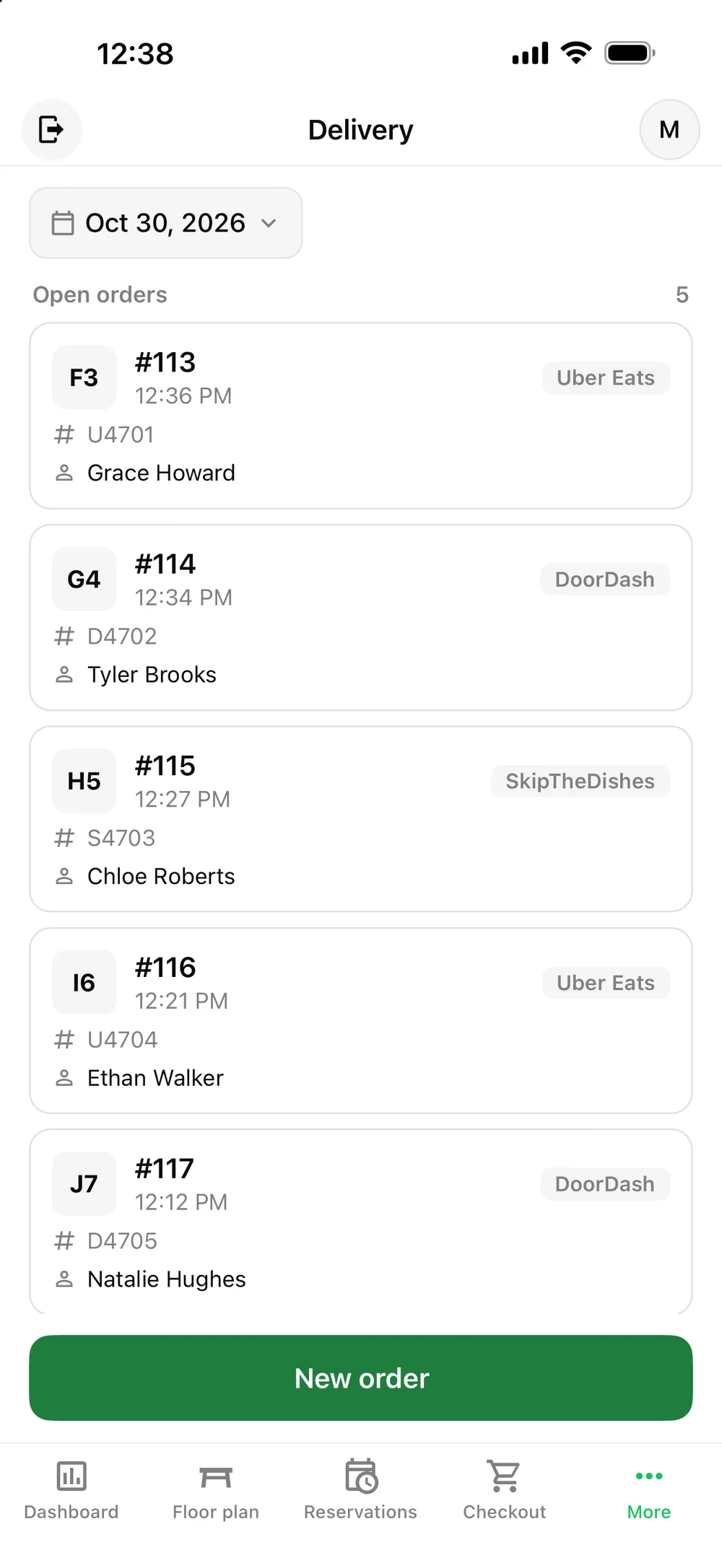
Platter receives DoorDash orders through Deliverect, using your restaurant’s own Deliverect account. Orders land in Platter for your team to accept or cancel, then go to the kitchen like any other ticket.
How it works
- Step 1
Use your own Deliverect account
DoorDash connects to Platter through Deliverect. Your restaurant needs a Deliverect account linked to your DoorDash store.
- Step 2
Link Deliverect with Platter
Once connected, DoorDash orders appear in Platter’s delivery list next to your other orders.
- Step 3
Accept or cancel each order
Review the order in Platter on iPad, iPhone or Android and accept or cancel it.
- Step 4
Prepare and track it
The ticket goes to your KDS or Epson kitchen printer and moves from Preparing to Ready.
Fewer devices on the counter
DoorDash orders come into Platter, so staff work from the POS they already know.
Clear tickets for the kitchen
Modifiers and allergy notes appear on each item on the KDS, with a timer on every ticket.
Delivery promos and pricing
Set delivery-only prices and run discounts by channel from the back office.
DoorDash orders can pile up fast at dinner. Platter brings them into the POS through Deliverect so your team handles them alongside dine-in, pickup, curbside and phone orders.
Your restaurant needs its own Deliverect account connected to your DoorDash store. Platter does not connect directly to DoorDash today. A direct integration is planned for later, and we won’t describe it as available until it is. Delivery is included in the Pro plan.
After an order is accepted, it reaches the kitchen the same way as every other ticket. Kitchen profiles keep each station focused, and Epson printers can route items by category if you prefer paper.
Delivery sales show up on the POS dashboard and in the back office, split from dine-in and takeout, so you can compare channels over any date range and export the numbers to CSV. Back office changes, like a new delivery price, reach every device in about 30 seconds.
Related features: Delivery App Orders, Order Management, Kitchen Display System, Takeout Management.
DoorDash and Platter: questions
See your restaurant running on Platter
A 30-minute demo with a product specialist, tailored to your menu and floor. No obligation.
Book a free demo