
A till built for the morning line
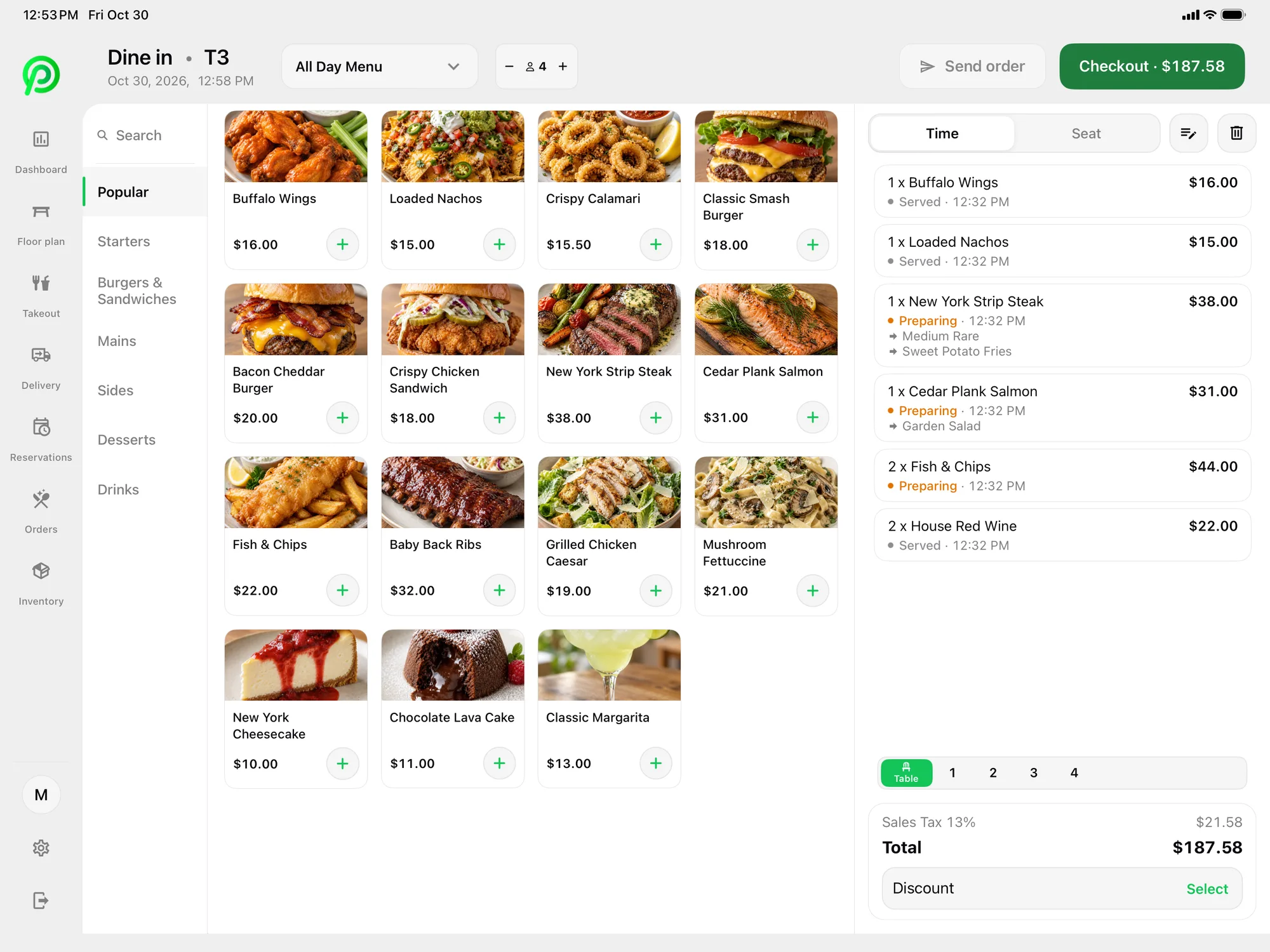
The busiest part of a coffee shop's day is short and intense. Regulars arrive before work, often in a hurry, and many of them order the same drink every day. The till has to keep pace. Platter's menu shows drinks and food by category with photos, and staff can search when someone asks for something unusual. The order builds on the right of the screen as items are tapped, so the cashier can read it back before the guest pays. A cashier who knows the menu can ring in a drink, a pastry and a payment in a few taps, and the next guest steps up.
Drink modifiers without the guesswork
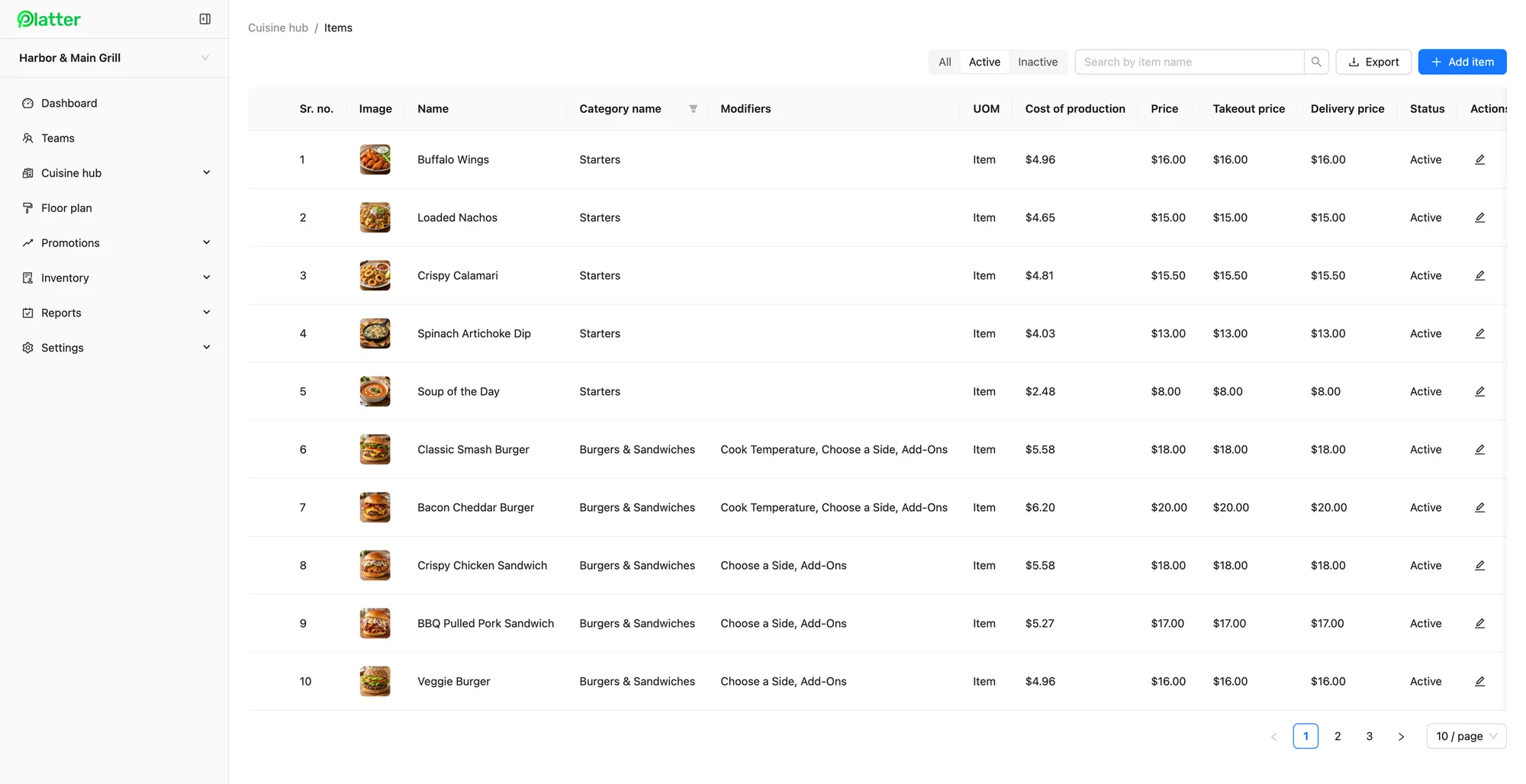
A latte is not one item. It is a size, a milk, maybe a syrup, maybe an extra shot, maybe extra hot. In Platter, each drink can carry required, optional and multi-select modifiers. Make size and milk required, and staff are prompted for them on every drink. Put syrups and extra shots in optional or multi-select groups, so a guest can add two flavours without a workaround. Item notes cover the rest, like "half sweet" or "in my own cup". Set up modifier groups once in menu management and reuse them across your drinks. Changes reach every device in about 30 seconds, so a new seasonal drink can go live before the doors open. You can also add cost of production to each item to see what a drink costs you to make.
Drinks straight to the espresso bar
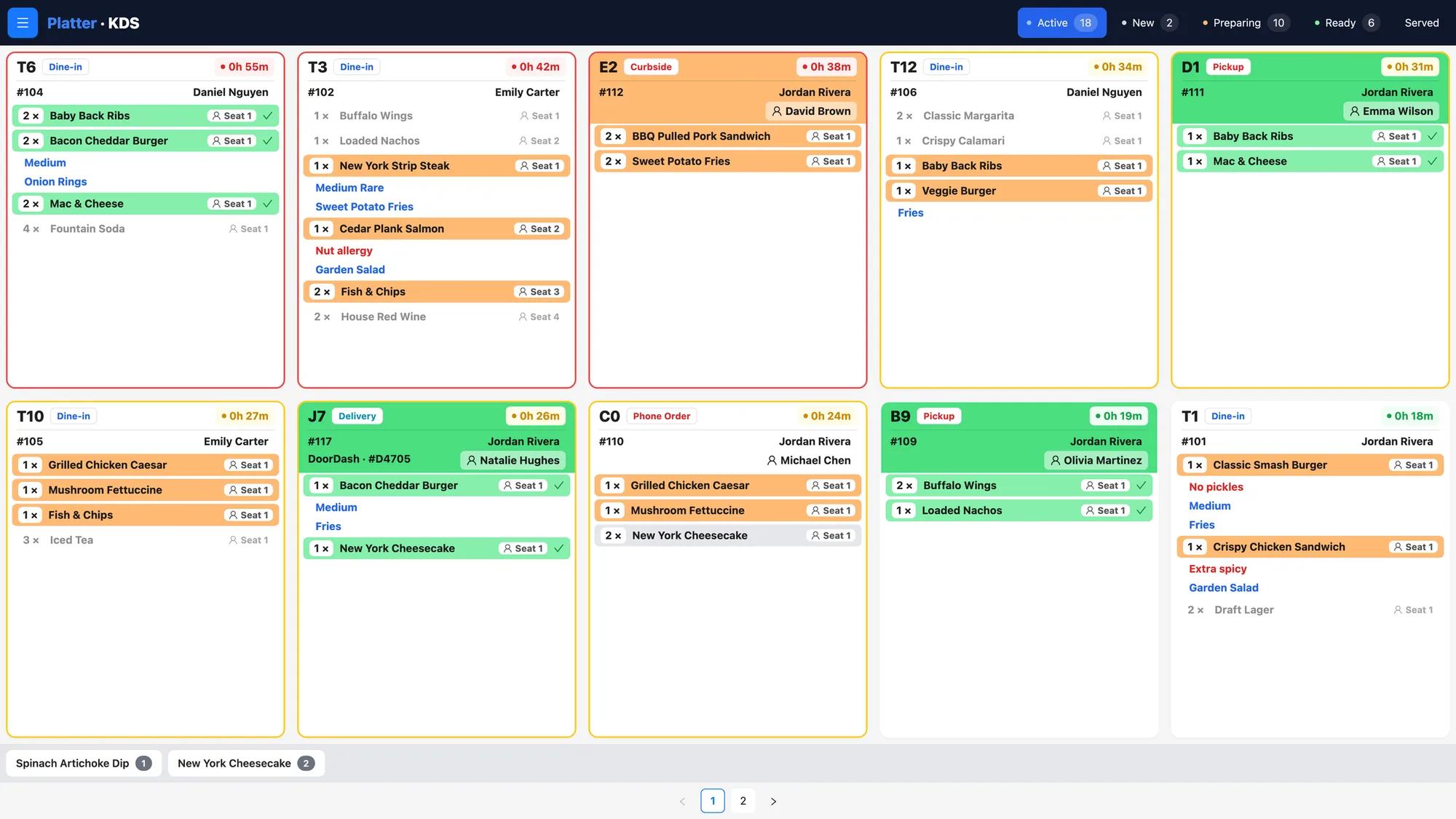
Once the order is sent, it needs to reach the person making it. A kitchen display at the espresso bar can run its own kitchen profile, so baristas see only drinks and the kitchen or warming station sees only food. Each ticket lists every modifier and note, colour-coded by status with a timer, so the barista knows which order has waited longest. The barista marks each drink Ready when it is done. If your bar prefers paper, Epson kitchen printers can route drinks by category instead, or alongside a screen.
Quick checkout at the counter
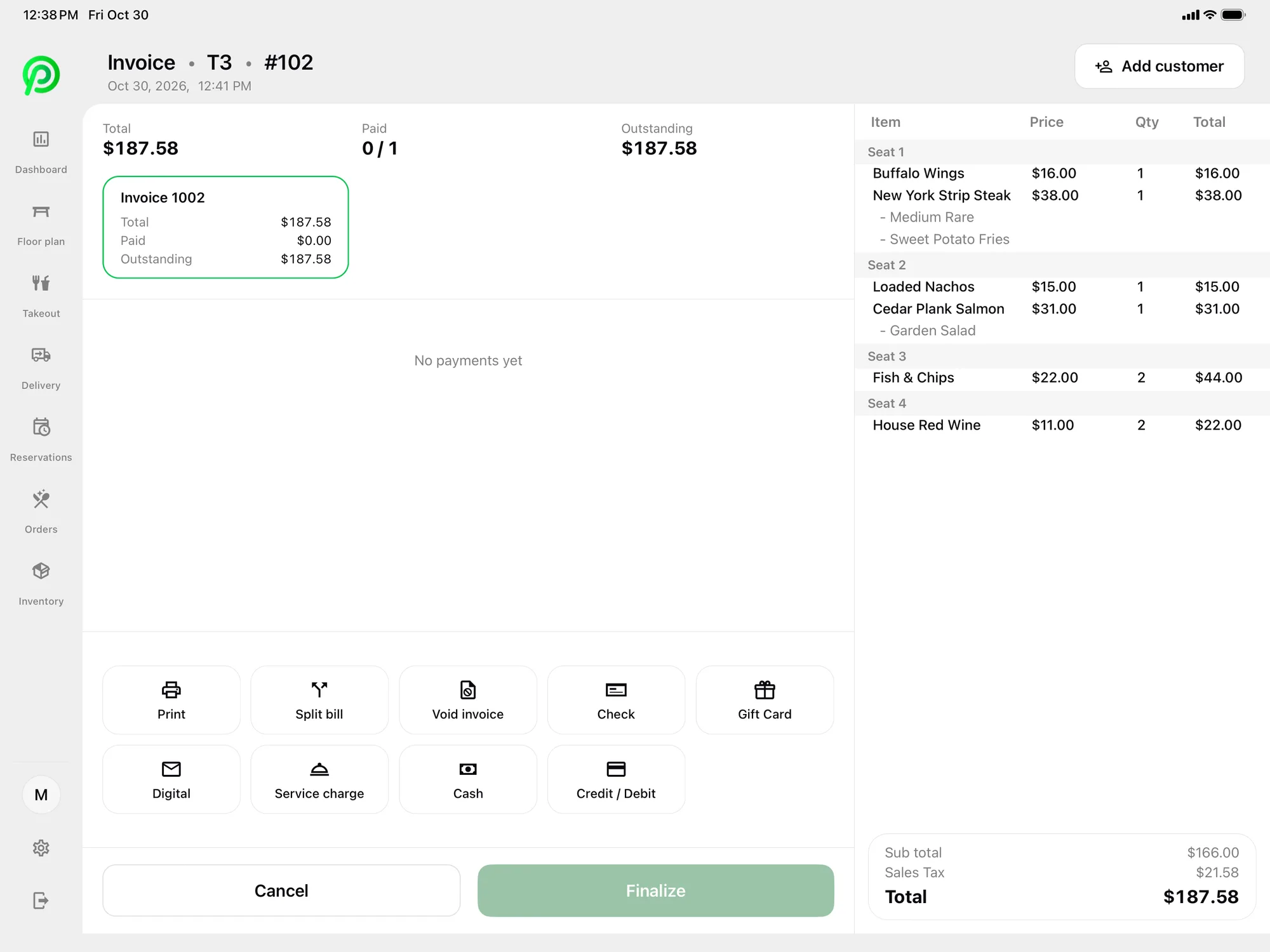
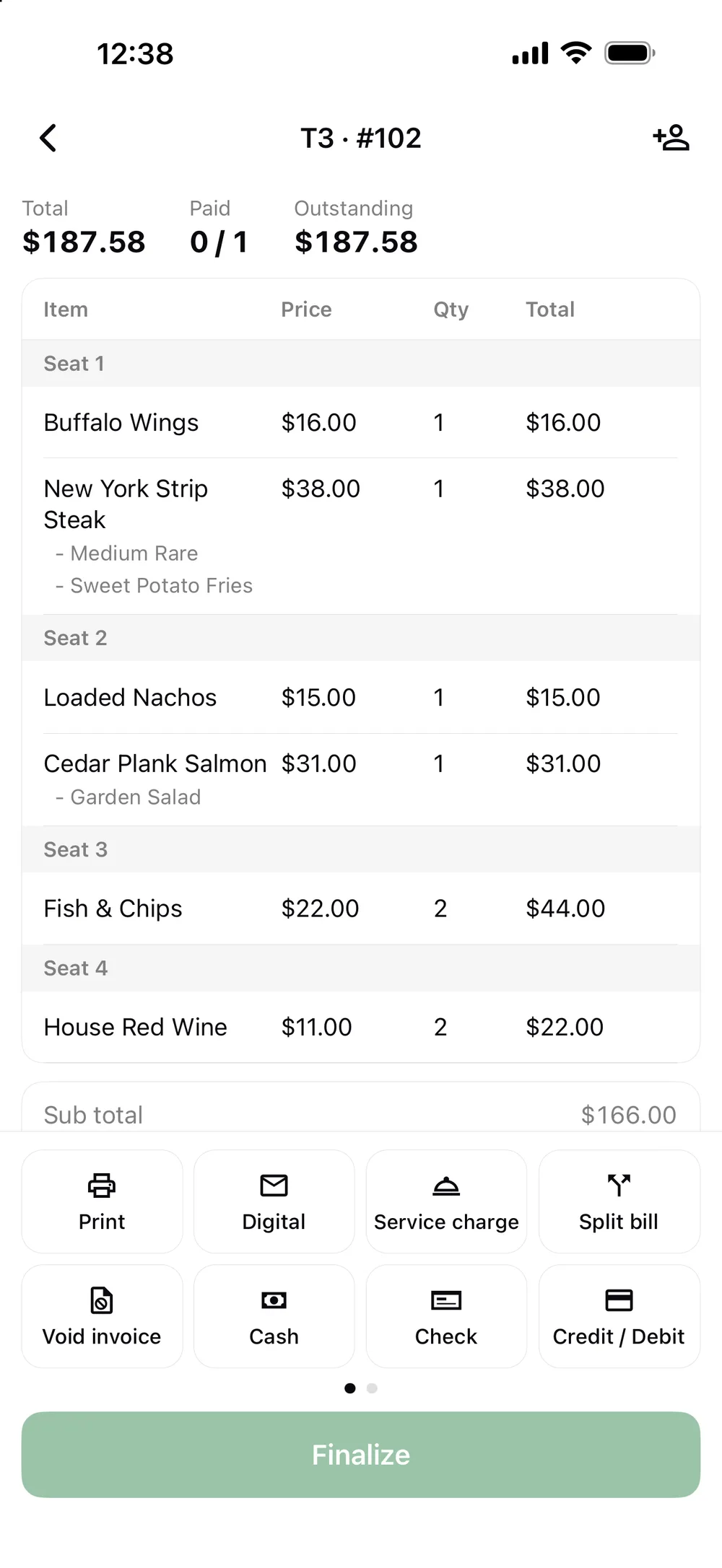
Most coffee orders are paid by tap. Card payments are processed by Moneris, at Moneris preferred pricing for Platter customers, subject to Moneris approval. Moneris terminals pair with the POS over Wi-Fi, so the terminal can sit wherever it suits your counter. Tap to Pay on iPhone and Android in the Platter app is powered by Stripe, which lets a second staff member take payments on a phone when the line reaches the door. Guests can also pay with debit, credit or cash. Receipts go out by SMS or email, or print on an Epson printer when someone wants paper. A customer-facing display lets guests see their order at the counter.
Keeping the pastry case stocked
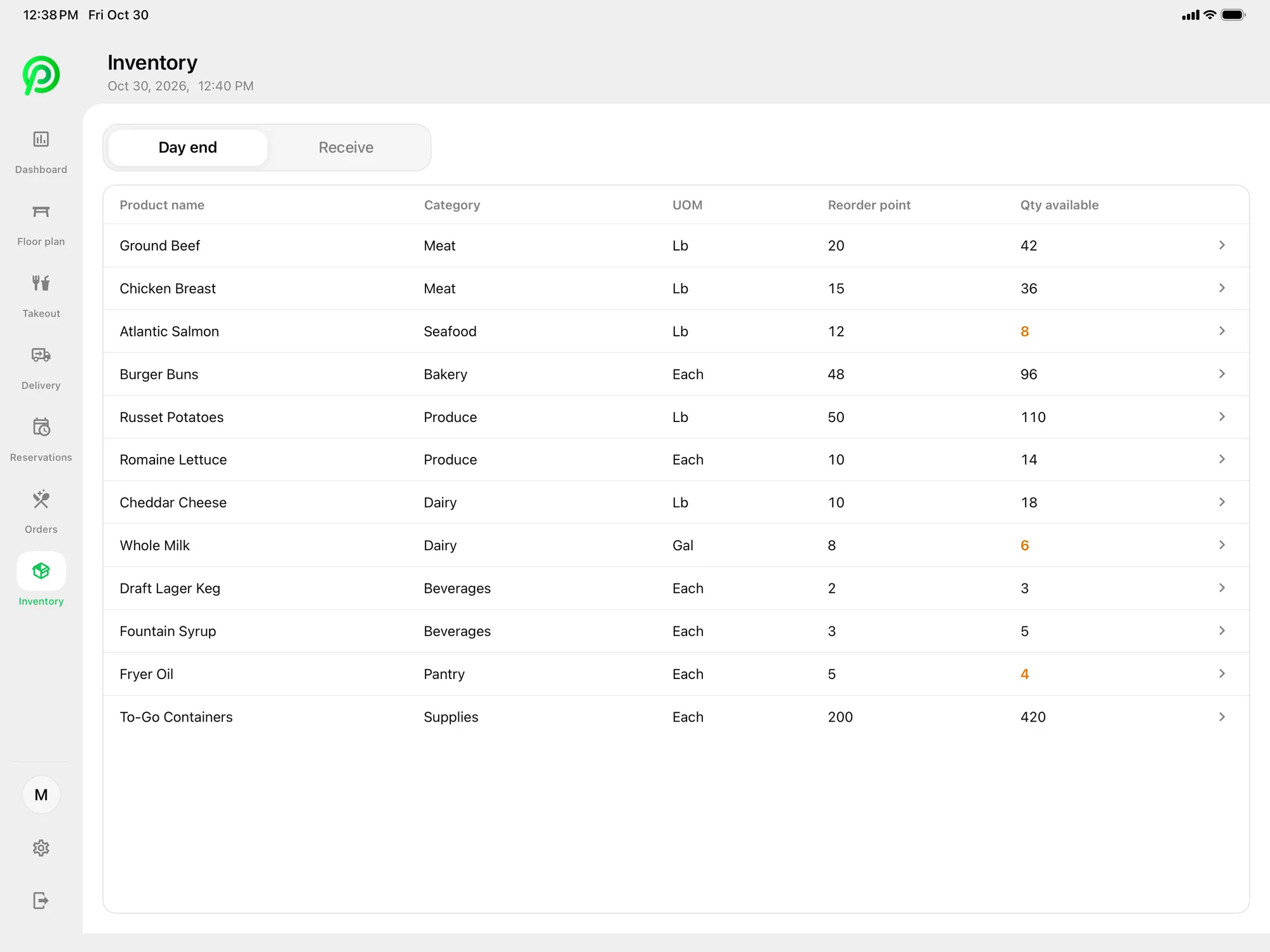
The pastry case is where a coffee shop makes or loses money on food. On the Pro plan, inventory tracks products by category and unit of measure: croissants by the piece, beans by the kilogram, milk by the litre and cups by the sleeve. Set a reorder point and Platter flags low stock before you run out. Record deliveries as they arrive and do a day-end count at close. Over a few weeks, the counts and sales by item show which pastries sell out and which go to waste, so your next order from the bakery is closer to what you actually sell. Recipe-based depletion, which would deduct beans and milk per drink, is part of Advanced Inventory and is coming soon.
Planning staff around the rush
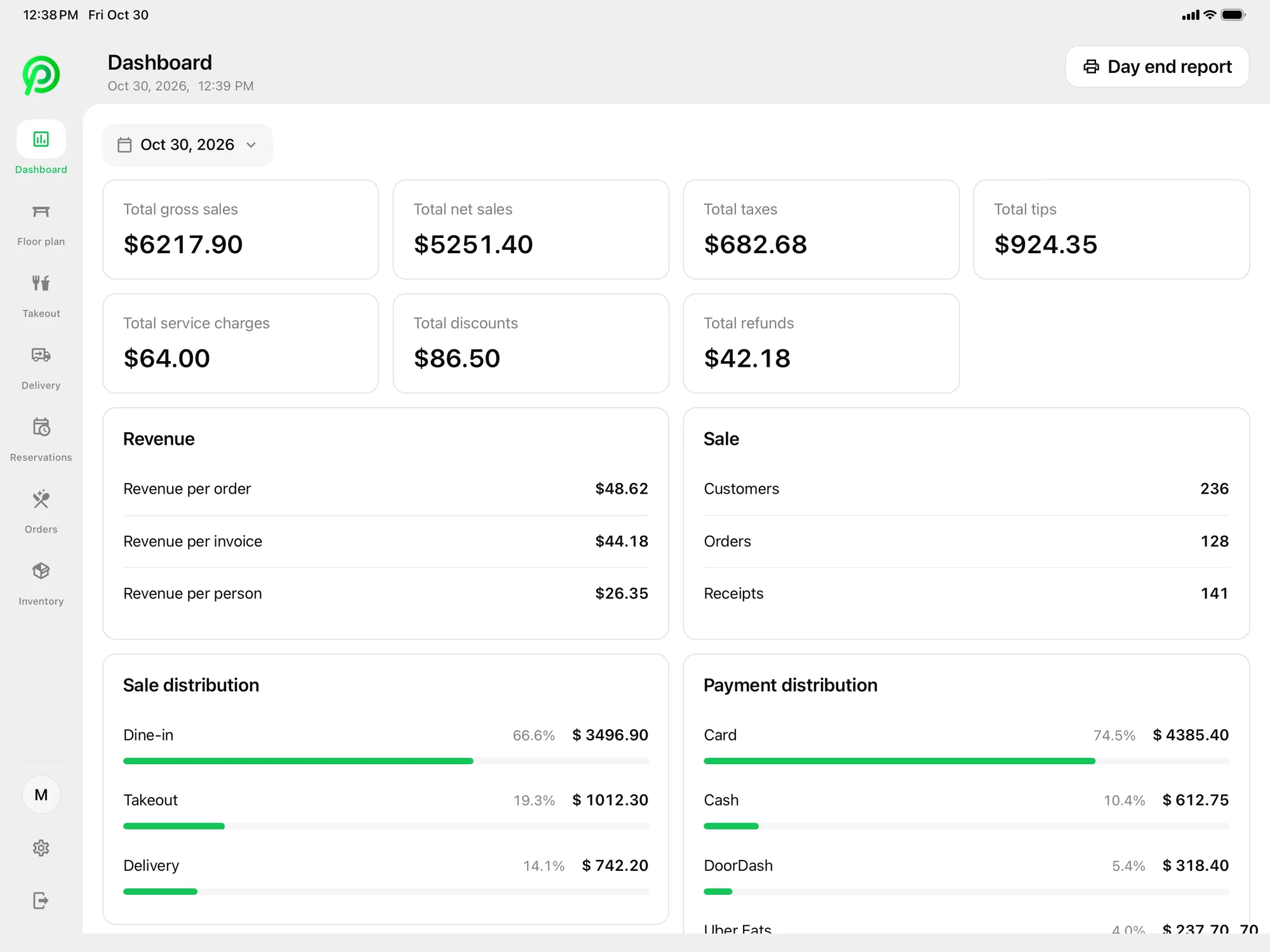
The back office dashboard shows revenue by hour of day. If Saturday mornings are busier than Tuesday mornings, you can see it, and schedule a second barista where it helps. Baristas clock in and out with a personal PIN, and their hours feed timesheets and the labour report. Reports cover sales by item and category, payment types, taxes and tips for any date range, with CSV export. The POS dashboard gives the day-end report at close, with gross and net sales, tips and discounts.
What it costs
Essentials is $79 per location per month and suits many coffee shops. Pro is $149 per location per month and adds inventory for your pastry case. Add one kitchen display at the espresso bar at $15, a customer display at $15 and one extra tablet at $10, and phones and printers are free. The main POS iPad is included in every plan. Hardware is not included, so you can bring your own iPad or Android tablet and Epson printer. Plans are month-to-month with no cancellation fee. Compare plans on the pricing page.
An onboarding specialist sets up your menu and modifiers, floor plan, printers, Moneris and staff roles with you. Your account stays in set-up mode until you launch, so you can practise a few morning orders before the first real one.