
A large menu, set up once
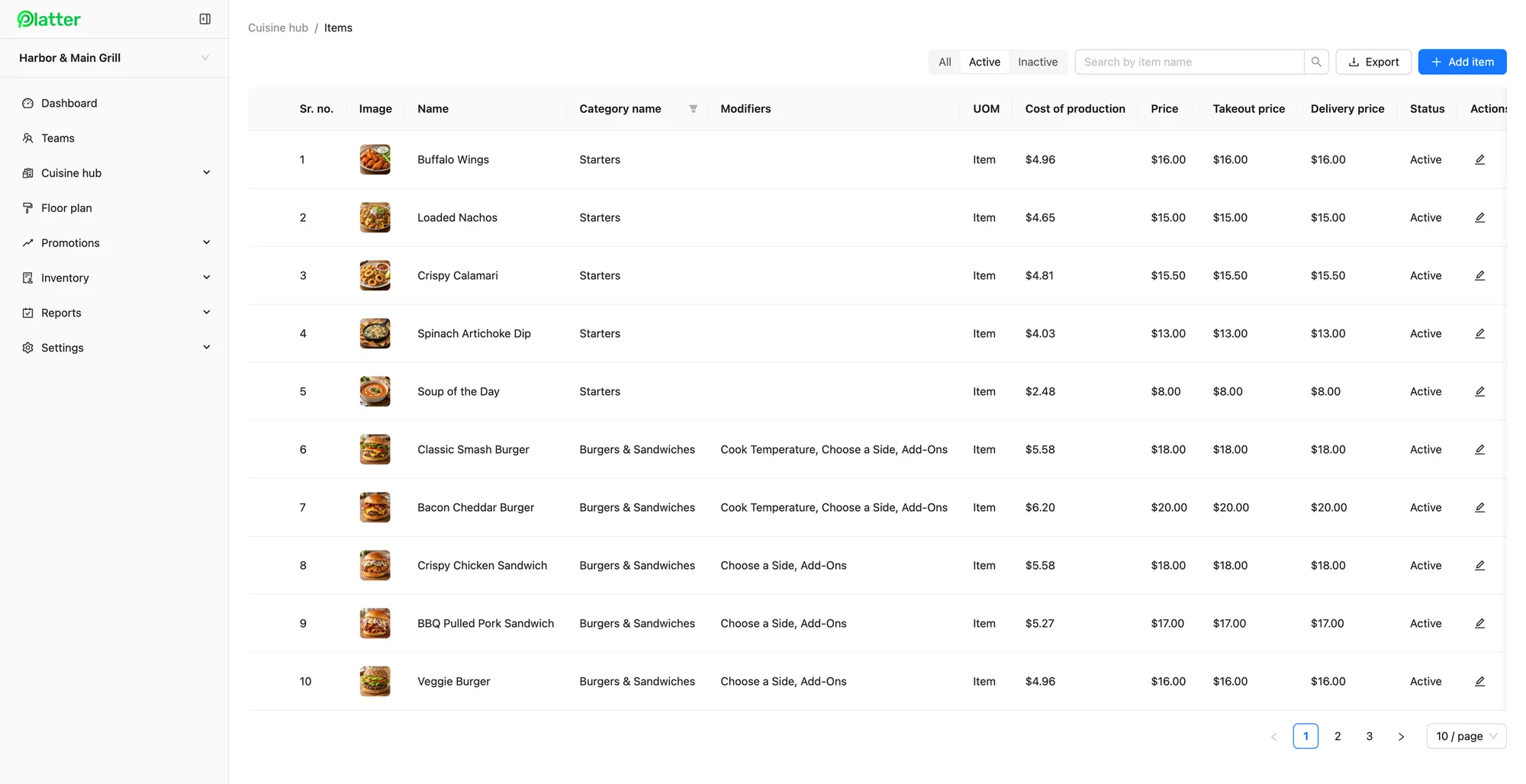
Indian restaurant menus are often long and varied: starters, tandoor dishes, curries, biryanis, breads, rice, chaat, desserts and drinks, sometimes with regional specialities alongside. In Platter's back office, you organise all of it into categories with photos, so staff can find a dish by tapping or by search. You can keep more than one menu, such as a weekday lunch menu and a dinner menu, and set separate dine-in, takeout and delivery prices on each item. Changes reach every device in about 30 seconds, so a sold-out special can come off the menu mid-service. Read more on the menu management page.
Spice levels, thalis and combos
Many dishes need a choice before they go to the kitchen. Create a spice level modifier group, with the options your kitchen uses, and make it required. Staff are prompted to choose a level, and it prints on the ticket. Thalis and combos work the same way. Set up a thali as one item, with required modifiers for each curry, the bread and the rice, and multi-select modifiers for extras like an added raita or an extra roti. Item notes cover anything else the guest asks for, such as no onion or garlic. Add cost of production to each item to see what each plate costs you to make.
The right items to the right station
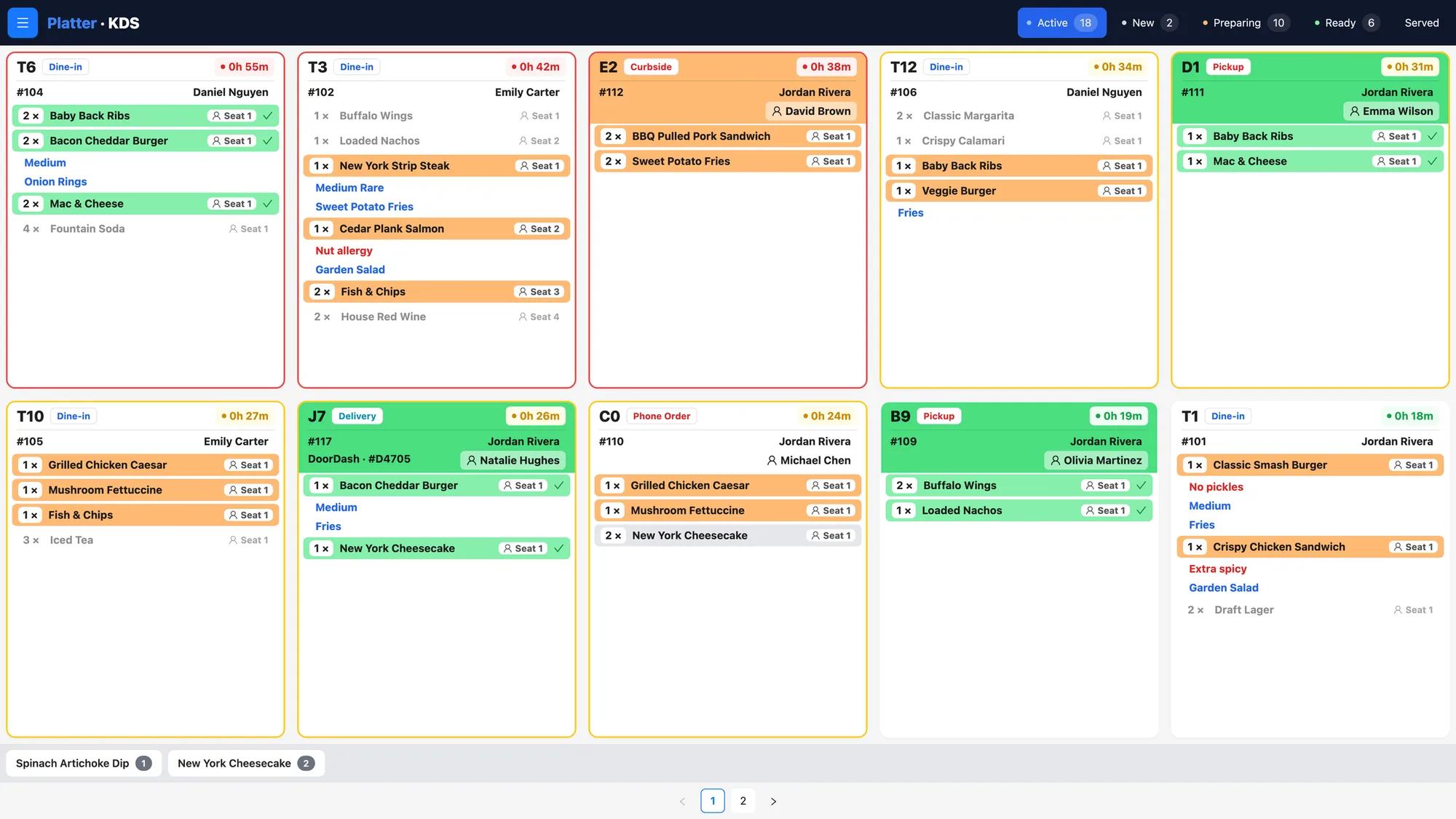
A single order can touch several stations. The naan and tikka belong at the tandoor, the dal and paneer at the curry line, and the gulab jamun at the sweets counter. With the kitchen display system, each station gets its own kitchen profile and sees only its items. Tickets are colour-coded by status with a timer, so each cook can see which order has waited longest. If you prefer paper, Epson kitchen printers can route items by category, or work alongside a screen. Order status moves from Preparing to Ready to Served, so servers know when to collect.
Dine-in, takeout and delivery together
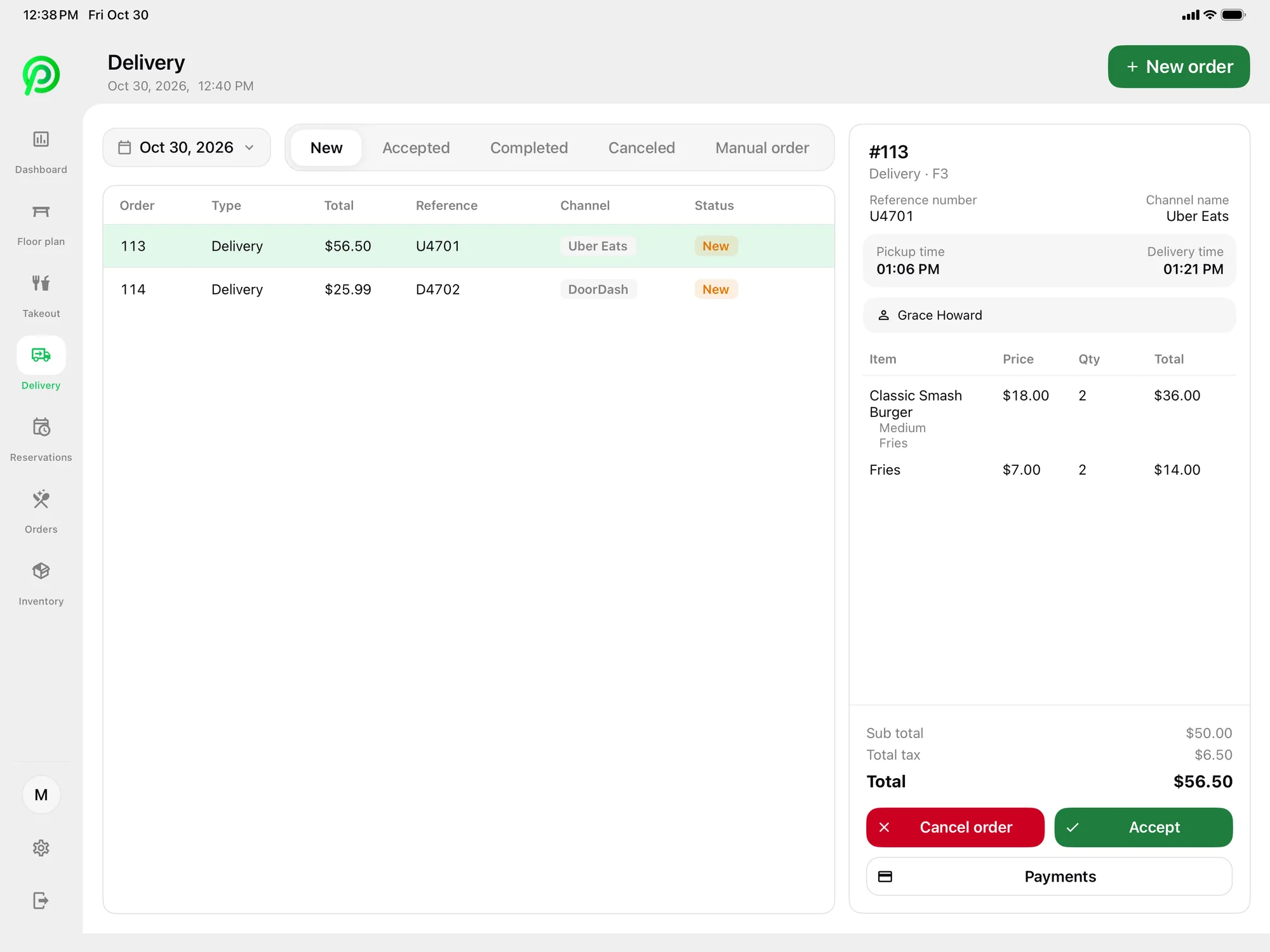
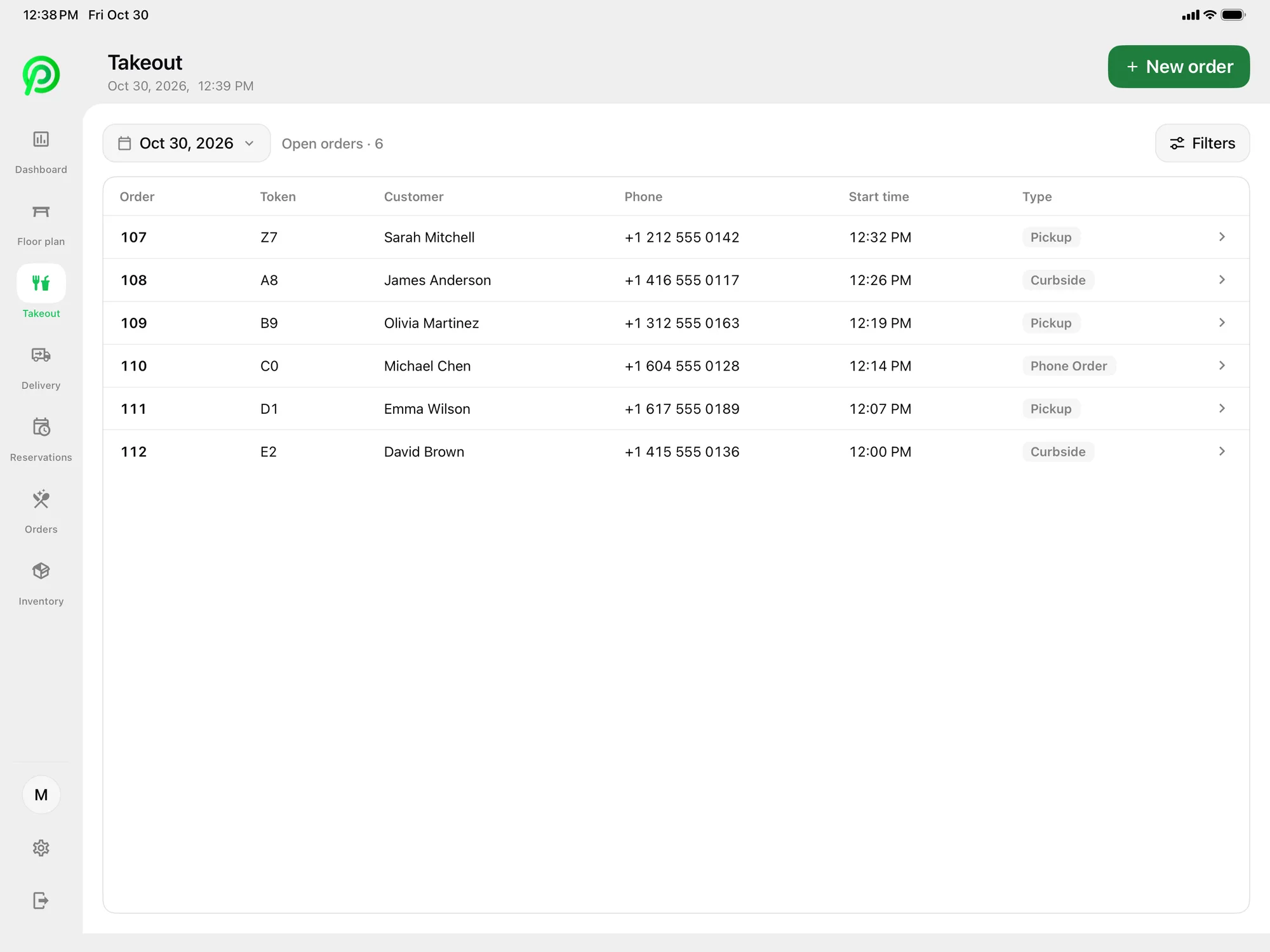
On a busy night, takeout and delivery can keep the kitchen as busy as the dining room. Platter keeps pickup, curbside and phone orders in one list with each guest's name and number. Uber Eats, DoorDash and SkipTheDishes orders arrive in Platter through Deliverect, using your own Deliverect account. Staff accept or cancel each order on the POS, and it goes to the kitchen with the dining room's orders, so the tandoor sees one queue instead of three tablets. Online ordering from your own website is coming soon.
Family tables and split bills
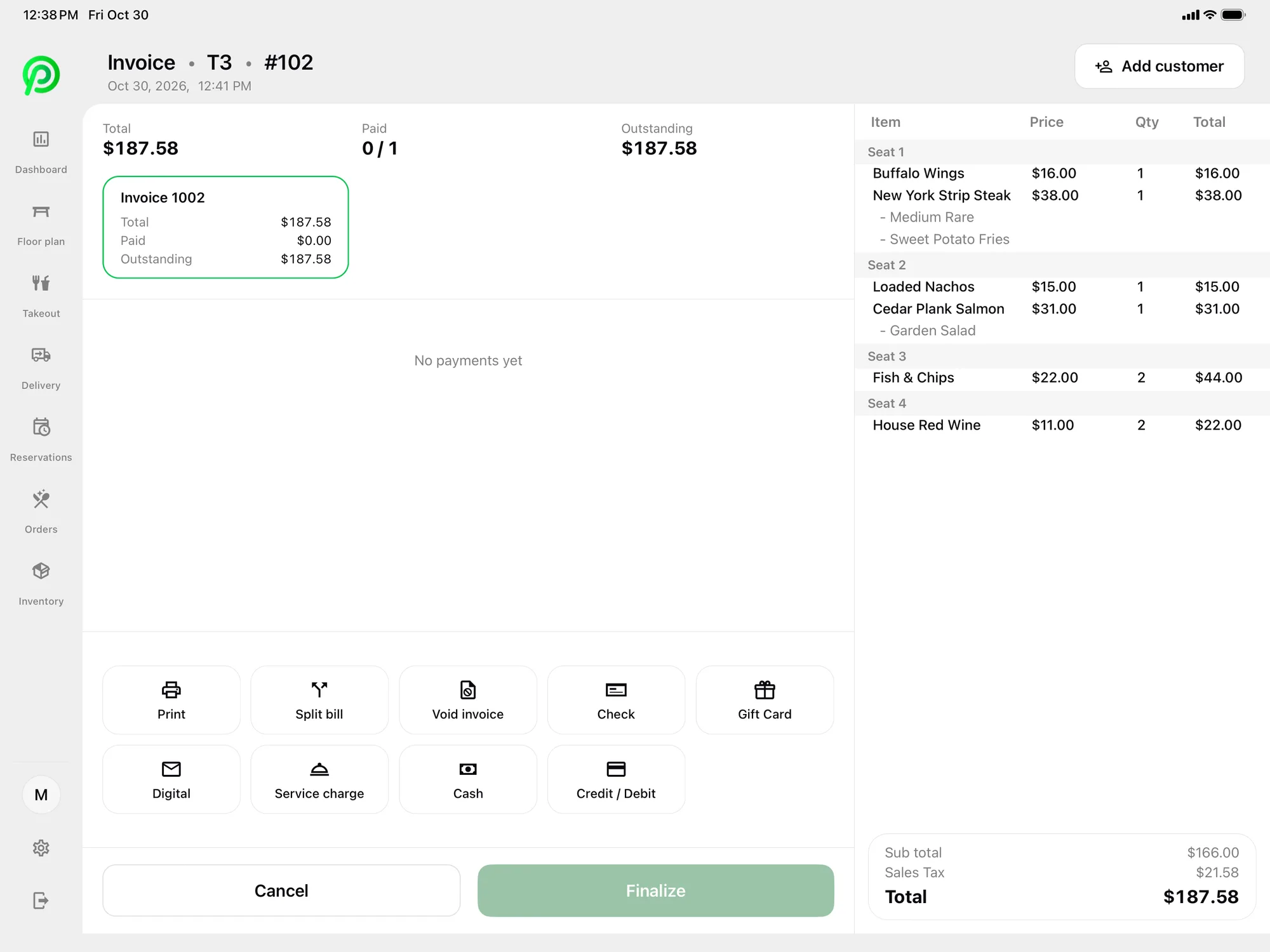
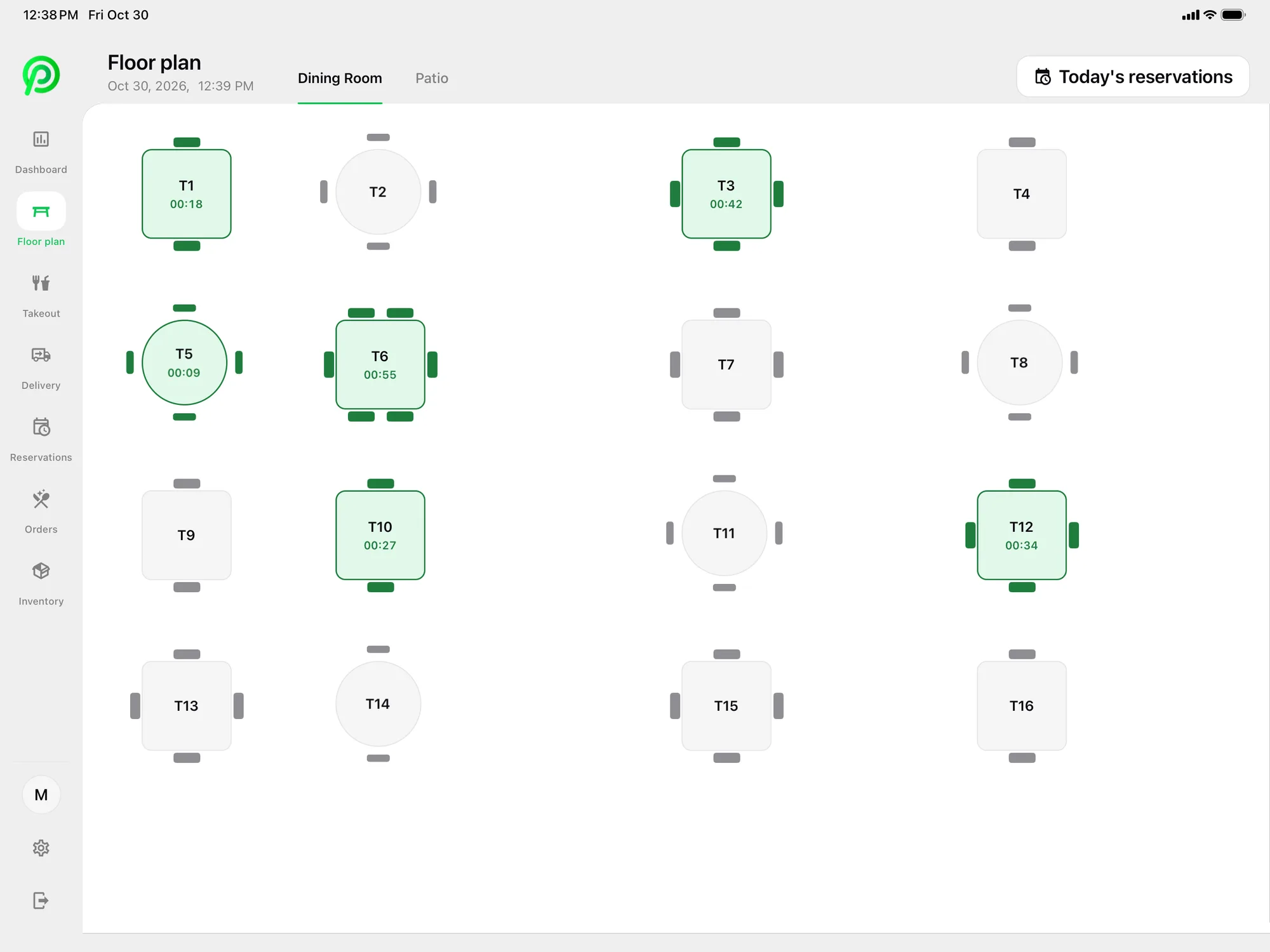
Large family groups often share many dishes and decide at the end how to pay. On the floor plan, merge tables for the party and keep the order together by table and seat. At the end of the meal, split the bill equally, by seat or by item, and take partial payments when several guests pay on their own cards. Card payments are processed by Moneris, at Moneris preferred pricing for Platter customers, subject to Moneris approval. Tap to Pay on iPhone and Android in the Platter app is powered by Stripe, so a server can take payment at the table. Receipts go out by SMS, email or print. Host-recorded reservations with party size and notes appear on the floor plan, and SMS confirmations can go out through your own Twilio account.
A sweet counter on the same POS
If your restaurant has a mithai counter, it can run on the same system. Set up barfi, ladoo, jalebi and other sweets as items sold by the piece or by the box, in their own category. A kitchen profile or printer for the sweets counter keeps those items separate from the curry line. Around festivals, when boxes of sweets are ordered ahead, take them as phone or pickup orders with the guest's name and number. On the Pro plan, inventory tracks sweets, boxes and ingredients with reorder points and day-end counts. Reports show sales by category, so you can see the counter and the dining room side by side. A promotion can be limited to takeout, for example an offer that applies only to pickup orders.
What it costs
Pro is $149 per location per month. Add one kitchen display at the tandoor and one at the curry line at $15 each, and one extra tablet at $10 for the sweet counter, and phones and printers are free. The main POS iPad is included. Hardware is not included, so you can bring your own devices and Epson printers. Plans are month-to-month with no cancellation fee. Compare plans on the pricing page.
An onboarding specialist sets up your menu and modifiers, floor plan, printers, Moneris and staff roles with you. Your account stays in set-up mode until you launch, so your team can practise a few thalis before the first service.