
What Platter does at a banquet hall
A banquet hall hosts weddings, anniversaries, galas, cultural celebrations and company dinners. Each event has two sides. There is the planning, which happens weeks ahead: booking the date, signing a contract, taking a deposit and confirming the menu. Then there is the night itself, when the bar is pouring, the kitchen is plating and servers are moving between tables.
Platter is built for the night itself. It runs the bar and food service: orders by table, drinks to the bar and food to the kitchen, split bills, service charges and reports. Event booking, contracts, deposits and catering management are part of Catering and Events, which is coming soon. Until then, keep using your current tools for the planning side. Platter does not produce banquet event orders today.
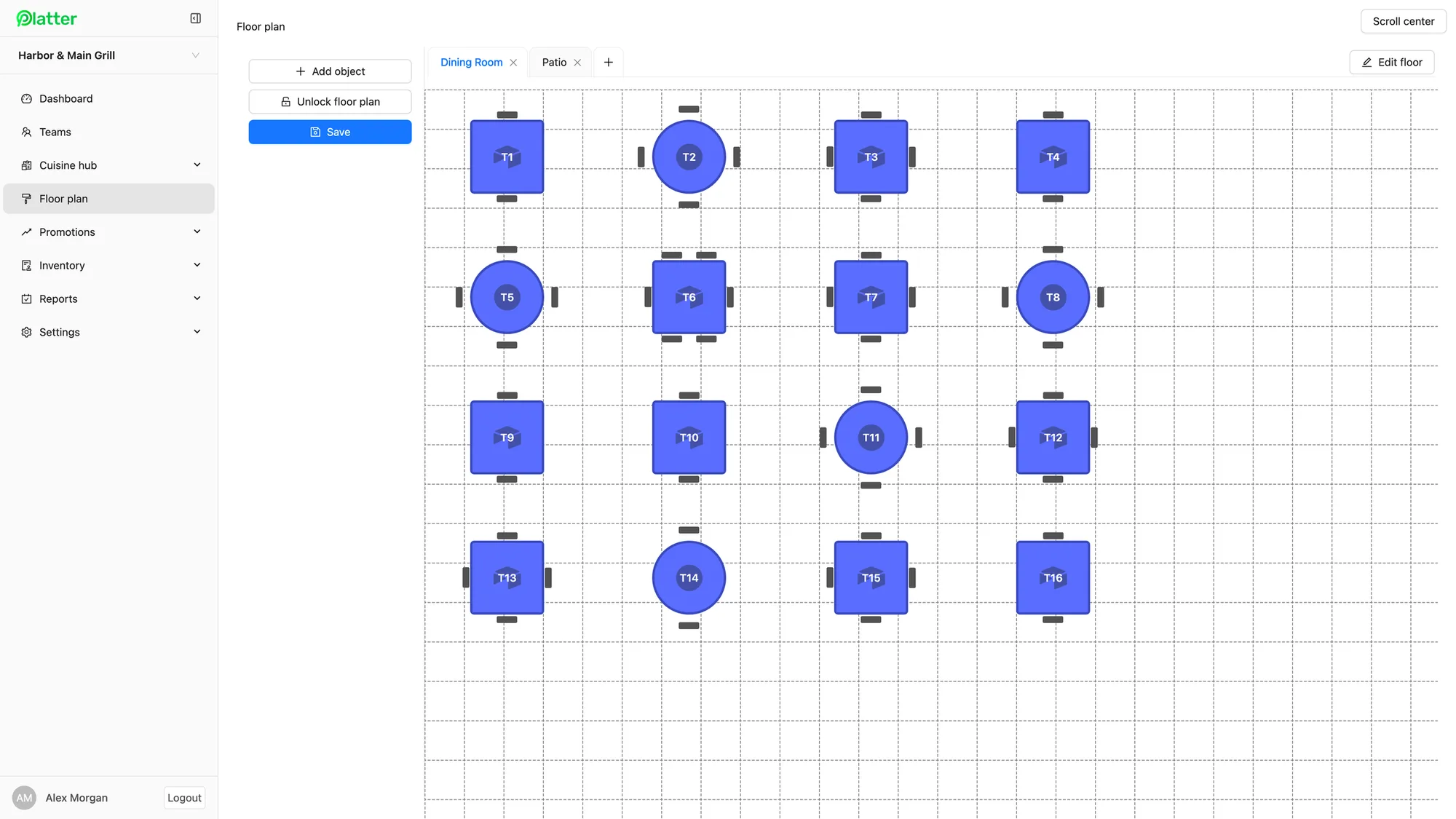
A floor plan of your hall
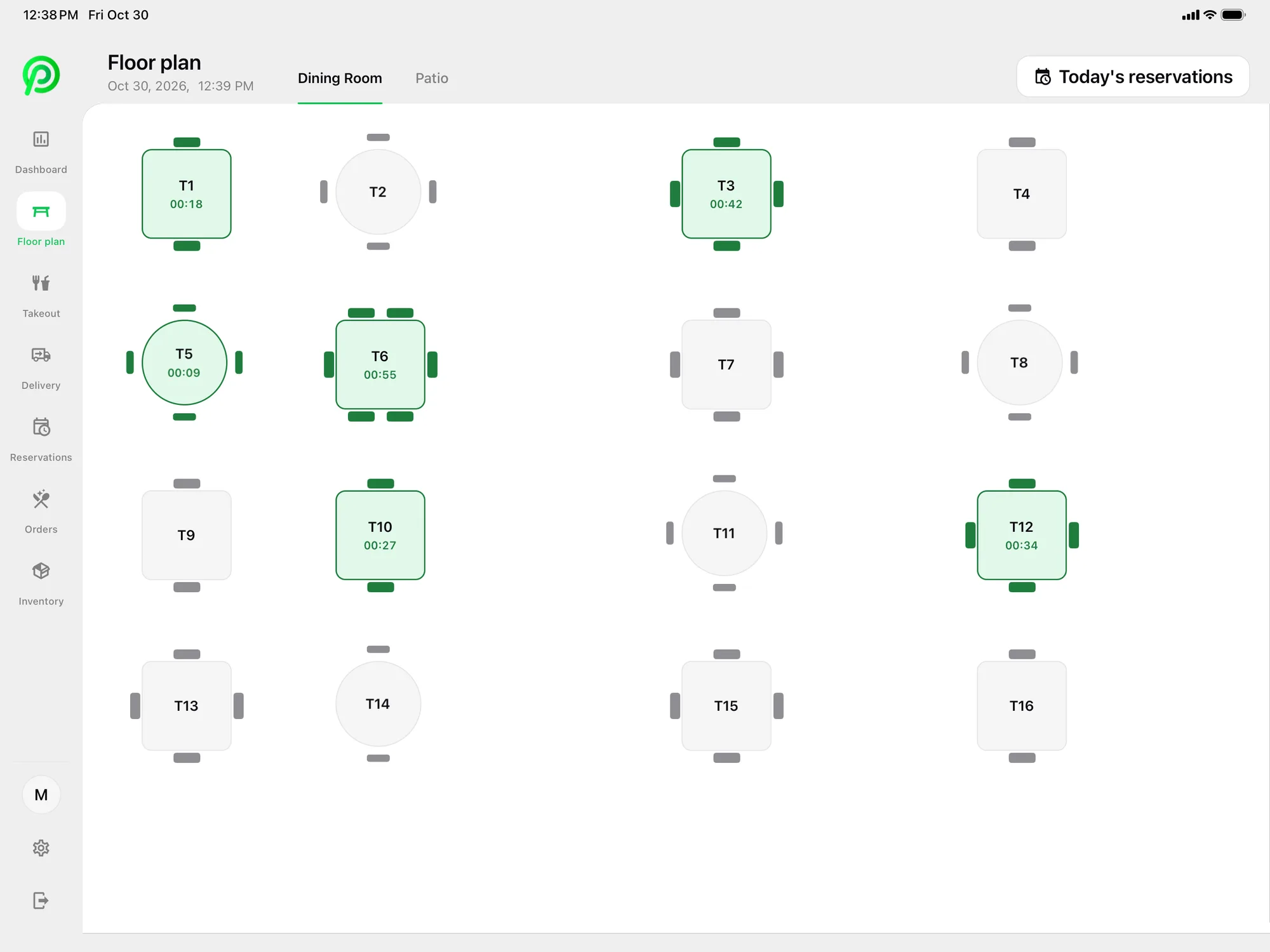
Build your hall in the back office floor plan editor. Add the main room, a mezzanine, a patio or a second smaller hall, and place round tables, long head tables and a bar. On the night, staff see every table on the POS, with live seat timers. They can merge tables for a large family, transfer a table to another server, and clear a table when guests leave. Read more on table management.
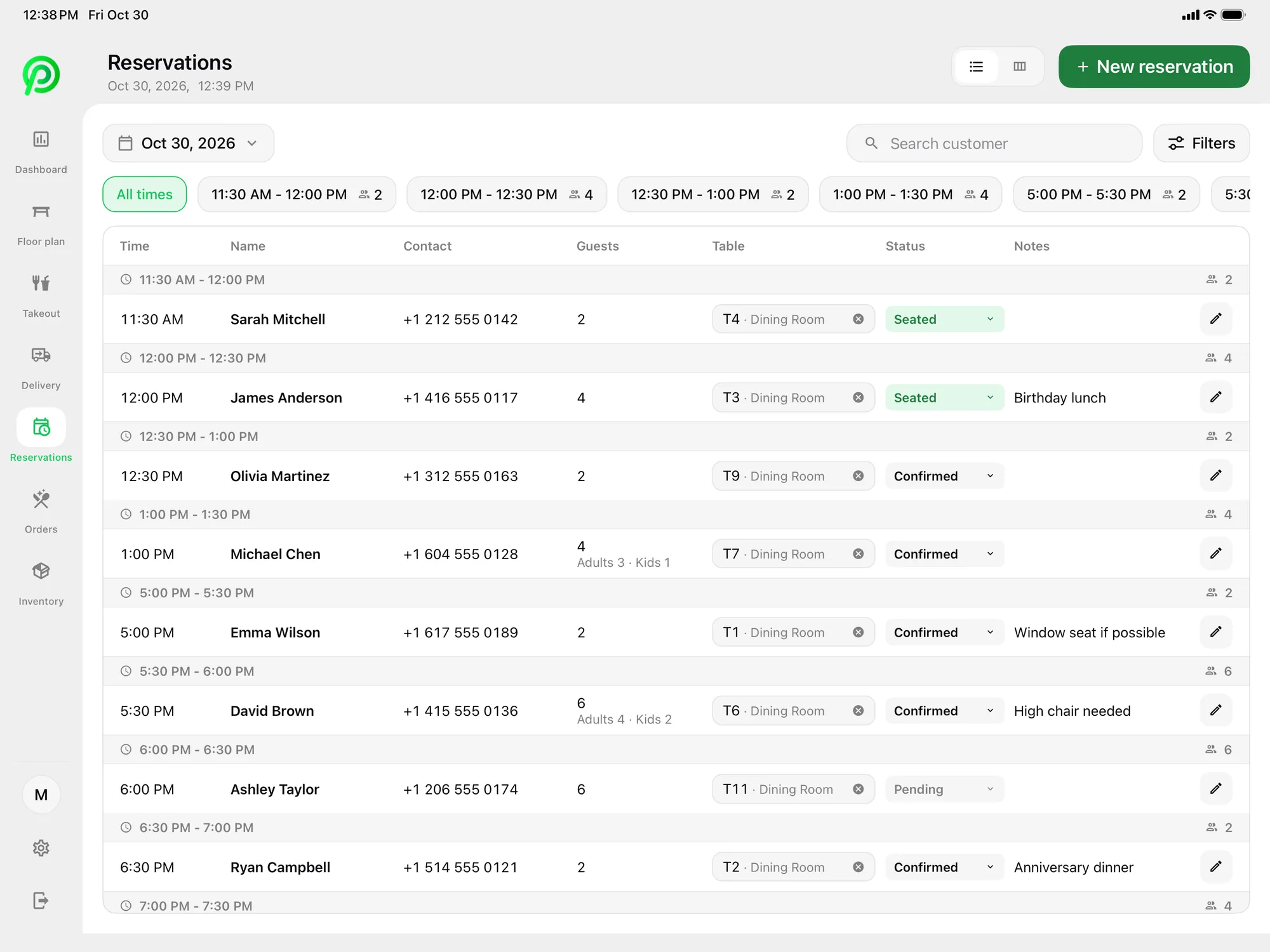
Your host can record bookings with party size, time and notes, and those bookings show on the floor plan. SMS confirmation texts go out through your own Twilio account. Online booking, reminders, waitlist and deposits come with Advanced Reservations, which is coming soon.
Bar tabs and food service
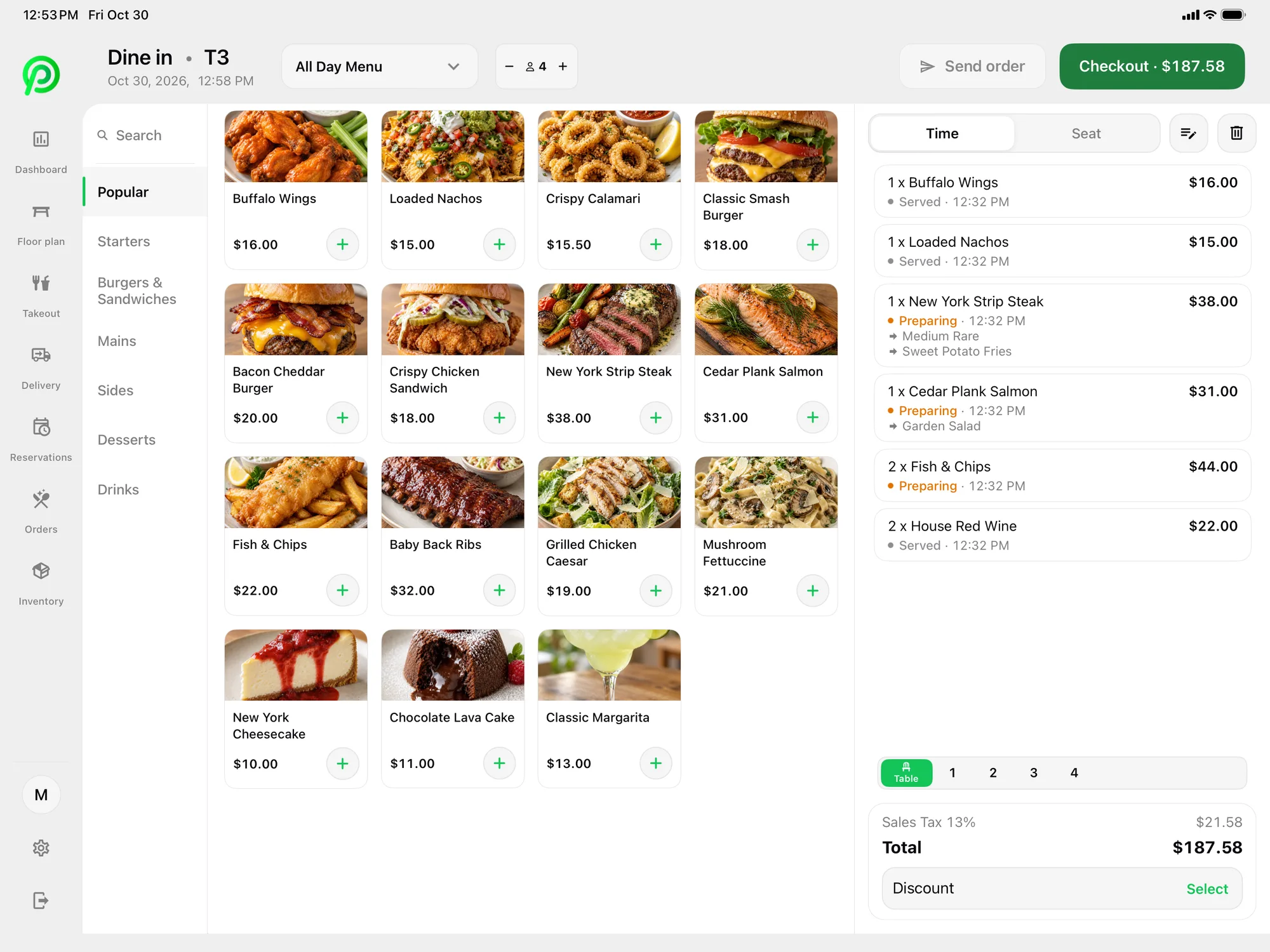
At many events, guests order drinks from their table or the bar all night. In Platter, staff keep an order open for each table and add drinks as they go. Modifiers handle mixers, sizes and garnishes, and item notes carry special requests. You can keep a separate event menu alongside your regular one, with just the drinks and dishes you serve that night. Menu changes reach every device in about 30 seconds.
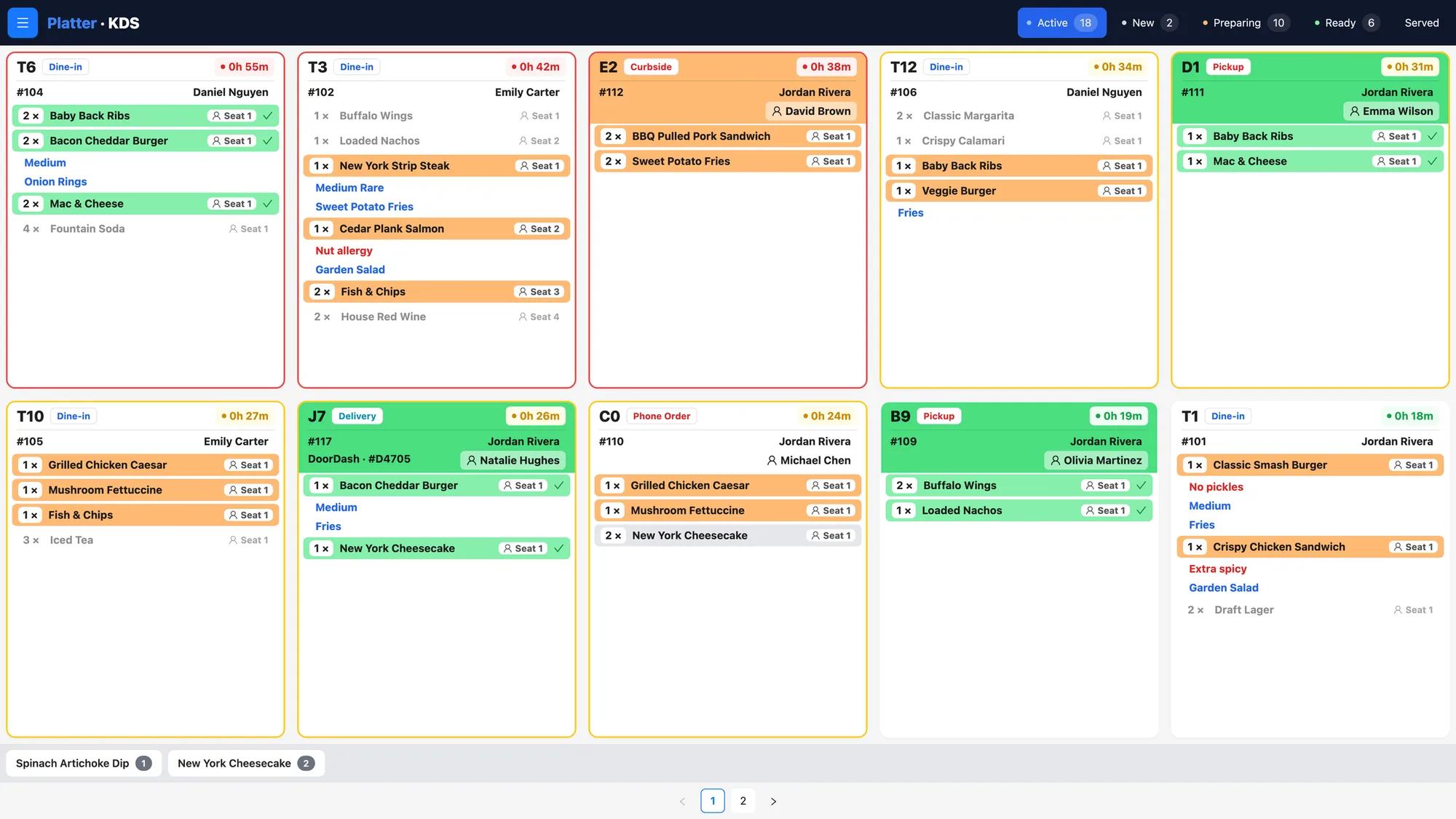
Give the bar and the kitchen their own kitchen profiles on the Kitchen Display System. The bar sees only drinks and the kitchen sees only food, with a timer on every ticket. If you prefer paper, Epson kitchen printers can route items by category instead, or alongside the screens. Each order moves from Preparing to Ready to Served, so servers know when a course is ready to go out.
Settling up at the end of the night
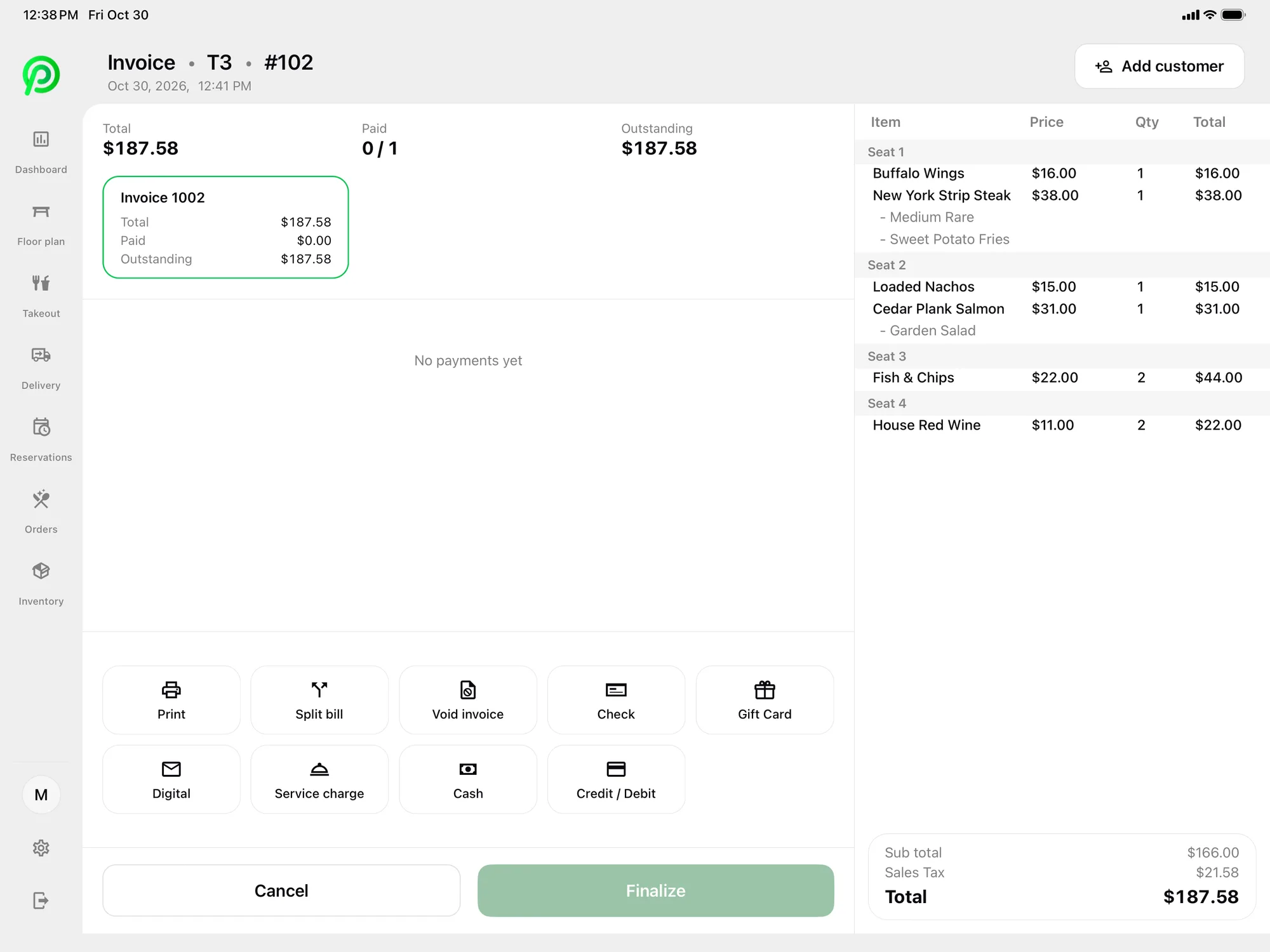
The end of an event is when payments get busy. A table's bill can be split equally, by seat or by item. Guests can pay part now and the rest later, by credit, debit, tap, cash or gift card. You can add a service charge to a bill, which many venues use for large parties. Receipts go out by SMS or email, or print on an Epson printer.
Card payments are processed by Moneris, at Moneris preferred pricing for Platter customers, subject to Moneris approval. Moneris terminals pair over Wi-Fi. Tap to Pay on iPhone and Android in the Platter app is powered by Stripe, so a server can take a payment at a far table without walking back to the bar.
Staff and reports for every event
Servers can take orders at the table on an iPhone running the Platter app, so they do not need to queue at a shared terminal during a busy dinner service. Phones are free to add, and each server logs in with their own PIN, so every order is tied to the person who took it. Group your event crew into teams to keep regular staff and extra hands organised.
Event staff often change from night to night. Each person gets their own PIN, and roles such as Manager, Server and Host control who can void items, apply discounts or comp a drink. Staff clock in and out on the POS, and shift hours feed timesheets and the labour report.
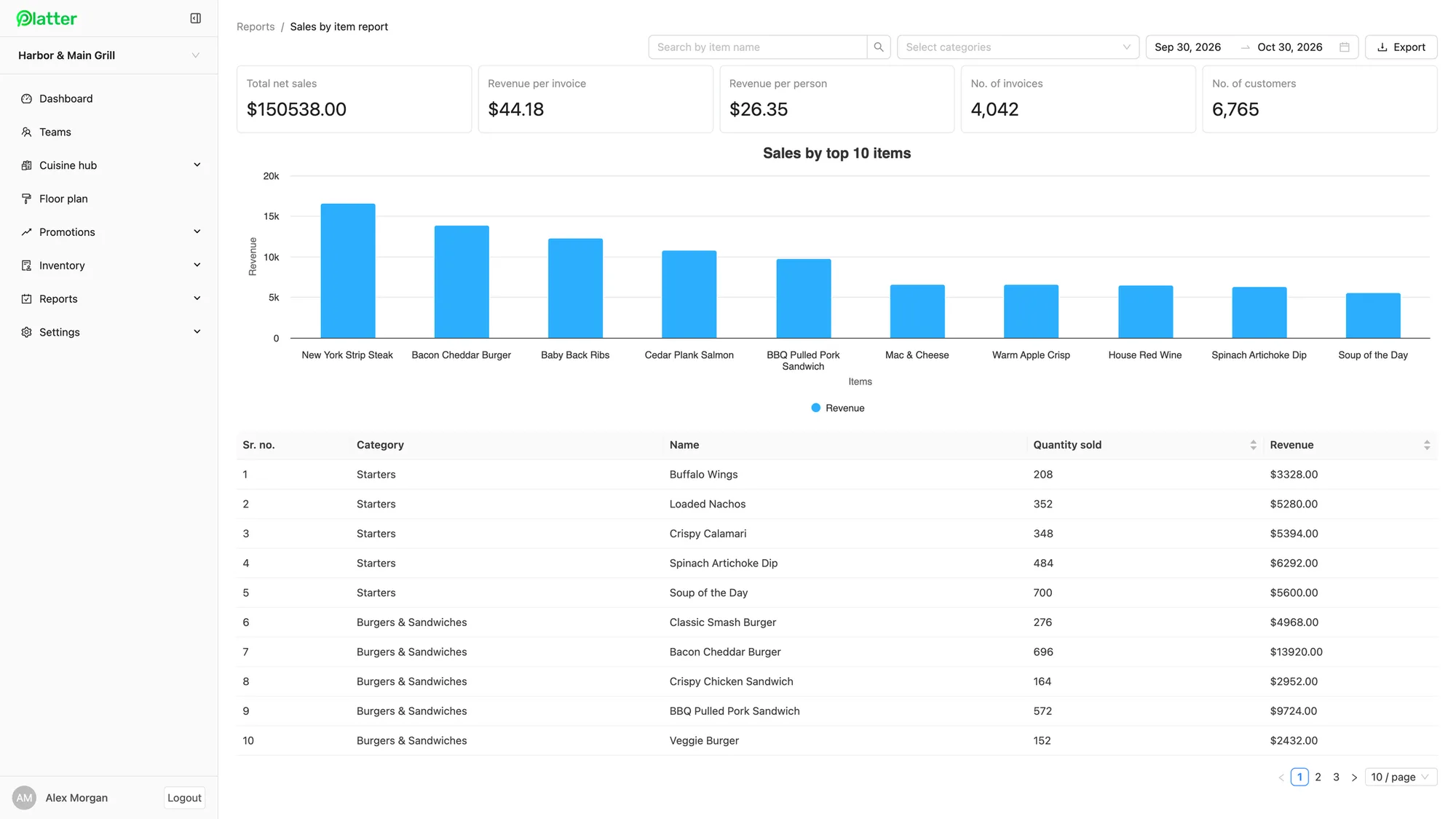
After the event, reports show sales by item, category and server for any date range, along with tips, taxes such as HST or GST, and payment types. Run a report for a single night to see what the bar and the kitchen sold, and export it to CSV for your own records. The POS dashboard shows gross and net sales, discounts and refunds, and the day-end report takes one tap.
What it costs
Pro is $149 per location per month. Add one kitchen display for the bar and one for the kitchen at $15 per screen per month, and two extra tablets for servers at $10 each. Phones and printers are free, and the main POS iPad is included. Platter runs on iPad, iPhone and Android, and hardware is not included, so you bring your own. See the pricing page for every plan.
An onboarding specialist sets up your menu, floor plan, printers, Moneris and staff roles. Your account stays in set-up mode until you launch. Plans are month-to-month with no cancellation fee.