
Two kitchens, one order
Most sushi restaurants run at least two kitchens under one roof. The sushi bar makes rolls, nigiri and sashimi. The hot kitchen makes tempura, teriyaki, ramen and miso soup. A Chinese or Thai restaurant might split the wok station from the fryer and the dim sum steamers. When all of that comes out on one ticket, a cook has to read through the whole order to find their part.
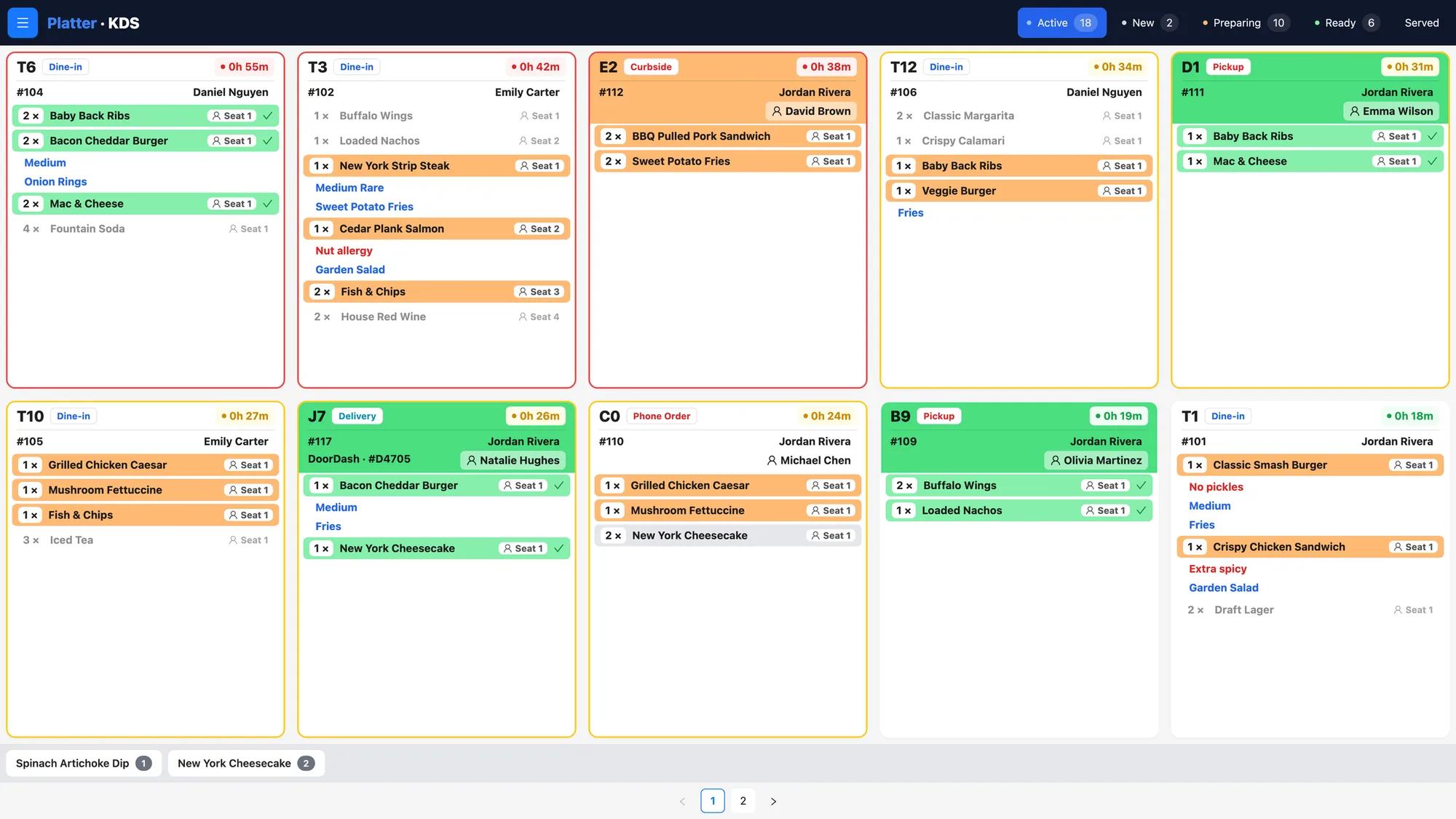
In Platter, each station gets its own kitchen profile on the Kitchen Display System. The sushi bar sees only sushi items, the kitchen sees only hot dishes, and the drinks station sees only drinks. Tickets are colour-coded by status, with a timer on each, so the chef can see which table has waited longest. If your sushi chefs prefer paper, Epson kitchen printers can route items by category instead, or alongside the screens. Item notes travel with each dish, so "no wasabi" or "sauce on the side" reaches the person making it.
Combos, bento boxes and set menus
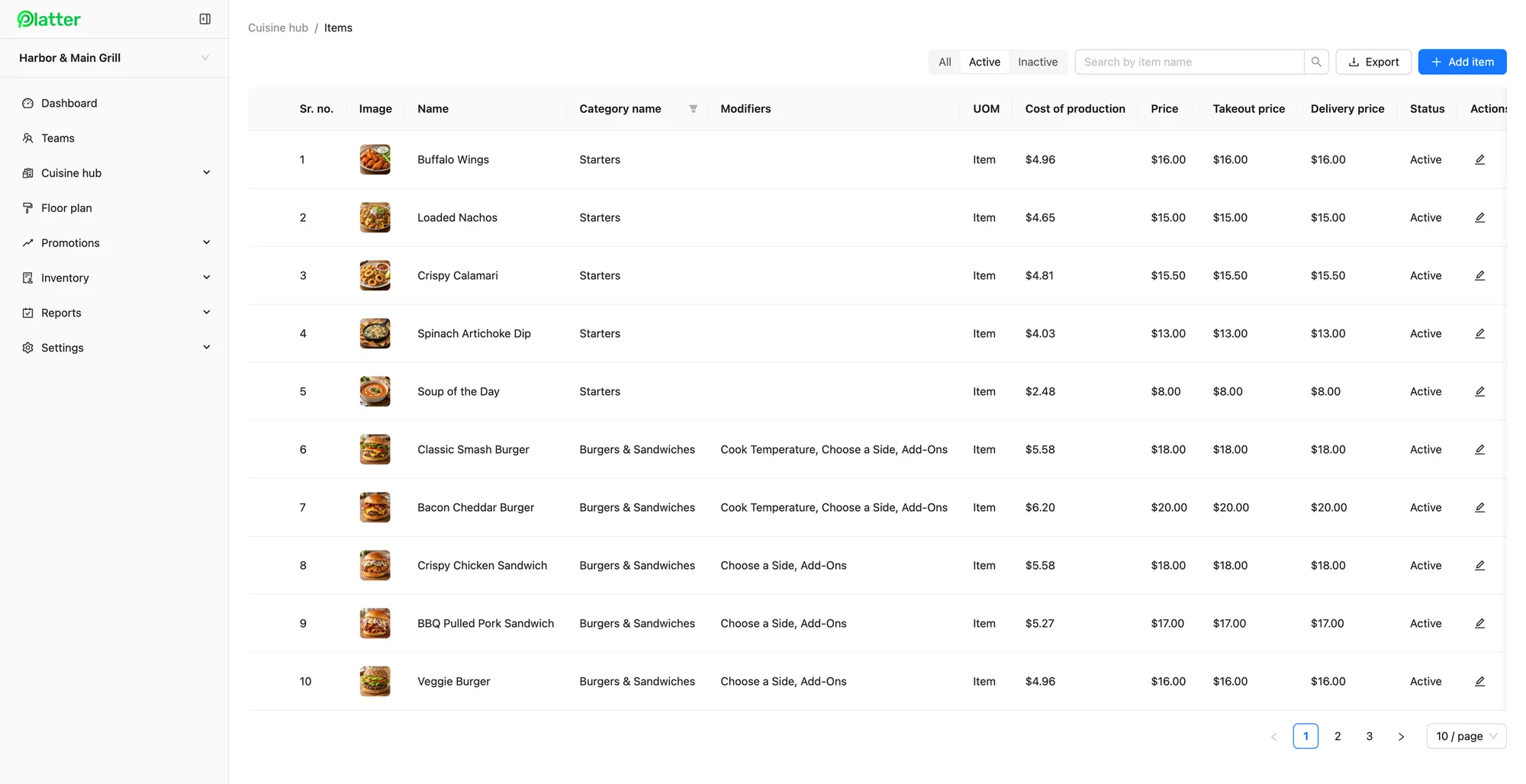
Lunch specials, bento boxes and set dinners are central to many Asian menus. Each one bundles several choices: a main, a roll, a side and a soup. In Platter, you build the combo as a menu item and add modifiers for each part. A required modifier makes staff choose, so a bento never leaves without its protein. Optional and multi-select modifiers cover extras like a second miso, spicy mayo or an added egg, each with its own price.
The same approach works for spice level on a Thai curry, broth choice on pho, or banchan and rice options at a Korean table. Separate menus let you keep a lunch menu, a dinner menu and a takeout menu side by side, and items can carry different prices for dine-in, takeout and delivery. Menu changes reach every device in about 30 seconds. Read more on menu management.
Large tables and shared dishes
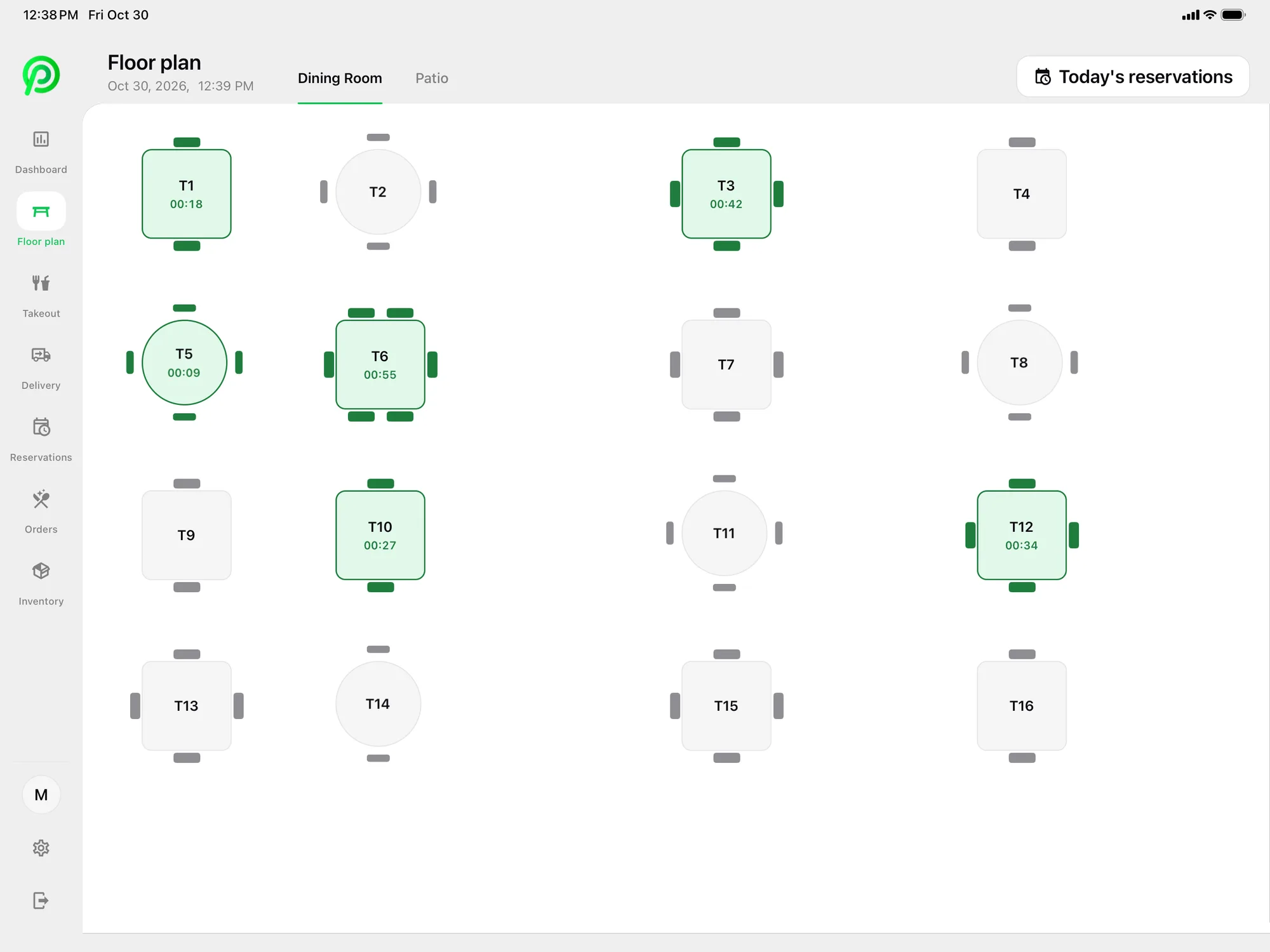
Groups come in for birthdays, family dinners and team nights, and they often share everything. Build your dining room in the back office floor plan editor, including booths, round tables and a private room. Merge tables when a party of twelve sits down, transfer a table when a server goes on break, and watch live seat timers to see who has been waiting.
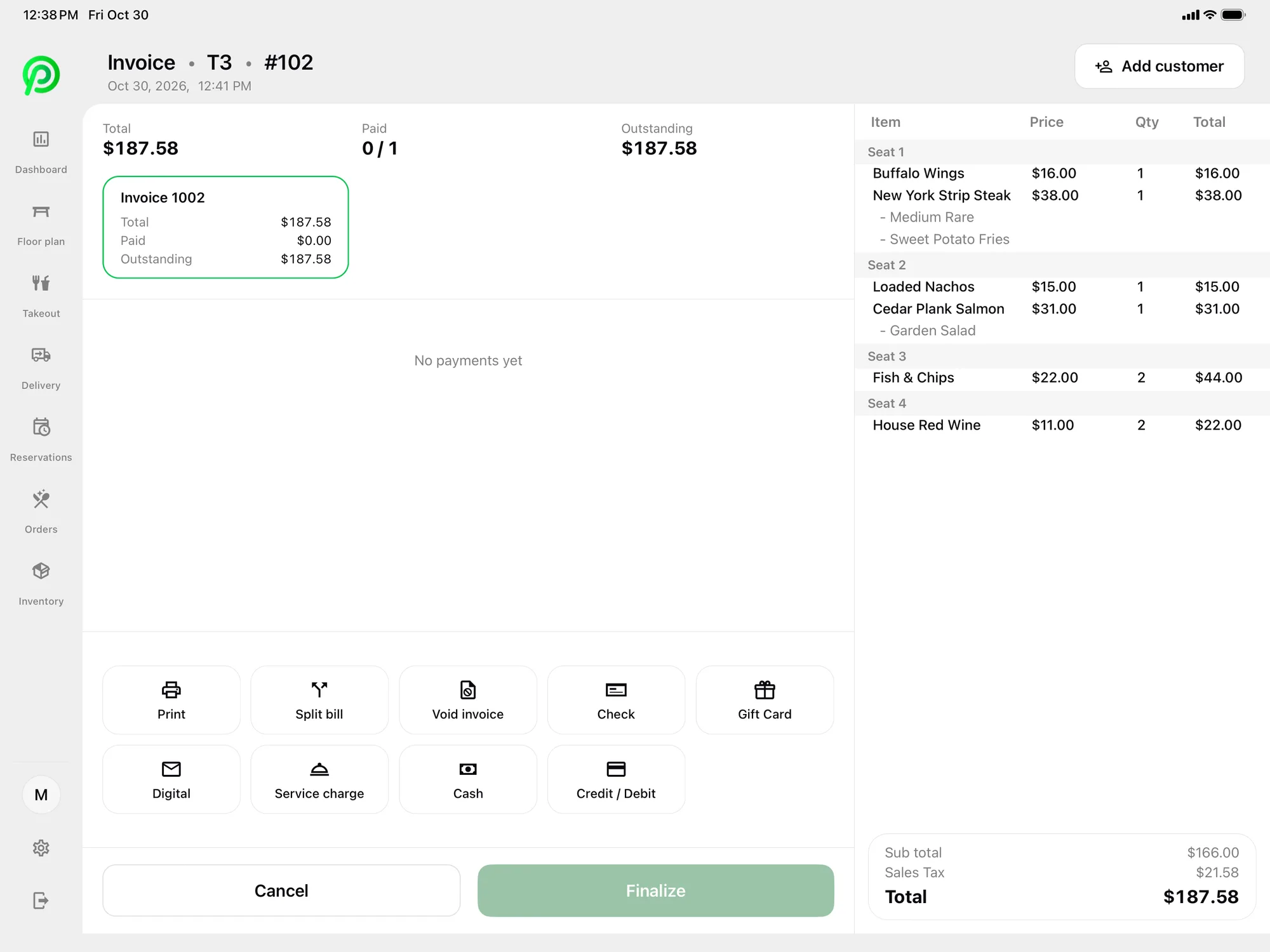
At the end of the meal, the bill can be split equally, by seat or by item. Guests can also pay part of the bill now and the rest later. You can add a service charge to a bill when your house policy calls for one. A customer-facing display lets guests see their order as it is rung in. Read more on split bills.
Platter does not have a dedicated all-you-can-eat feature, such as timed rounds or per-guest ordering limits. If that is a big part of your business, bring it up in your demo so we can show you what Platter does today.
Takeout and delivery at dinner
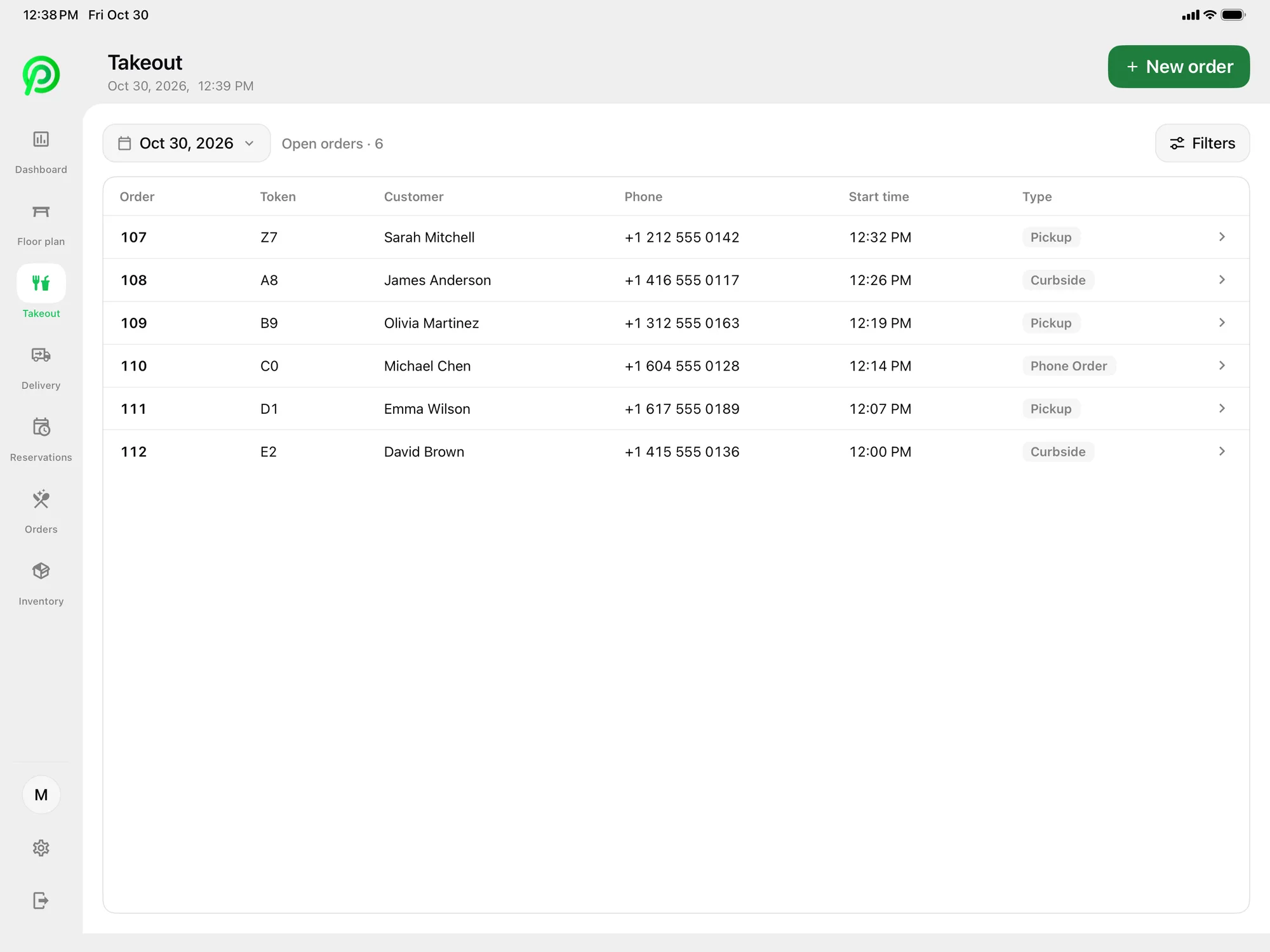
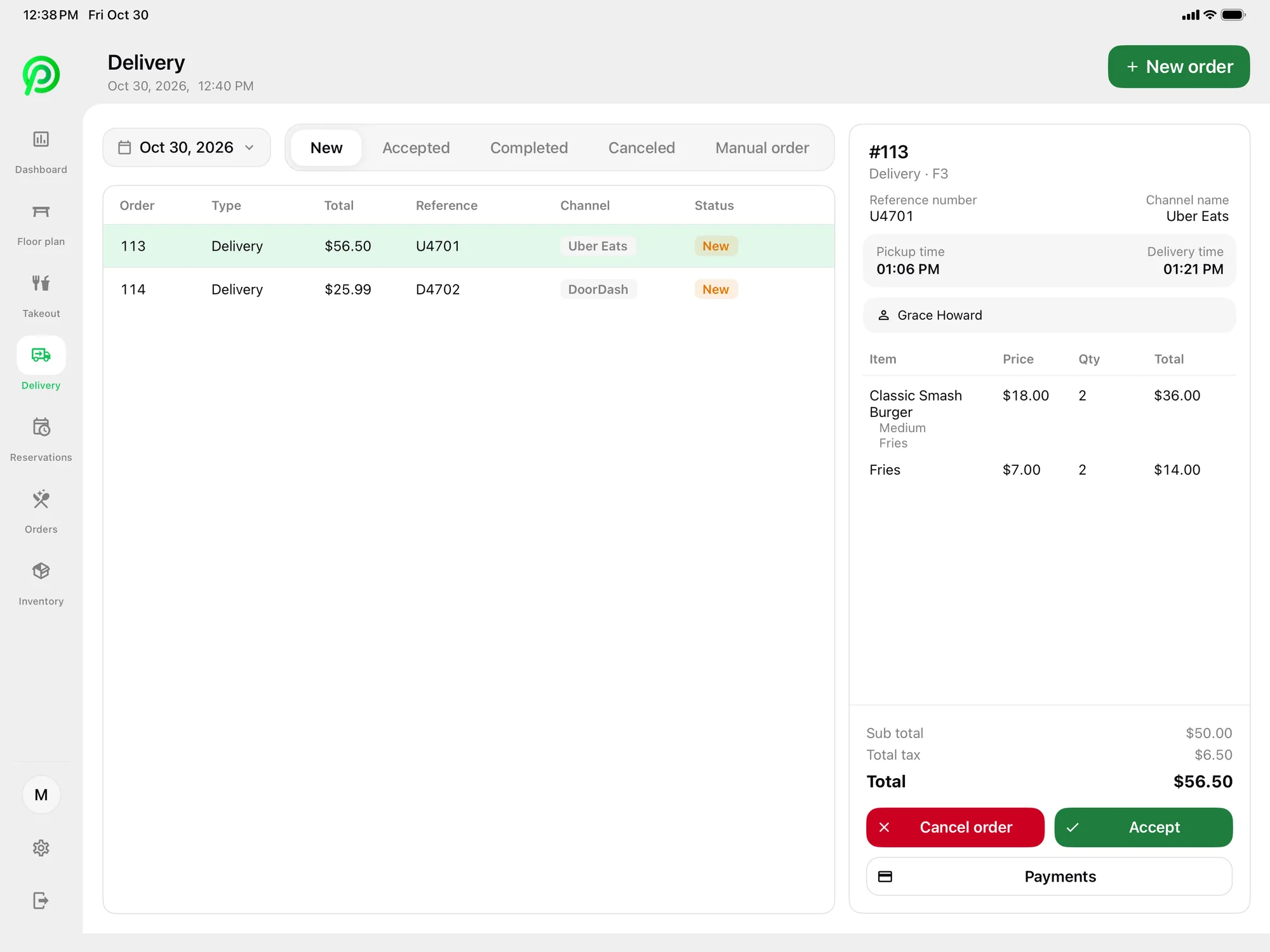
Takeout is a big part of the night for many sushi, Chinese and Thai restaurants. Platter keeps pickup, curbside and phone orders in one list, with the guest's name and number on each. Uber Eats, DoorDash and SkipTheDishes orders arrive in Platter through your own Deliverect account. Staff accept or cancel each order, and it goes to the right station with dine-in orders. That means one queue for the sushi bar and one for the kitchen, not a stack of tablets on the counter.
Online ordering from your own website is coming soon.
Payments, receipts and reports
Card payments are processed by Moneris, at Moneris preferred pricing for Platter customers, subject to Moneris approval. Moneris terminals pair over Wi-Fi, and Tap to Pay on iPhone and Android in the Platter app is powered by Stripe. Guests can pay by credit, debit, tap or cash, and receipts go out by SMS or email, or print on an Epson printer when asked.
Reports show sales by item, category and server for any date range, with CSV export. You can see which rolls and set menus sell, and how dine-in compares with takeout. On the Pro plan, inventory tracks fish, rice, nori and takeout containers by unit of measure, with reorder points that flag low stock.
What it costs
Pro is $149 per location per month. Add a kitchen display for the sushi bar and one for the hot kitchen at $15 per screen per month, plus one extra tablet for a server at $10. Phones and printers are free, and the main POS iPad is included. Platter runs on iPad, iPhone and Android, and hardware is not included, so you bring your own. See the pricing page for every plan.
An onboarding specialist sets up your menu, floor plan, printers, Moneris and staff roles. Your account stays in set-up mode until you launch. Plans are month-to-month with no cancellation fee.