Platter

POS for Ghost Kitchen

A ghost kitchen POS that puts every delivery app in one queue

A delivery-only kitchen lives on its delivery apps. Platter brings Uber Eats, DoorDash and SkipTheDishes orders into one queue through Deliverect and sends them to the kitchen display. You can run several menus from the same back office.

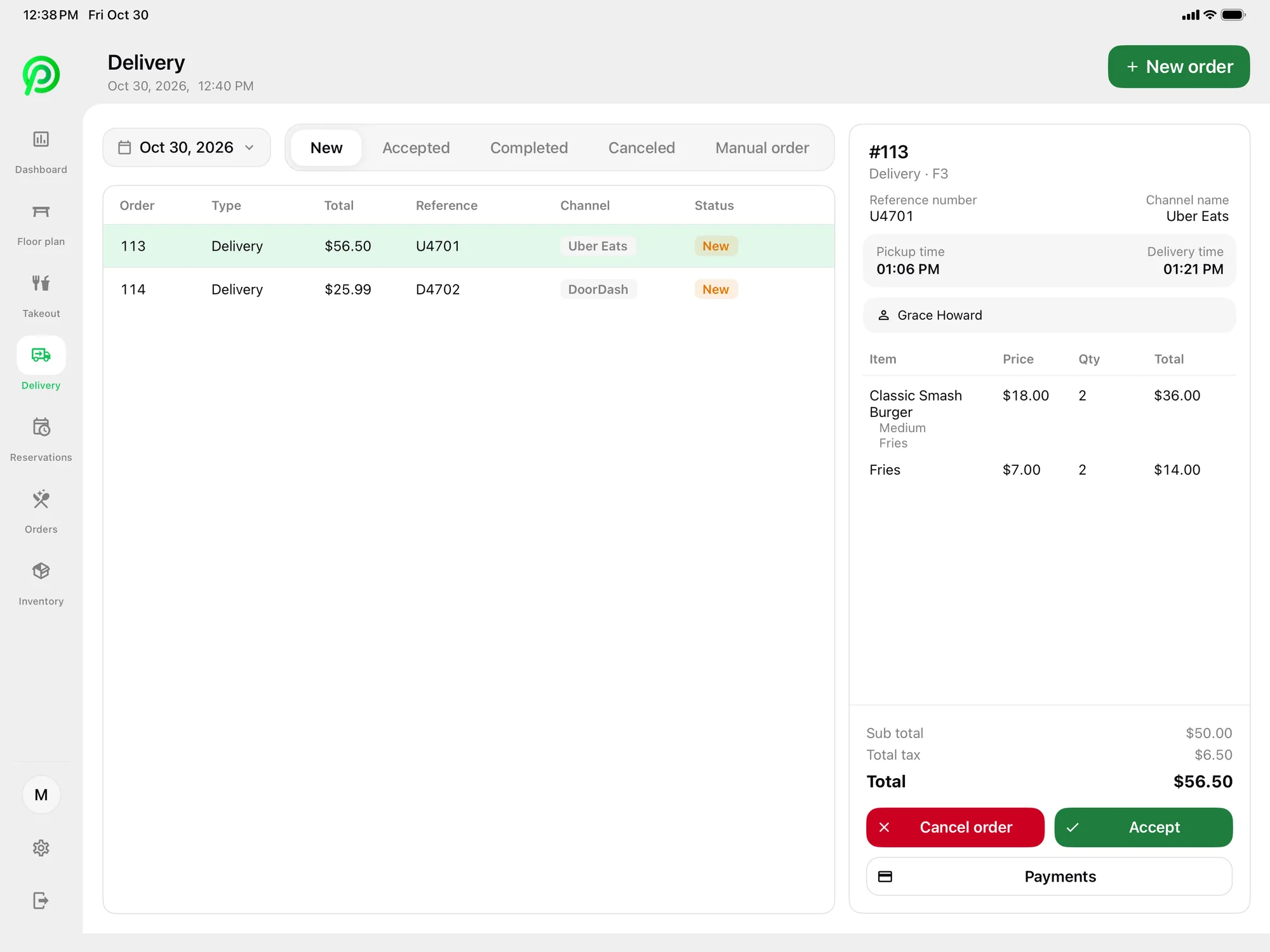
Platter POS delivery screen on iPad with Uber Eats, DoorDash and SkipTheDishes orders

Where delivery-only kitchens lose time

  • A tablet for every app

    Each delivery app needs its own device, and staff watch several screens at once.
  • Re-keying every order

    Copying orders from app tablets into the kitchen system takes time and causes mistakes.
  • Tickets that sit too long

    Without timers, it is hard to see which orders are late before the courier arrives.
  • Several menus to keep current

    Running more than one menu out of the same kitchen means more items and prices to update.
  • No clear view of delivery sales

    Sales are split across app dashboards, so it is hard to see the whole picture.

Features for ghost kitchens

Delivery App Orders

Every delivery app in one place

Uber Eats, DoorDash and SkipTheDishes orders arrive in Platter through Deliverect, where staff accept or cancel them.

More about delivery app orders
Platter POS delivery screen on iPad with Uber Eats, DoorDash and SkipTheDishes orders

Kitchen Display System

One kitchen queue

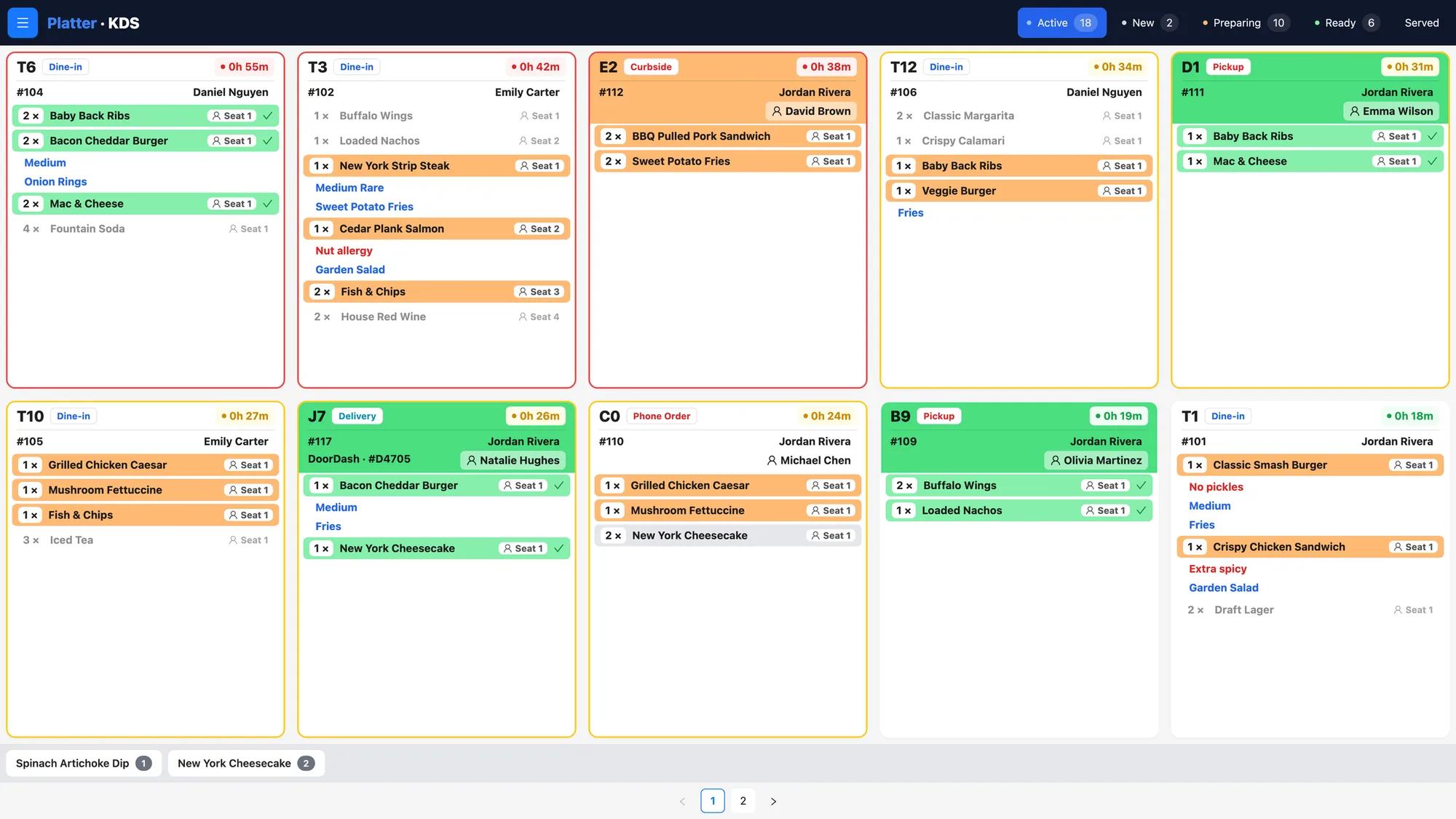
Tickets move from New to Preparing to Ready, colour-coded with a timer on each, and modifiers and allergy notes on every item.

More about kitchen display system
Platter kitchen display system with colour-coded tickets and timers for dine-in, pickup, curbside and delivery

Menu Management

Several menus from one back office

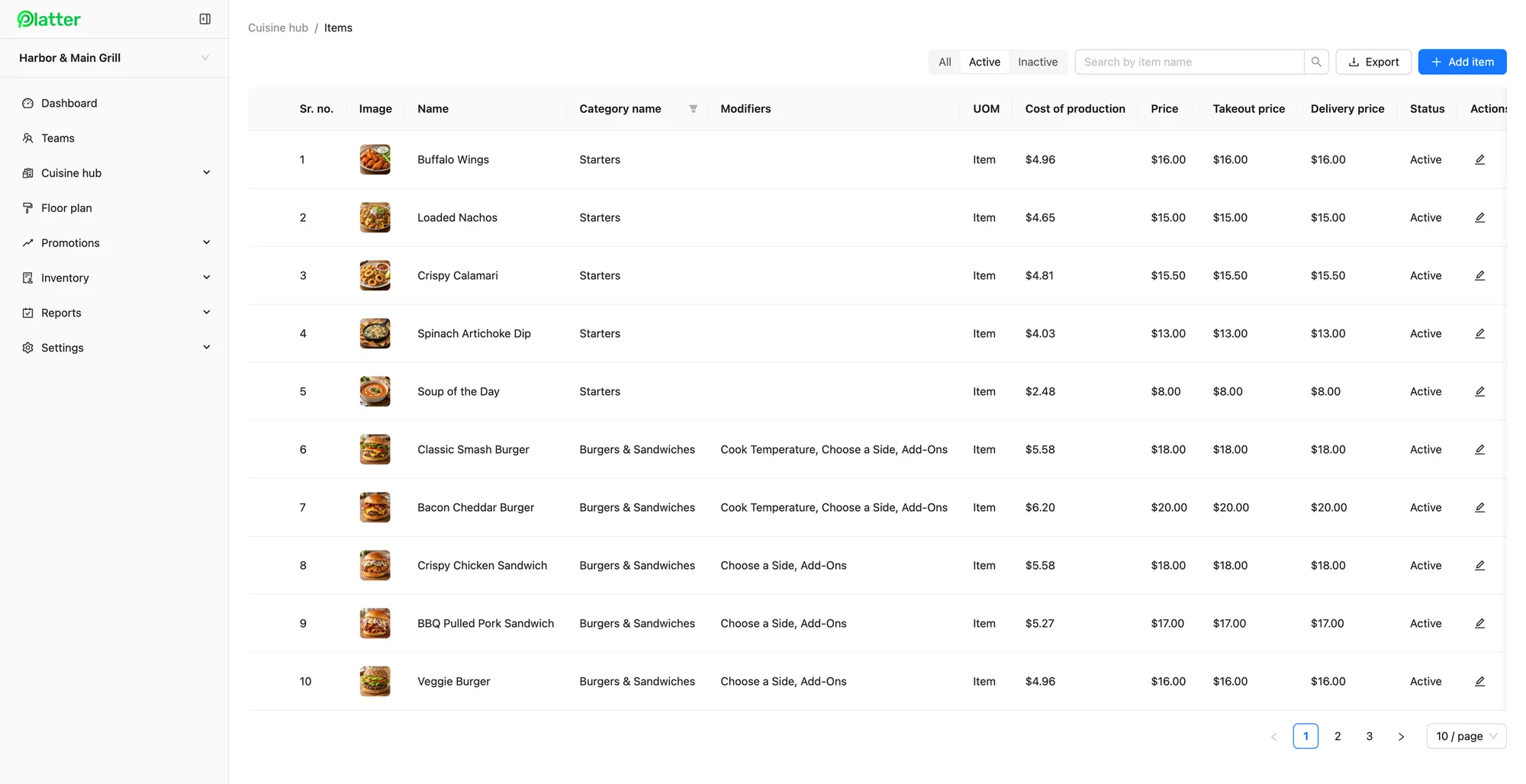
Run several menus, set delivery prices and record cost of production on every item.

More about menu management
Platter back office menu items with photos, modifiers and dine-in, takeout and delivery prices

Order Management

Order history you can search

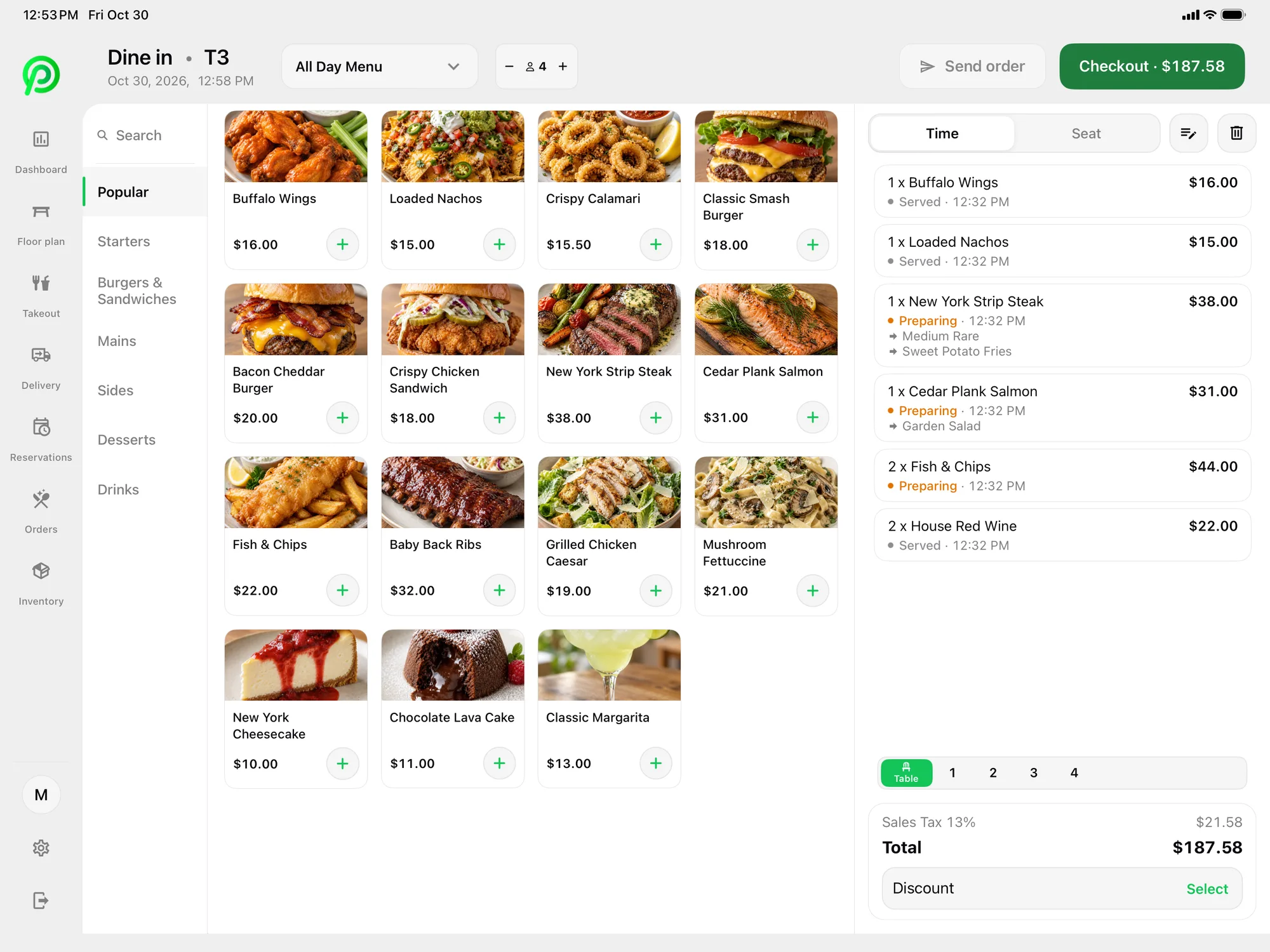
Track each item from Preparing to Served, and search order history by date or invoice number.

More about order management
Platter POS dine-in menu on iPad with food photos and the open ticket

Reports

Sales by item and category

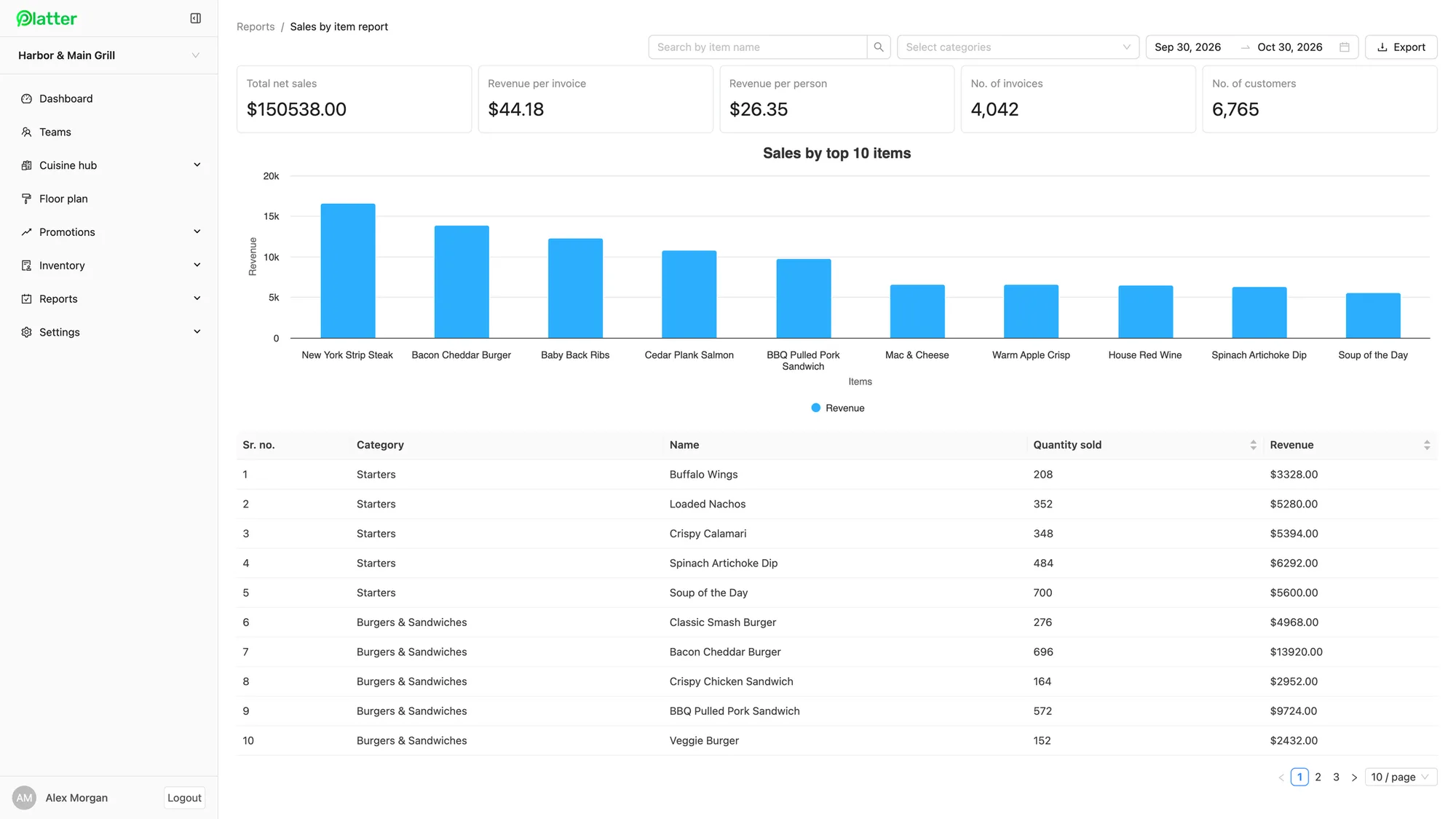
Run sales reports by item, category and order for any date range, with CSV export.

More about reports
Platter back office sales by item report with a top 10 items chart

Inventory Management

Stock for every menu

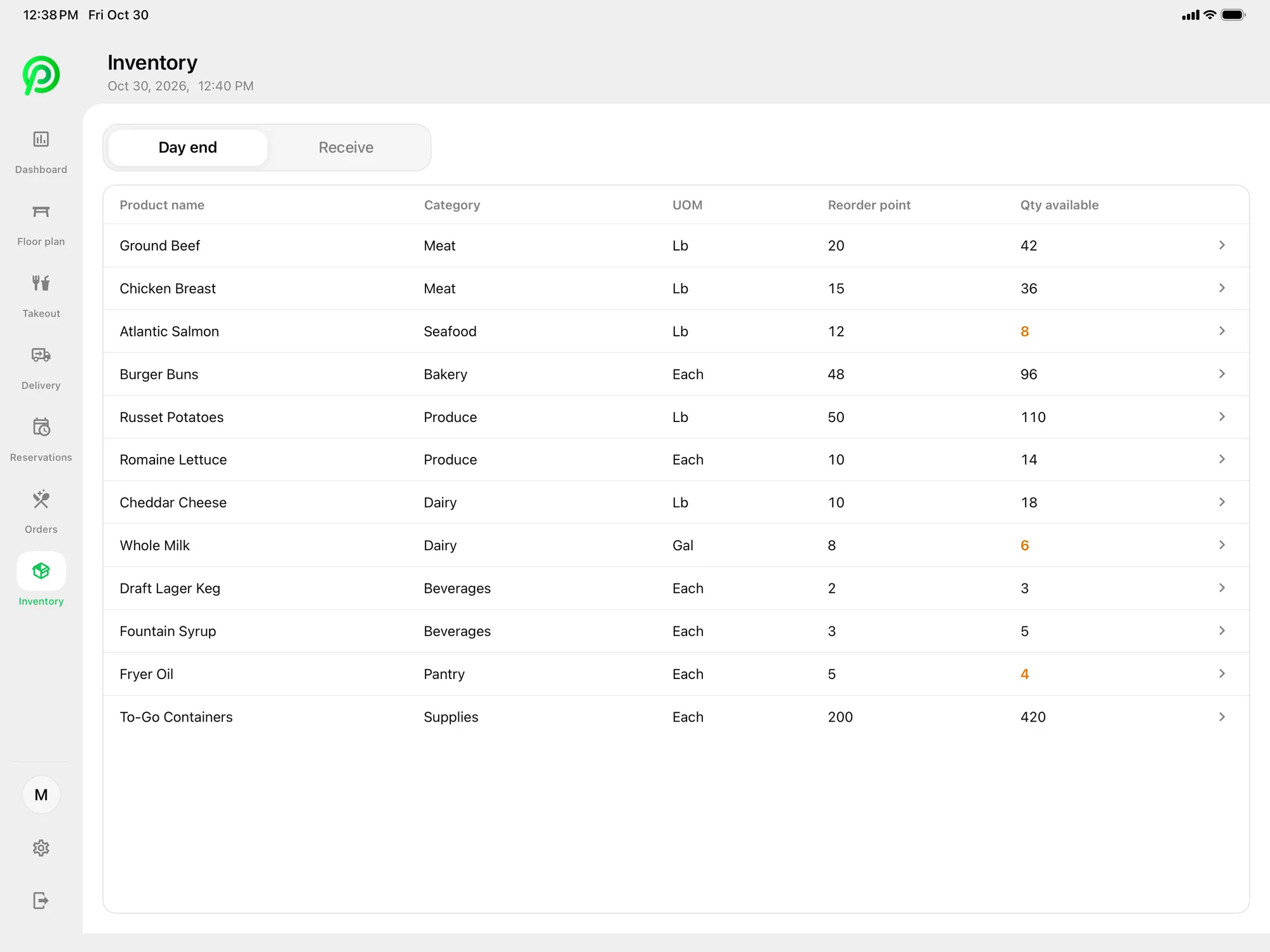
Track ingredients and packaging by unit of measure, with reorder points that flag low stock.

More about inventory management
Platter POS inventory list on iPad with reorder points

What changes in the kitchen

  • Uber Eats, DoorDash and SkipTheDishes orders in one queue
  • Kitchen display screens at $15/month each
  • Delivery prices and cost of production on every item

What a typical ghost kitchen setup costs

One iPad to manage delivery app orders and two kitchen screens.

Pro plan
$149/month
2 kitchen displays
$30/month
Monthly total, one location
$179 CAD

Before tax, plus card processing. The main POS iPad is included; hardware is not. Month-to-month, no cancellation fee. See pricing.

Built for delivery-only kitchens

A ghost kitchen has no dining room and no counter. Every order comes from a delivery app, and the job is to get each one out the door before the courier arrives. Platter brings Uber Eats, DoorDash and SkipTheDishes orders into one place through Deliverect, using your own Deliverect account. Staff accept or cancel each order on the POS, and it goes straight to the kitchen. Read more on the delivery app orders page.

One kitchen display for every order

The Kitchen Display System shows each ticket with a colour for its status and a timer, from New to Preparing to Ready. Modifiers and allergy notes sit on every item. Give each station its own kitchen profile, so the fryer, the grill and the packing station each see only what they need. Screens are $15 per month each.

Several menus, one back office

Many delivery-only kitchens run more than one menu out of the same space. Platter supports several menus in one back office, with delivery prices and cost of production on every item. Changes reach every device in about 30 seconds, so items and prices stay current on every Platter device.

Know what each menu earns

Back office reports show sales by item, category and order for any date range, with CSV export. The POS dashboard shows gross and net sales, taxes such as HST or GST, refunds and revenue per order. Inventory tracks ingredients and packaging by unit of measure, with reorder points that flag low stock.

Delivery app orders are part of the Pro plan. See the details on the pricing page.

Ghost Kitchen POS questions

See your delivery orders on Platter

Book a demo and we will show you delivery app orders arriving through Deliverect and moving across the kitchen display.

Book a free demo
Book a free demo