
Fast checkout for counter service
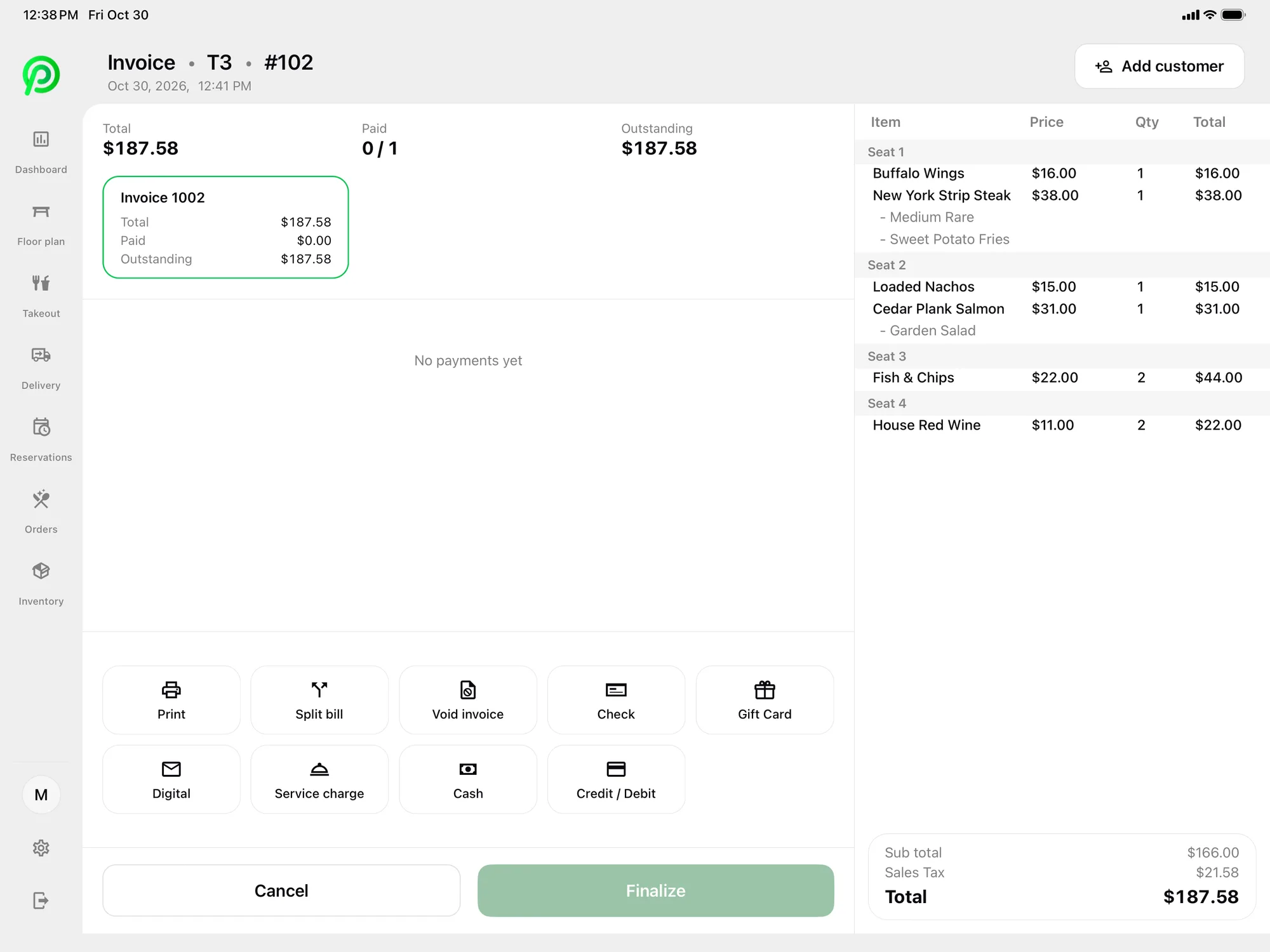
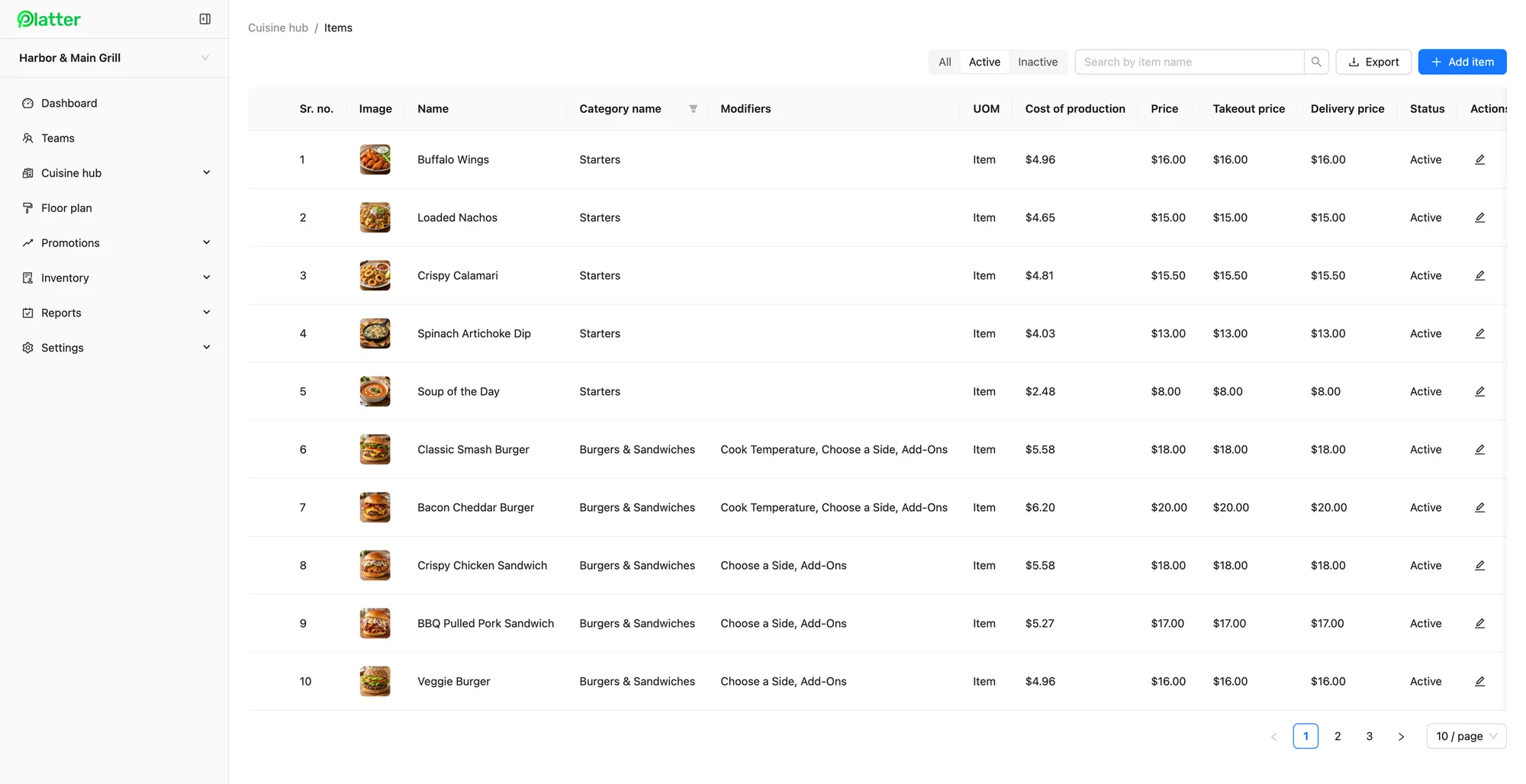
A food hall or food court counter has a short menu, a small kitchen and a lunch rush that arrives all at once. The job is to take each order quickly, get it to the cooks and hand it over before the next wave. Platter's photo menu has search, and the ticket stays beside the menu, so staff can ring in an order in a few taps. Required modifiers make sure every bowl has its base and every burger has its doneness, and item notes carry allergy requests to the kitchen.
Guests tap, insert or pay cash. Card payments are processed by Moneris, at Moneris preferred pricing for Platter customers, subject to Moneris approval. Moneris terminals pair over Wi-Fi, and Tap to Pay on iPhone and Android in the Platter app is powered by Stripe. A customer-facing display shows guests their order and total as it is rung in, so they can catch a mistake before paying. Receipts go out by SMS or email, which saves paper at a counter with little space.
A kitchen screen at every counter
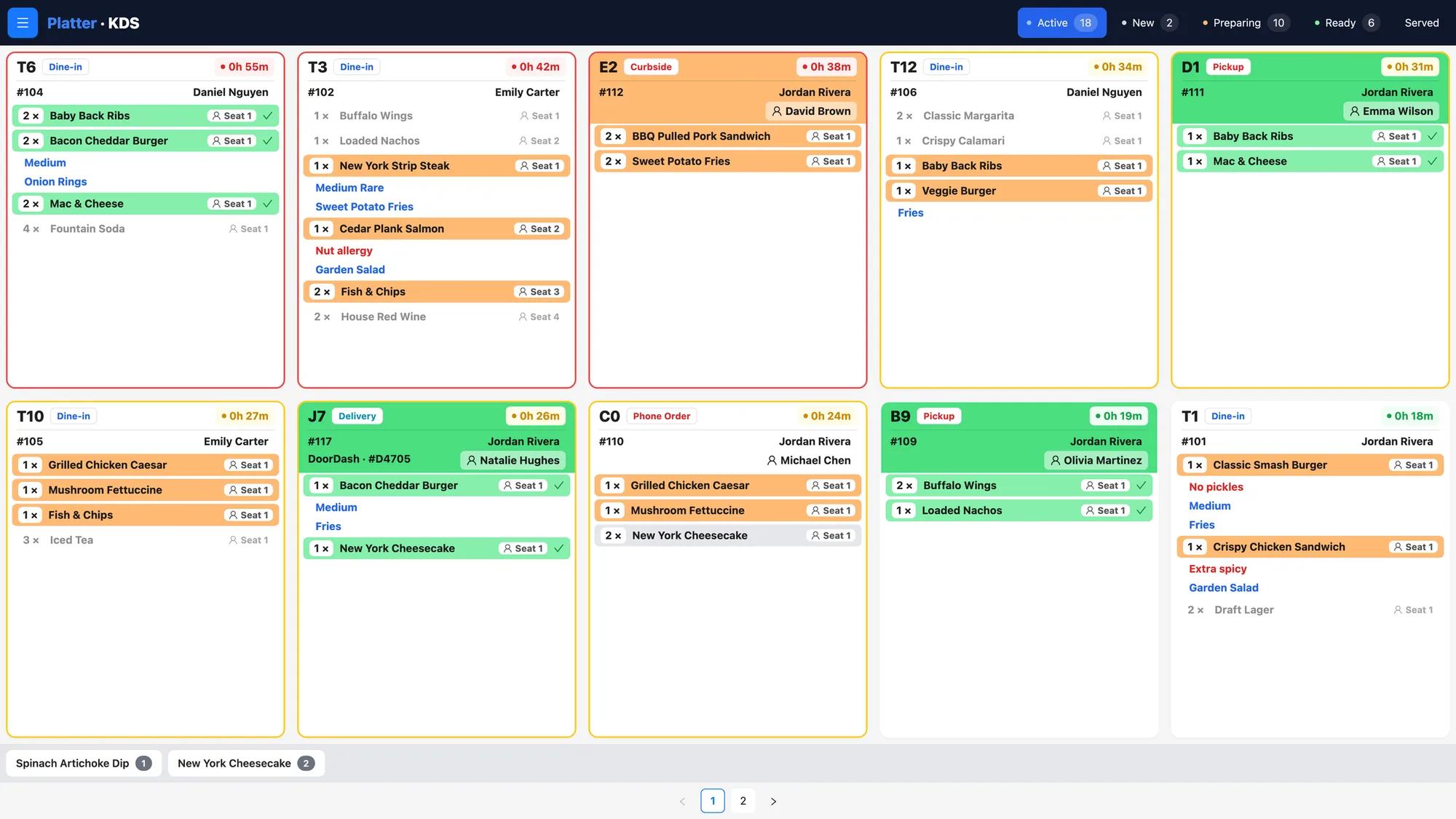
Paper tickets do not last long on a crowded food hall counter. The Kitchen Display System puts each order on a screen, colour-coded by status with a timer on every ticket. Orders move from Preparing to Ready, so the cook and the person at the pass both know what is next. If one counter has a grill and a fryer, give each its own kitchen profile so each cook sees only their items. Epson kitchen printers can route items by category instead, or alongside the screens.
Takeout and delivery orders
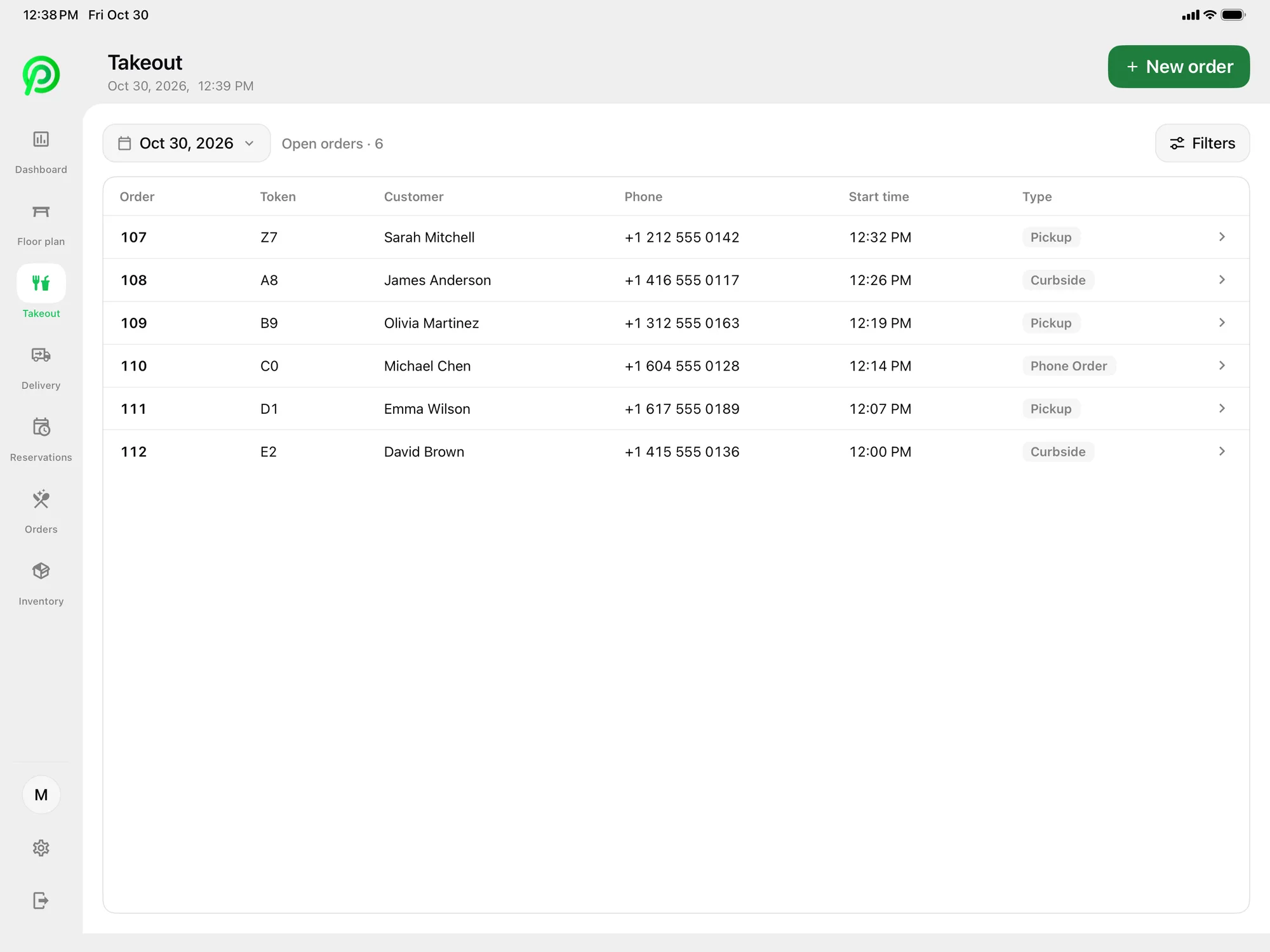
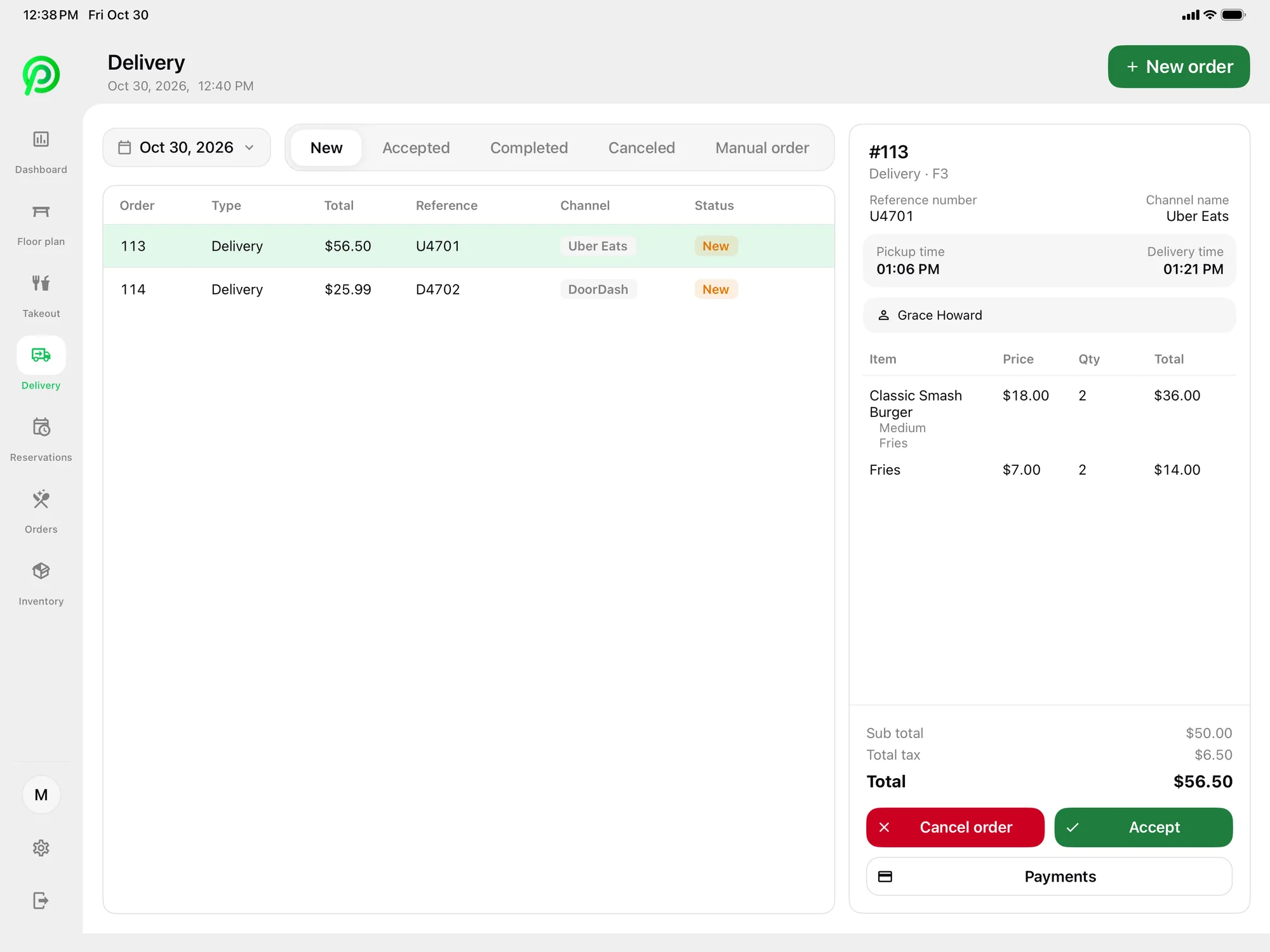
Many food hall guests take their food back to the office or eat at a shared table. Pickup and phone orders sit in one takeout list with the guest's name and number, so staff can call out the right name. Uber Eats, DoorDash and SkipTheDishes orders arrive in Platter through your own Deliverect account. Staff accept or cancel each one, and it goes to the kitchen screen with counter orders. Items can carry separate takeout and delivery prices.
The Self-Order Kiosk and QR Order and Pay are coming soon. Online ordering from your own website is coming soon too.
Running several counters in one account
Some operators run more than one counter, in the same food hall or across several. In Platter, each counter can be set up as its own location in one account. The Multi-location plan, for three or more sites, gives you one back office, a restaurant picker to switch between counters, cross-location reports and a named account manager.
To be clear about what Platter does not do: it does not offer a shared central checkout that takes one payment for several vendors and splits it between them. It also does not handle revenue sharing between a food hall landlord and its tenants. Each counter in Platter takes its own orders and its own payments.
Staff, stock and reports
Setting up a new counter is straightforward. Your menu, kitchen profiles and staff roles are built in the back office, and the POS app runs on the iPad, iPhone or Android device you already have. If your counter has a second till for the lunch rush, add another tablet. Menu changes made in the back office reach every device in about 30 seconds.
Food hall counters often run with a small team on short shifts. Each staff member gets a role and a personal PIN, and teams keep staff grouped by counter. Staff clock in and out on the POS, and shift hours feed timesheets and the labour report.
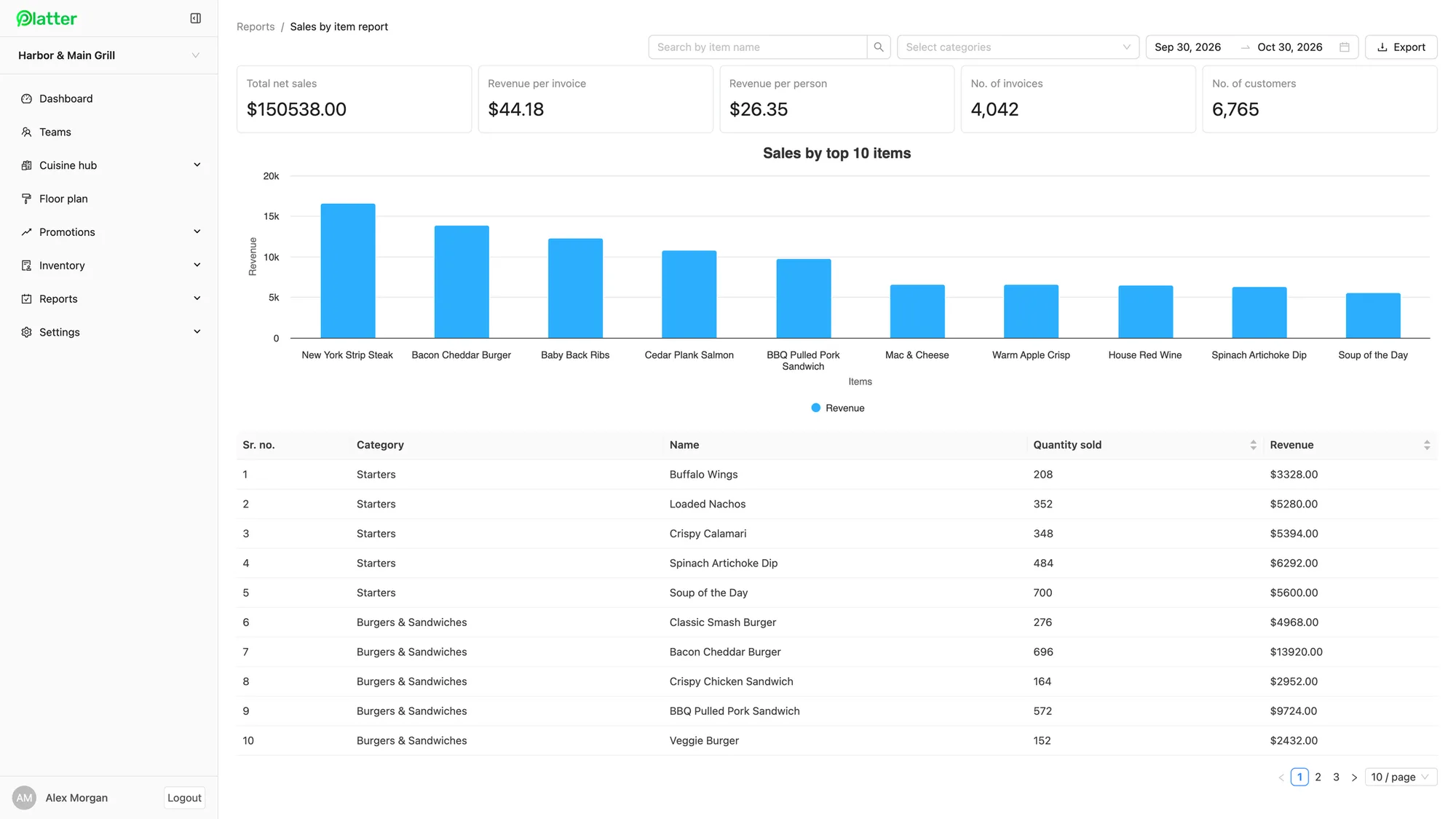
On the Pro plan, inventory tracks ingredients, cups and containers by unit of measure, with reorder points that flag low stock and day-end counts in the app. Reports show sales by item, category and server for any date range, with CSV export. The back office dashboard shows revenue by hour of day, so you can see when the lunch rush starts and staff for it.
What it costs
Essentials is $79 per location per month, and Pro is $149. Add one kitchen display at $15 per month and a customer display at $15 per month. Phones and printers are free, and the main POS iPad is included. If you run three or more counters, the Multi-location plan is $129 per location per month. Platter runs on iPad, iPhone and Android, and hardware is not included, so you bring your own. See the pricing page for every plan.
An onboarding specialist sets up your menu, floor plan, printers, Moneris and staff roles. Your account stays in set-up mode until you launch. Plans are month-to-month with no cancellation fee.