Platter

POS for Pizzeria

A pizza POS for pickup, phone and delivery app orders

Most pizza orders never sit at a table. Platter keeps pickup, curbside and phone orders in one list with the guest's name and number. Uber Eats, DoorDash and SkipTheDishes orders arrive on the same POS, and every topping reaches the kitchen.

Platter POS takeout orders on iPad for pickup, curbside and phone orders

What makes a Friday night at a pizzeria hard

  • Phone orders on a notepad

    Orders taken by phone get written down, re-keyed and sometimes lost.
  • Sizes, crusts and toppings

    Every pizza has several choices, and one missed topping means a remake.
  • Delivery app tablets on the counter

    Uber Eats, DoorDash and SkipTheDishes each need their own tablet and their own attention.
  • Pickup times that slip

    When the oven is full, it is hard to see which orders are due next.
  • Curbside guests waiting in the lot

    Staff do not know who is outside or which order is theirs.

Features built for pizzerias

Takeout Management

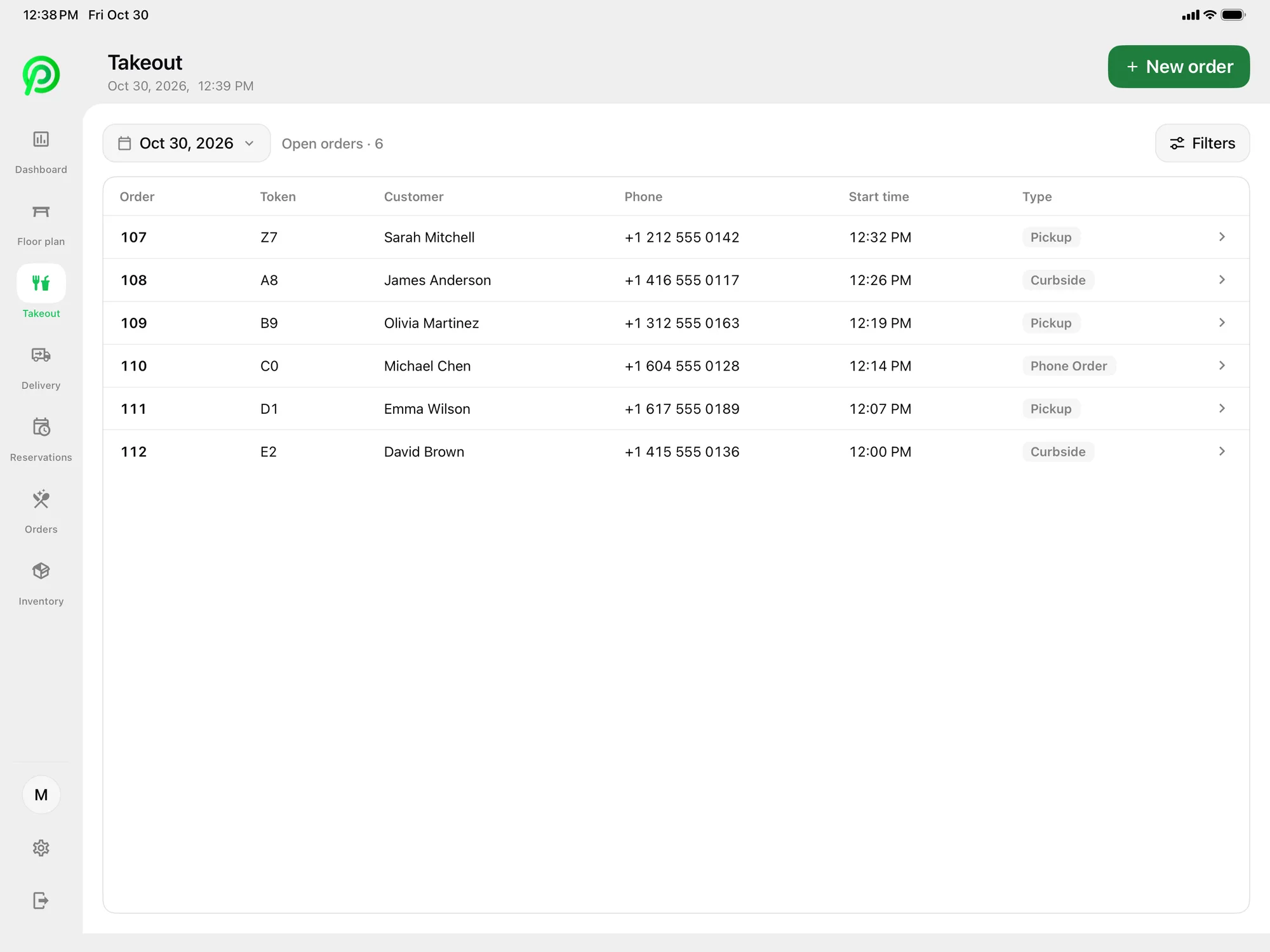
Every takeout order in one list

Pickup, curbside and phone orders sit in one list with the guest's name and number.

More about takeout management
Platter POS takeout orders on iPad for pickup, curbside and phone orders

Delivery App Orders

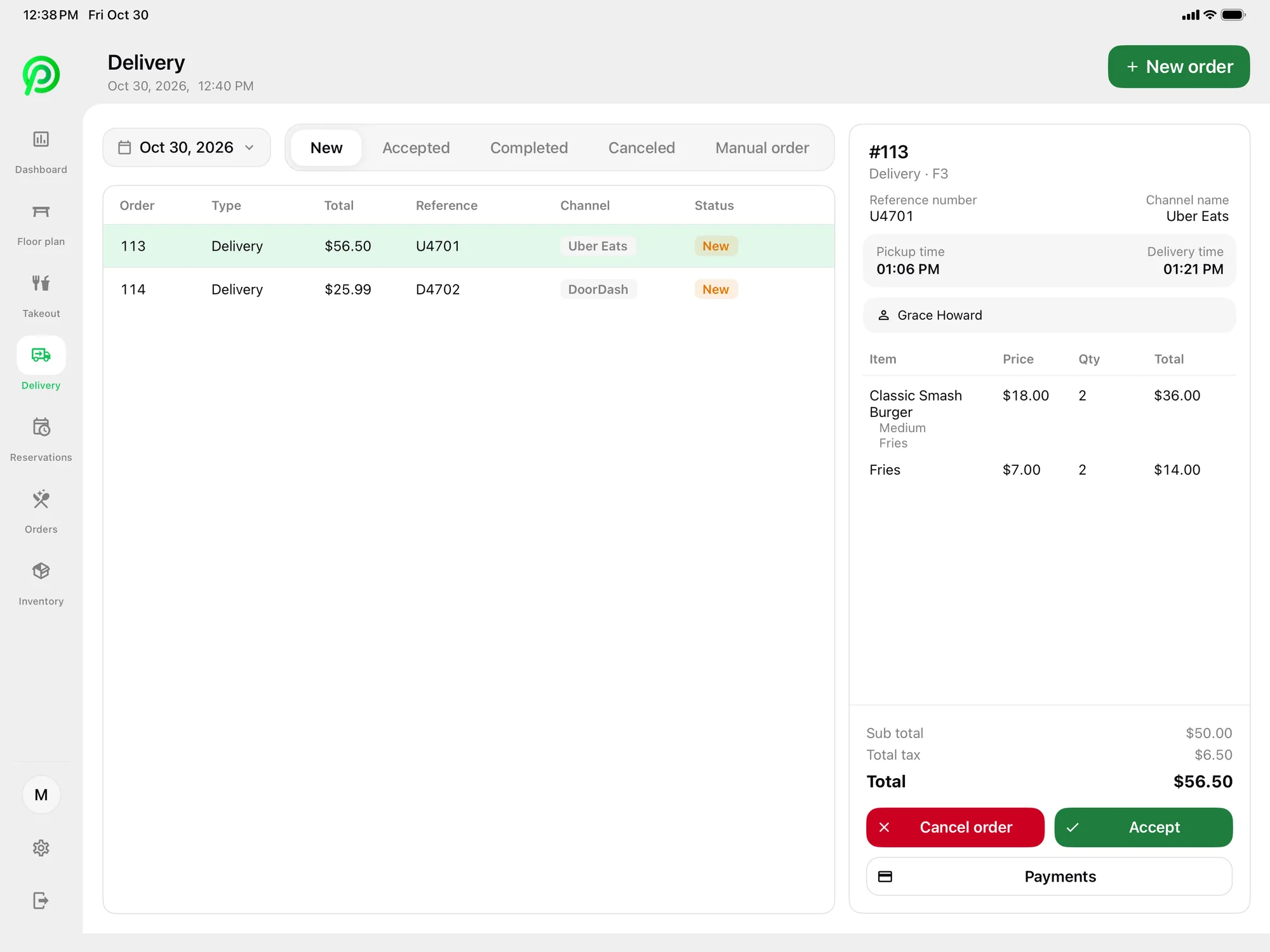
Delivery app orders on the POS

Uber Eats, DoorDash and SkipTheDishes orders arrive in Platter through Deliverect, where staff accept or cancel them and send them to the kitchen.

More about delivery app orders
Platter POS delivery screen on iPad with Uber Eats, DoorDash and SkipTheDishes orders

Menu Management

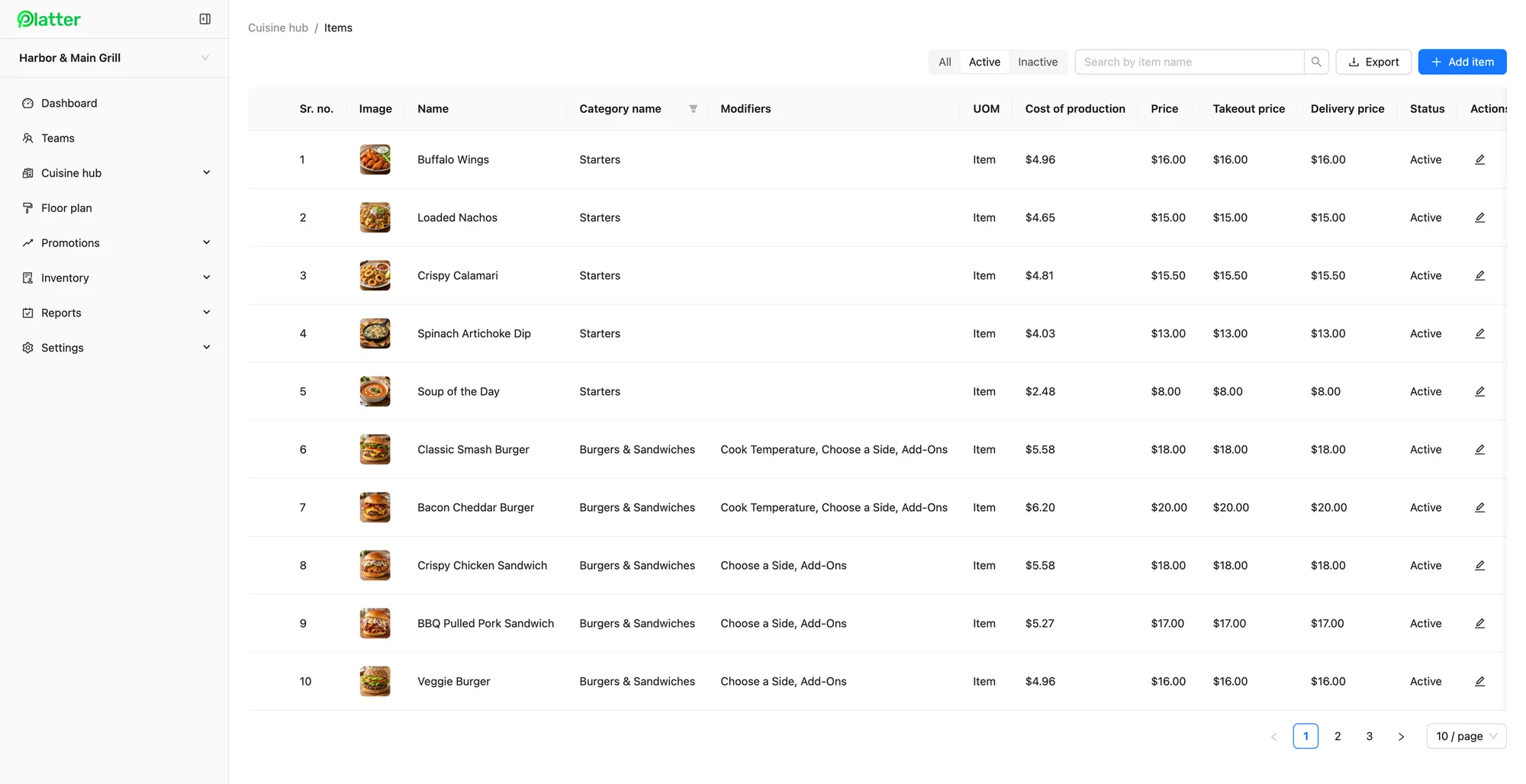
Modifiers for every pizza

Set up sizes, crusts and toppings as required, optional or multi-select modifiers, with separate takeout and delivery prices.

More about menu management
Platter back office menu items with photos, modifiers and dine-in, takeout and delivery prices

Kitchen Display System

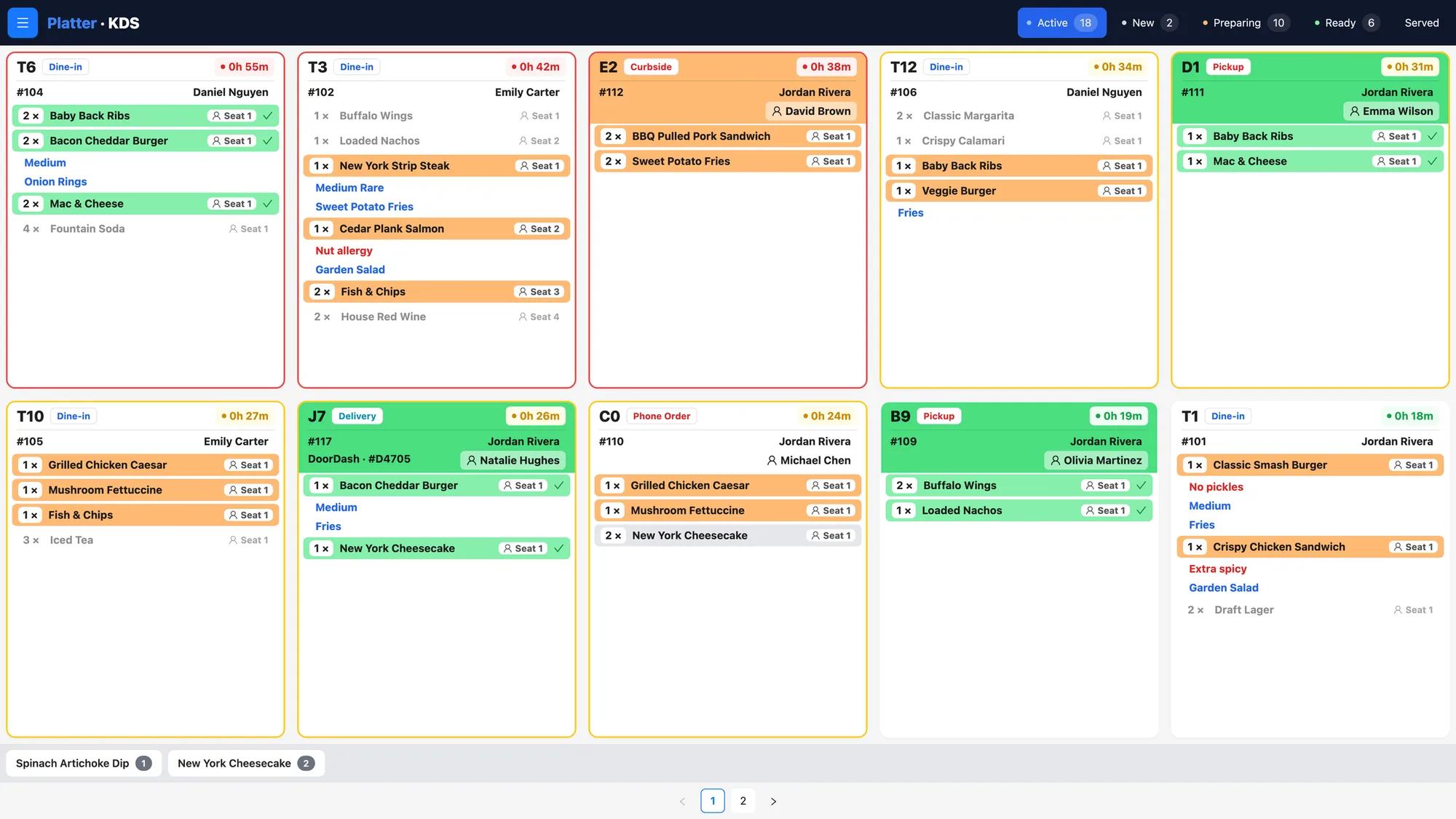
Clear tickets at the oven

Tickets show every modifier and note, colour-coded by status with a timer, for pickup, curbside, delivery and phone orders alike.

More about kitchen display system
Platter kitchen display system with colour-coded tickets and timers for dine-in, pickup, curbside and delivery

Promotions & Discounts

Weekday deals that apply themselves

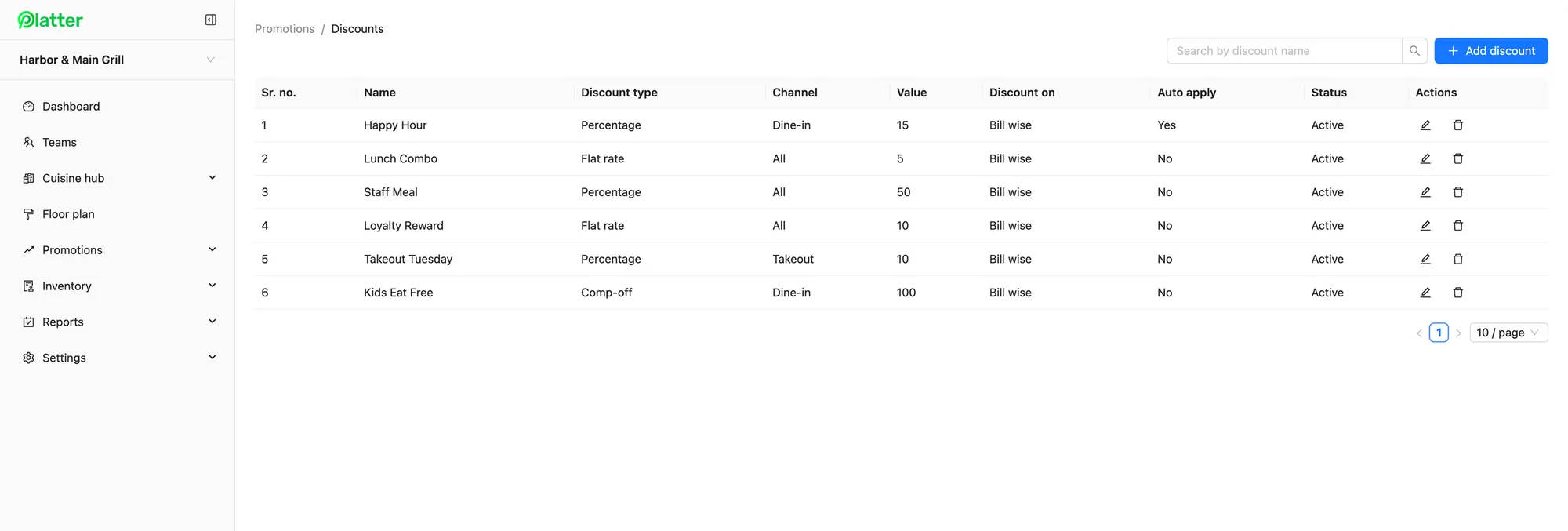
Run Takeout Tuesday or a combo deal as a percentage or flat-rate discount for the channel you choose.

More about promotions & discounts
Platter back office discounts list with happy hour, lunch combo and takeout promotions

Payment Processing

Payments at the counter

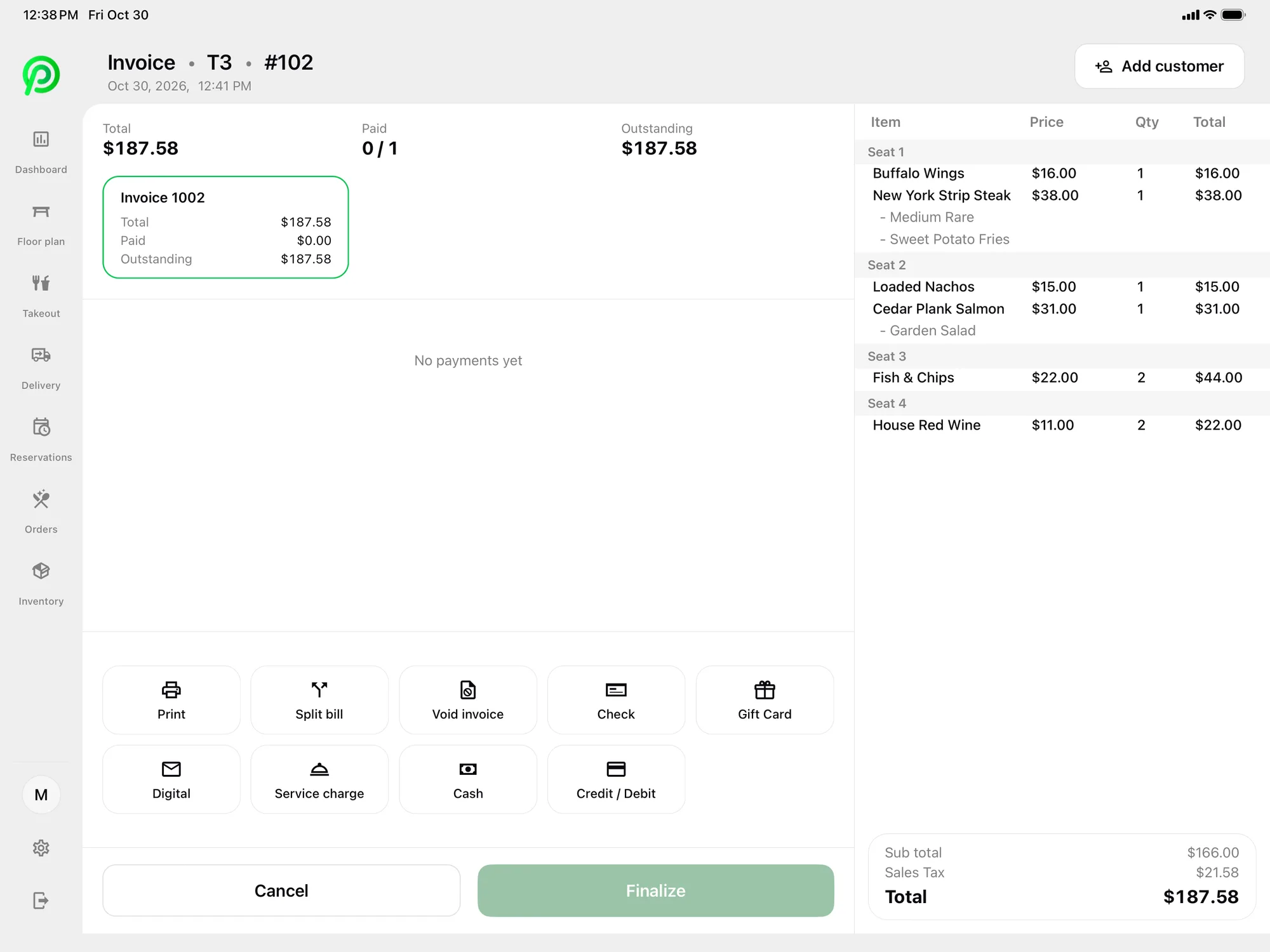
Take credit, debit, tap and cash through Moneris terminals that pair over Wi-Fi.

More about payment processing
Platter POS checkout on iPad with split bill and payment options

What changes on a busy night

  • Pickup, curbside and phone orders in one list with each guest's name and number
  • Uber Eats, DoorDash and SkipTheDishes orders on the same screen as walk-ins
  • Every topping and modifier on the kitchen ticket

What a typical pizzeria setup costs

One counter iPad and a kitchen screen for dine-in, takeout and delivery app orders.

Pro plan
$149/month
1 kitchen display
$15/month
Monthly total, one location
$164 CAD

Before tax, plus card processing. The main POS iPad is included; hardware is not. Month-to-month, no cancellation fee. See pricing.

Built for takeout and delivery

At most pizzerias, the dining room is the smallest part of the business. Orders come in by phone, through the door for pickup, from guests waiting at the curb and through delivery apps. Platter keeps pickup, curbside and phone orders in one list with each guest's name and number, so staff know who is waiting and who to call. Read more on the takeout page.

Delivery apps on one screen

Uber Eats, DoorDash and SkipTheDishes orders arrive in Platter through Deliverect, using your own Deliverect account. Staff accept or cancel each order on the POS and it goes to the kitchen with everything else, so there is no need to re-key orders from separate tablets. You can set separate delivery prices for each item in the back office.

Every topping on the ticket

Pizza menus are built from choices: size, crust, sauce, cheese and toppings. In Platter, each item can carry required, optional or multi-select modifiers, so staff are prompted for each choice. The kitchen display shows every modifier and note on the ticket, colour-coded by status with a timer, and Epson kitchen printers can route items by category if you prefer paper.

Deals, payments and reporting

Run Takeout Tuesday or a two-pizza combo as a percentage or flat-rate discount, limited to the channel you choose. Guests pay by credit, debit, tap or cash through Moneris, and receipts go out by print, SMS or email.

The POS dashboard splits sales by dine-in, takeout and delivery, with taxes such as HST or GST, tips and discounts on the day-end report. Delivery app orders, inventory and discounts are part of the Pro plan; see the pricing page.

Pizzeria POS questions

See your pizza menu on Platter

Book a demo and we will show you phone orders, delivery app orders and pizza modifiers on the kitchen display.

Book a free demo
Book a free demo