
The same brand at every door
Guests expect a franchise to feel the same wherever they walk in. The combo should have the same name, the burger the same toppings and the price the same number on the receipt. That consistency is hard to hold when each location runs its own system. Platter puts every location under one account and one web back office. From the restaurant picker, switch to any site and see its menus, staff, promotions, payment set-up and reports, without a second login.
Menus built to one standard
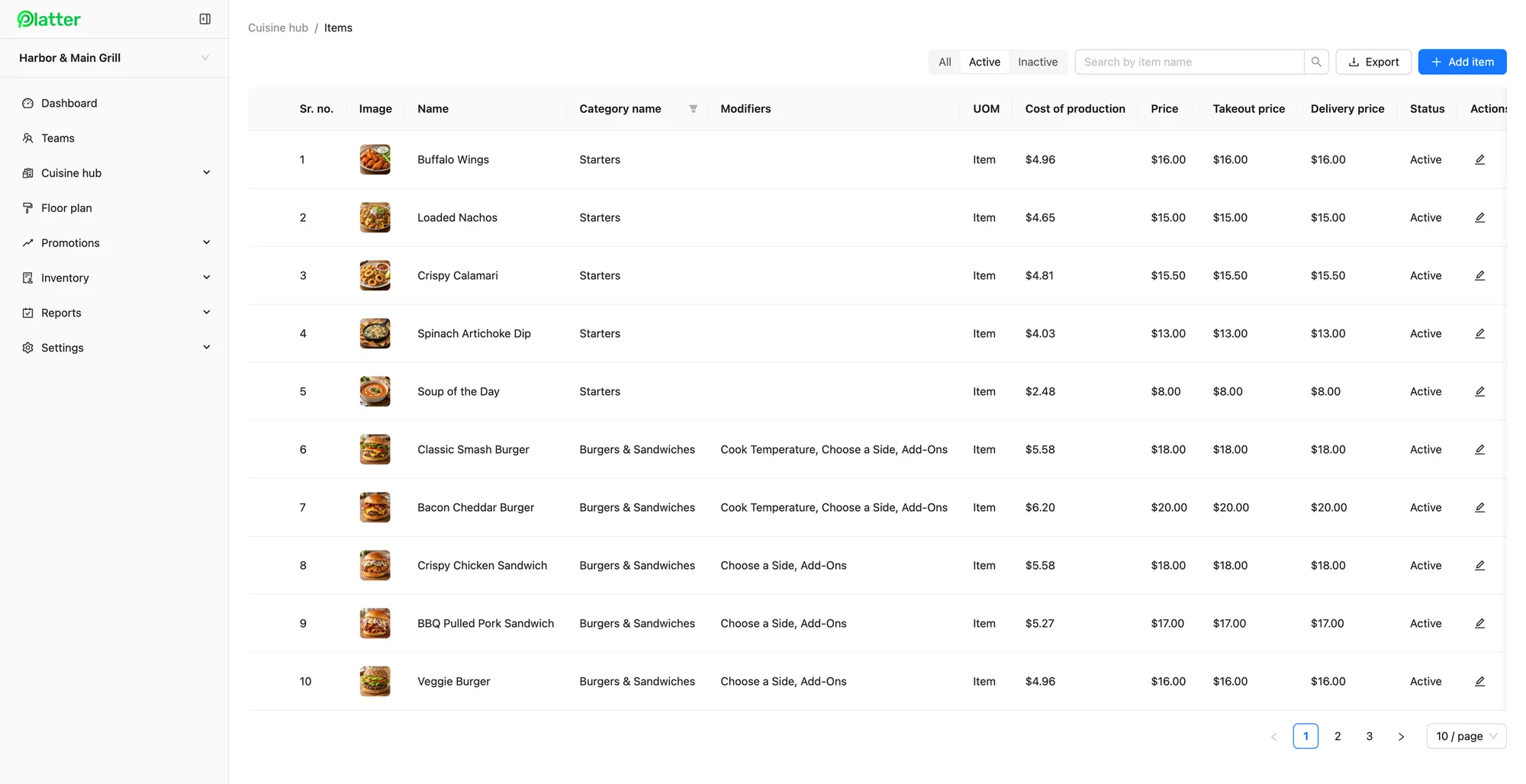
Menus are the heart of a franchise. In menu management, each location's categories, items and modifiers are built in the same back office, so your team can set them up to the same standard at every site: the same item names, the same required modifiers, the same photos. You can keep several menus, such as breakfast and lunch, and set separate dine-in, takeout and delivery prices on each item. When you change an item or price at a location, the change reaches that location's devices in about 30 seconds. Cost of production on each item helps you check that margins hold up from site to site.
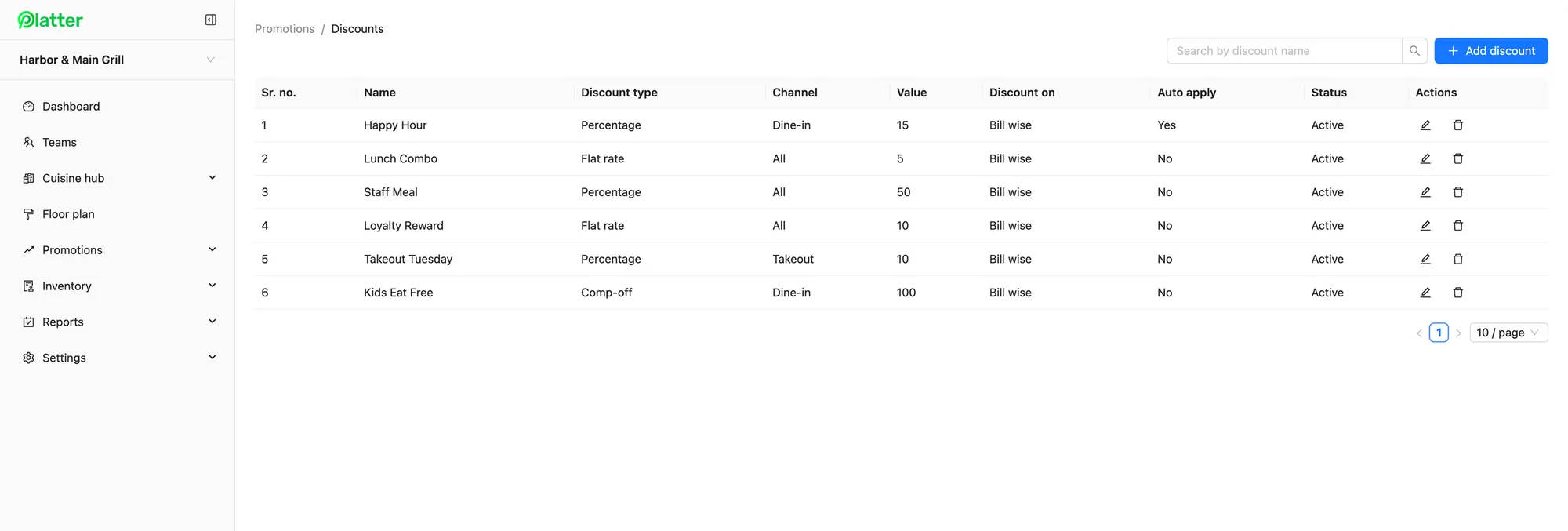
Promotions can be set up the same way. A brand-wide lunch deal can be created at each location as a percentage, flat-rate or comp discount, limited to dine-in, takeout or delivery, and scheduled to start on the same day. Auto-apply means staff do not have to remember the offer at the till.
Reports you can compare
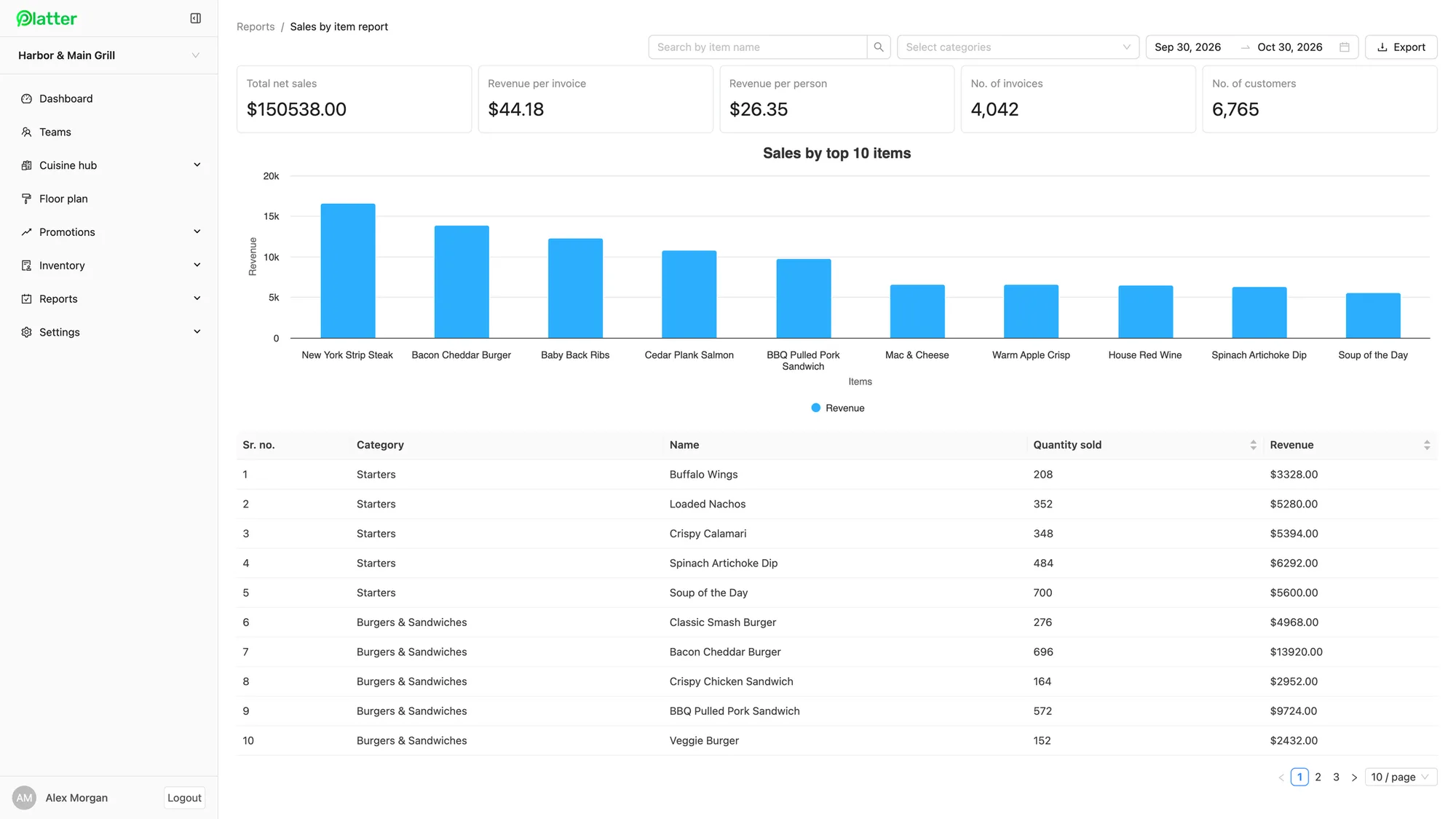
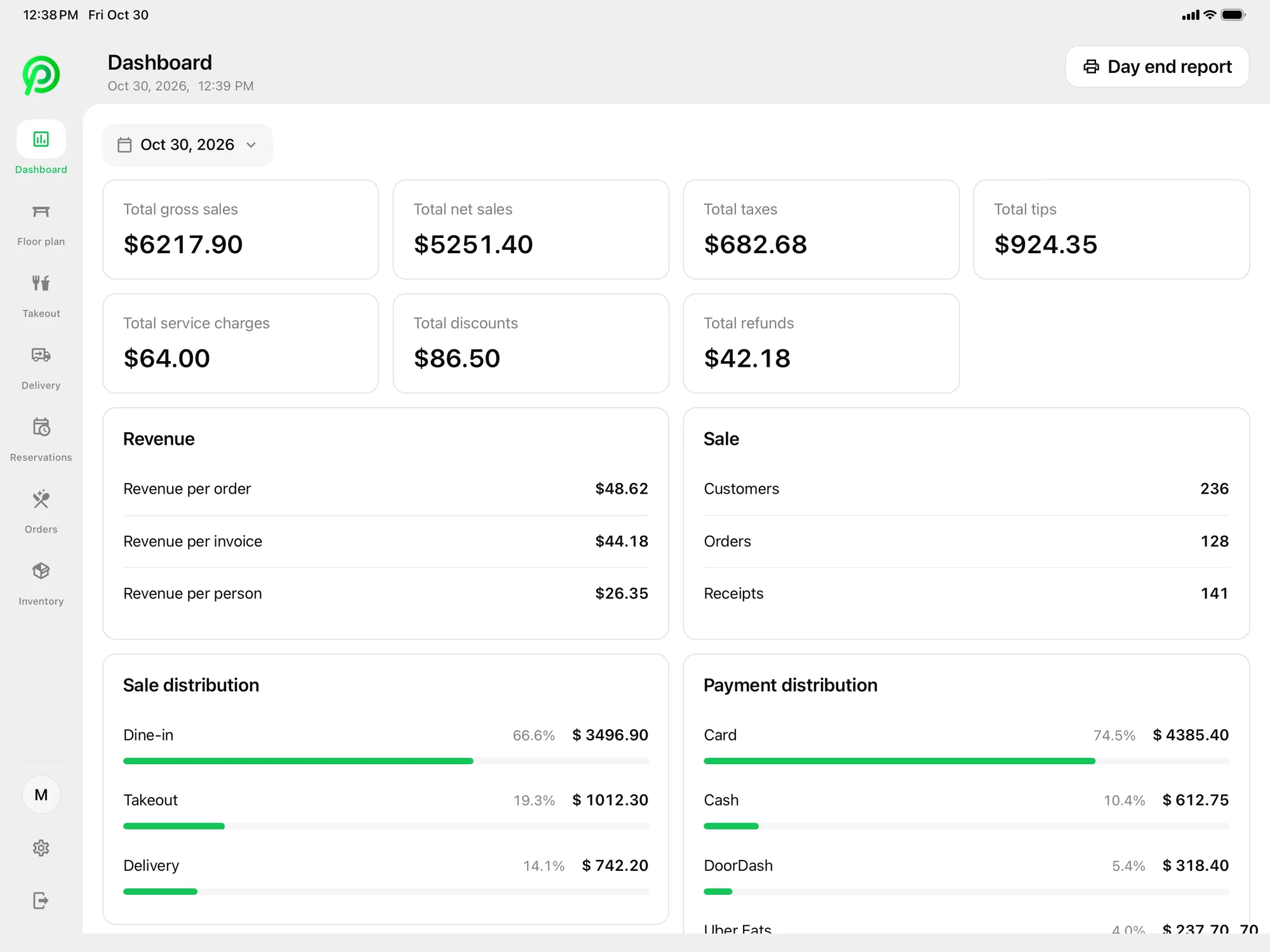
When every location reports from the same system, comparing them is straightforward. Platter's back office has more than 30 reports, including sales summary, sales by item, category and server, labour, customers, payment types, taxes and tips. Run them across locations for any date range and export to CSV for your own analysis. The back office dashboard shows revenue by hour of day and sales and payment distribution for each location, so you can see that one site's lunch is slower than the rest and ask why. On each location's POS, the dashboard shows gross and net sales, taxes, tips, discounts and refunds, with a day-end report at close.
Kitchens and channels that match
Consistency matters behind the counter too. With the kitchen display system, each location can set up the same kitchen profiles, such as a grill station and an assembly station, each seeing only its items. Tickets are colour-coded by status with a timer, so a cook at any site reads them the same way. Epson kitchen printers can route items by category where a location prefers paper.
Takeout works the same way everywhere. Pickup, curbside and phone orders sit in one list with each guest's name and number. Uber Eats, DoorDash and SkipTheDishes orders arrive in Platter through Deliverect, using each location's own Deliverect account, and go to the kitchen with walk-in orders. Online ordering from your brand's website is coming soon.
Roles for each location
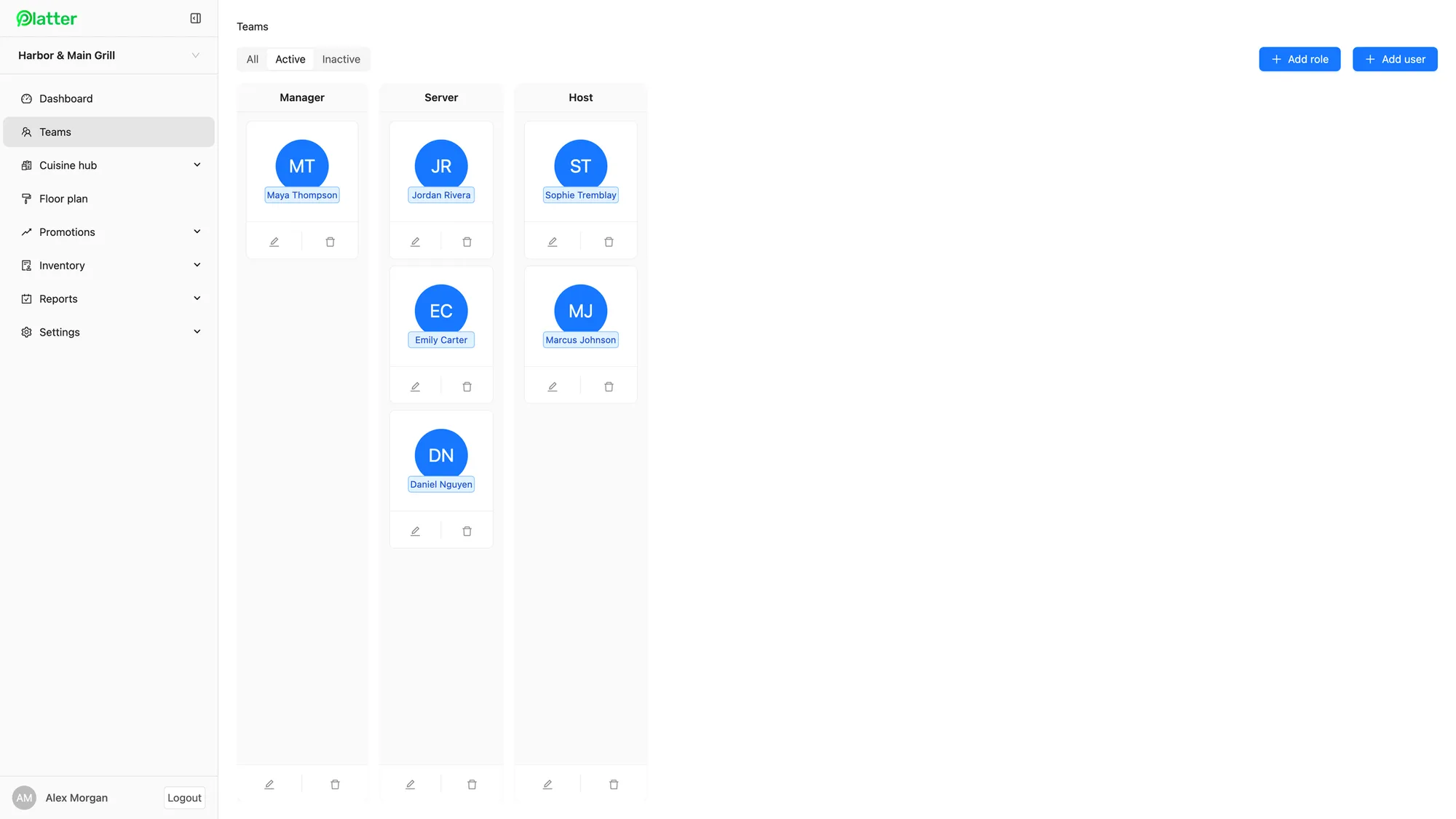
Every location needs its own people with the right access. In Platter, each site has its own teams and roles, such as Manager, Server and Host, and you choose the permissions for each role. Staff get a personal PIN, so you can see who rang in each order. Staff clock in and out with the same PIN, and their hours feed timesheets and the labour report for that location.
Opening each new location
Growth is where a franchise system proves itself. Each new Platter location is set up the same way as the first. An onboarding specialist sets up the menu, floor plan, printers, Moneris and staff roles with the location's team, and the account stays in set-up mode until launch day, so staff can practise on the real menu before guests arrive. On the Multi-location plan, for brands with three or more sites, you also get a named account manager.
Card payments at each location are processed by Moneris, at Moneris preferred pricing for Platter customers, subject to Moneris approval. Moneris terminals pair over Wi-Fi, and Tap to Pay on iPhone and Android in the Platter app is powered by Stripe. Platter is made in Canada, in Mississauga, Ontario, and hosted on Amazon Web Services. If you plan to open in Quebec, contact us first.
What it costs
The Multi-location plan is $129 per location per month for three or more sites. At each location, add one kitchen display at $15, a customer display at $15 and one extra tablet at $10, and phones and printers are free. The main POS iPad is included for each location. Hardware is not included, so each site can bring its own iPad, iPhone or Android devices and Epson printers. Plans are month-to-month with no cancellation fee. See the details on the pricing page.