
Toronto, ON
A restaurant POS built for the way Toronto eats
Toronto restaurants juggle downtown lunch crowds, weekend brunch lines, summer patios and a steady stream of delivery tablets. Platter puts tables, takeout, delivery and the kitchen on one iPad, iPhone or Android system, with a web back office you can check from anywhere. It’s made in Canada and priced in Canadian dollars.
What could your Toronto restaurant save on card processing?
Compare what you pay for card processing today with Moneris preferred pricing for Platter customers. It takes about a minute. Subject to Moneris approval.
Running a restaurant in Toronto
Restaurant sales in Toronto carry 13% HST (5% federal plus 8% provincial). Ontario also rebates the 8% provincial part at the till on qualifying prepared food and non-alcoholic drinks when they total $4 or less before tax, which matters for coffee counters and bakeries.
Office lunch in the Financial District
Weekday lunch near King and Bay comes in a short, heavy wave. A separate lunch menu, a Lunch Combo promotion that applies itself, and a Kitchen Display System that colour-codes and times every ticket help the line keep pace when the towers empty out at noon.
Patio season
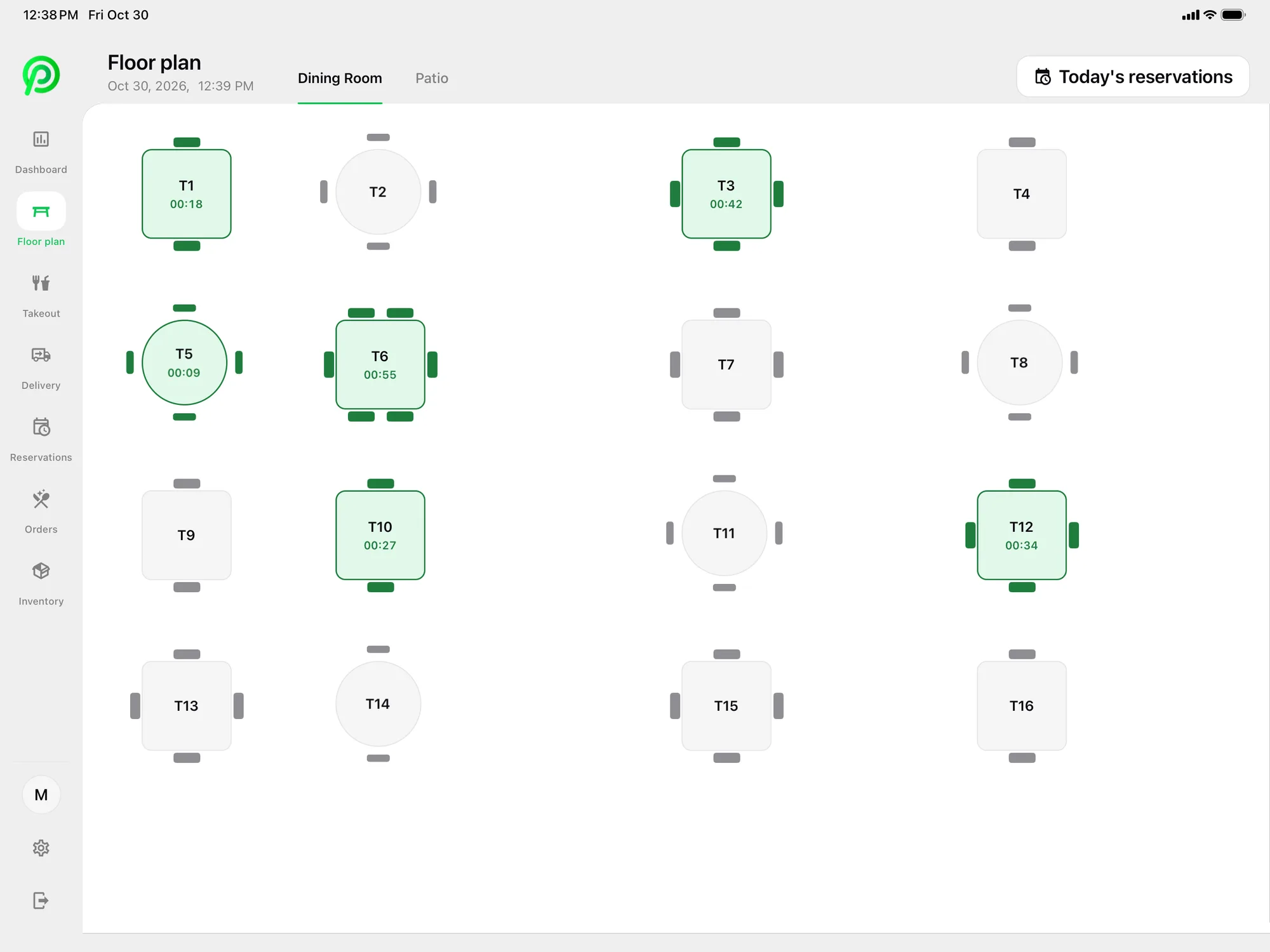
When the weather turns, a lot of seating moves outside. Build a separate Patio room in Platter’s floor plan editor next to your Dining Room, so hosts and servers see live seat timers for both and know which tables are ready to turn.
Brunch and late nights on the same floor
Neighbourhoods like Ossington, Leslieville and King West run long weekend brunches and late dinners. Keep a Brunch menu and a Happy Hour menu in the back office, switch the POS to dark mode for evening service, and split cheques by seat or by item for big tables.
Three delivery apps, one order list
Uber Eats, DoorDash and SkipTheDishes orders arrive in Platter to accept or cancel, connected through your own Deliverect account. Set separate delivery prices so menu items on the apps can carry a different price from dine-in.
Toronto’s restaurant scene covers almost every format: counter-service spots on Queen West, family places along the Danforth, food-hall stalls downtown and full-service rooms in Yorkville. Each one needs different things from a POS, so Platter has two main plans. Essentials ($79 per location per month) covers cafés and quick service. Pro ($149) adds reservations, delivery, inventory, discounts, labour and all reports for full-service restaurants and bars.
Hosts take reservations on the iPad or a phone, assign tables from the floor plan and text guests a confirmation, with no per-cover fees. Advanced Reservations, coming soon, adds online booking from your website, Google and Instagram, pacing per 15-minute slot, reminders and a waitlist, so a Friday night doesn’t overbook.
If you run more than one location across the city, one back office covers them all, with cross-location reporting. A remote onboarding specialist helps you set up menus, the floor plan, printers, Moneris and staff roles, and your account stays in set-up mode until you choose to launch.
Restaurant POS in Toronto: questions
Restaurant POS in other cities: Mississauga, Vancouver, Calgary, Ottawa and Edmonton.
Tax information: Canada Revenue Agency: GST/HST provincial rates table · Canada Revenue Agency: GI-064, Ontario point-of-sale rebate on prepared food and beverages · Government of Ontario: HST point-of-sale rebates
See your restaurant running on Platter
A 30-minute demo with a product specialist, tailored to your menu and floor. No obligation.
Book a free demo